2-22
Installation > Installing the optional parts
[CONFIDENTIAL]
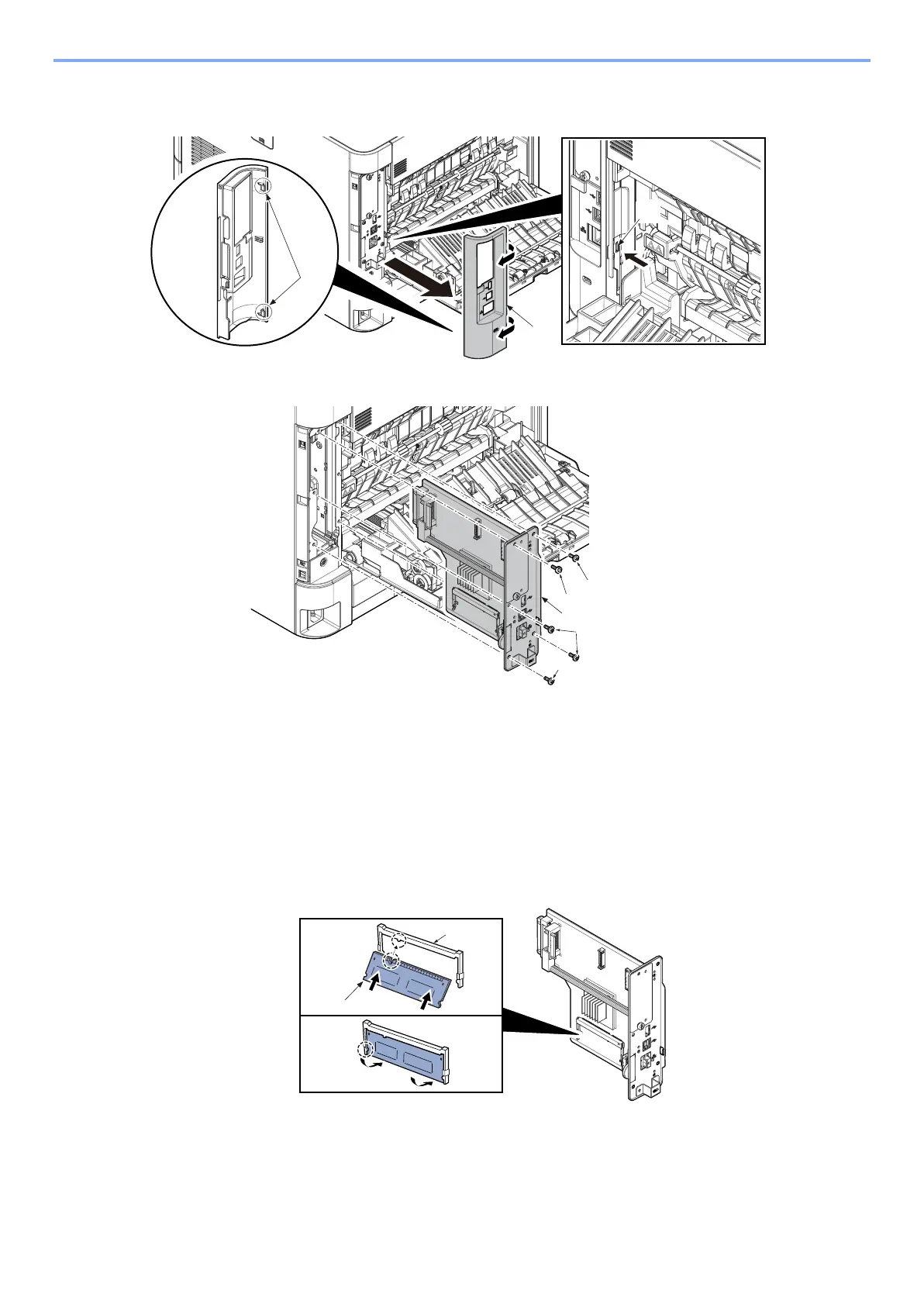
3 Release the hook (b) and detach the interface cover (a)
• Insert two of the hook (c) first to attach
2
Remove 4 of screws (a) (M3x8) and the pin (b) and detach the main PWB unit (c)
3
Attaching the expansion memory
1 Turn the terminal section of the expansion memory (a) to the socket (b) side and align the cut-out to the
projection of the soket to insert it straight in angle.
2 Turn the expansion memory down to the position parallel to the main PWB by taking the socket section as
fulcrum and fit it to the hook.
3 Refit the main PWB assembly and the screws.
4 Refit the covers.



 To Next Page