FEATURES
1-5
NOTE:
Push the “” side of the “SELECT” switch to
switch the display in the reverse order.
To reset a tripmeter, select it by pushing the “”
or “” side of the “SELECT” switch, and then
push the “RESET” switch for at least one sec-
ond. If you do not reset the fuel reserve tripmeter
manually, it will reset itself automatically, and the
display will return to the prior mode after refuel-
ing and traveling 5 km (3 mi).
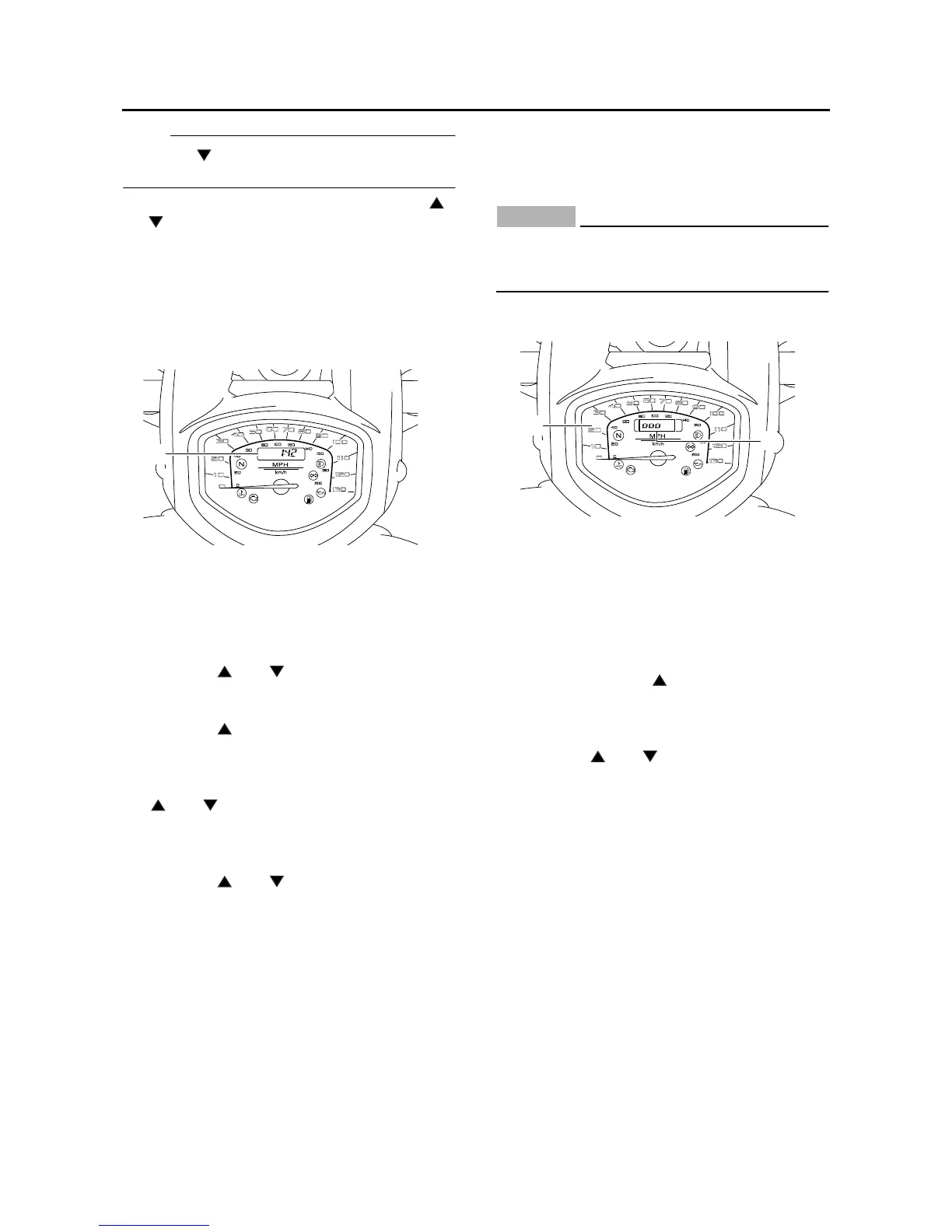
Clock mode
Push the “RESET” switch for less than one sec-
ond to display the clock for five seconds, regard-
less of the currently selected display mode.
To set the clock:
1. Push the “” or “” side of the “SELECT”
switch to change the display to the clock
mode.
2. Push the “” side of the “SELECT” switch
and the “RESET” switch together for at least
two seconds.
3. When the hour digits start flashing, push the
“” or “” side of the “SELECT” switch to
set the hours.
4. Push the “RESET” switch, and the minute
digits will start flashing.
5. Push the “” or “” side of the “SELECT”
switch to set the minutes.
6. Push the “RESET” switch and then release it
to start the clock.
Self-diagnosis device
This model is equipped with a self-diagnosis de-
vice for various electrical circuits.
If any of those circuits are defective, the engine
trouble warning light will come on, and then the
odometer/tripmeter/clock display will indicate a
two-digit error code (e.g., 12, 13, 14).
If the odometer/tripmeter/clock display indicates
any error codes, note the code number, and
then check the vehicle. Refer to “FUEL INJEC-
TION SYSTEM” on page 8-33.
CAUTION:
ECA3D81016
If the display indicates an error code, the ve-
hicle should be checked as soon as possible
in order to avoid engine damage.
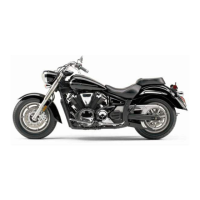
Brightness control mode
This function allows you to adjust the brightness
of the speedometer panel to suit the outside
lighting conditions.
To set the brightness:
1. Turn the key to “OFF”.
2. Push and hold the “” side of the “SELECT”
switch.
3. Turn the key to “ON”, and then release the
“SELECT” switch after five seconds or more.
4. Push the “” or “” side of the “SELECT”
switch to select the desired brightness level.
5. Push the “RESET” switch to confirm the se-
lected brightness level. The display will return
to the odometer, tripmeter or clock mode.
1. Clock
1
1. Speedometer panel
2. Brightness level
1
2



 To Next Page