57
Navigation mode
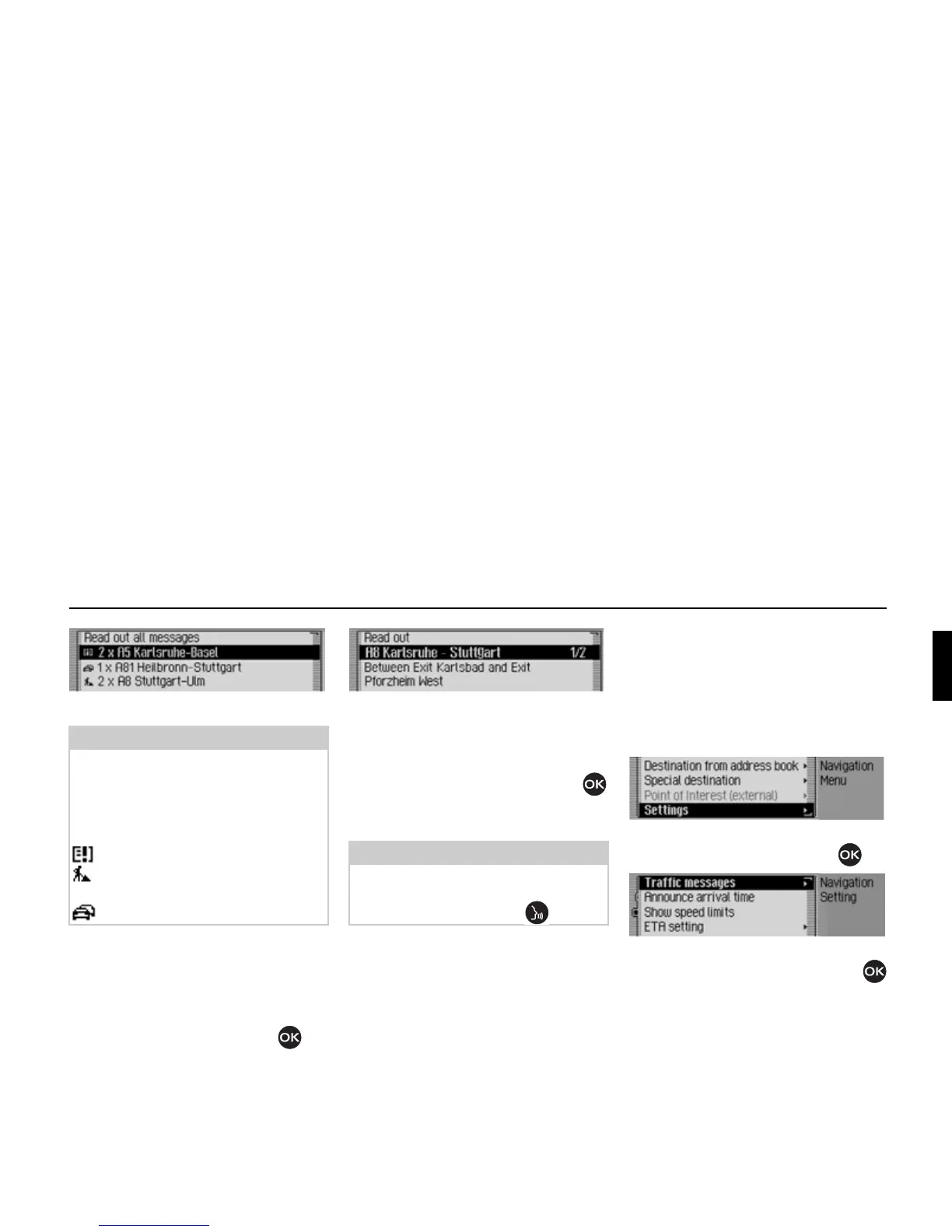
All TMC messages are displayed.
! To listen to all announcements, select
the
Read out ačč messages entry.
or
! Select the required announcement.
! Confirm your selection by pressing
the rotary control/push button .
The announcement appears in full.
! To listen to the announcement, select
the
Read out entry.
or
! Turn the rotary control/push button
to scroll through the traffic announce-
ment.
A typical traffic announcement appears
as follows:
• a motorway or road number
• Approximate direction information
• Detailed location and direction infor-
mation
• The event
• The cause, if known
Settings
You can make various settings for navi-
gation in the settings.
! In the Navigation main menu, select
the
Setting entry.
! Confirm your selection by pressing
the rotary control/push button .
The Settings menu appears.
! Turn the rotary control/push button
to select one of the following options:
Traffic messages,
Announce arrivač time,
Show speed čimits,
ETA setting or
Unit of measure
Note:
Traffic announcements are displayed
sorted according to category and road.
Various symbols appear in front of each
traffic announcement to indicate the
category.
indicates a warning.
indicates building sites and other
obstacles.
indicates traffic jams in general.
2069
Note:
The reading out of traffic announce-
ments can be aborted by pressing the
rotary control/push button .
2084
2085
2086















 To Next Page