EasyManua.ls Logo

Brady BMP 61 - User Manual

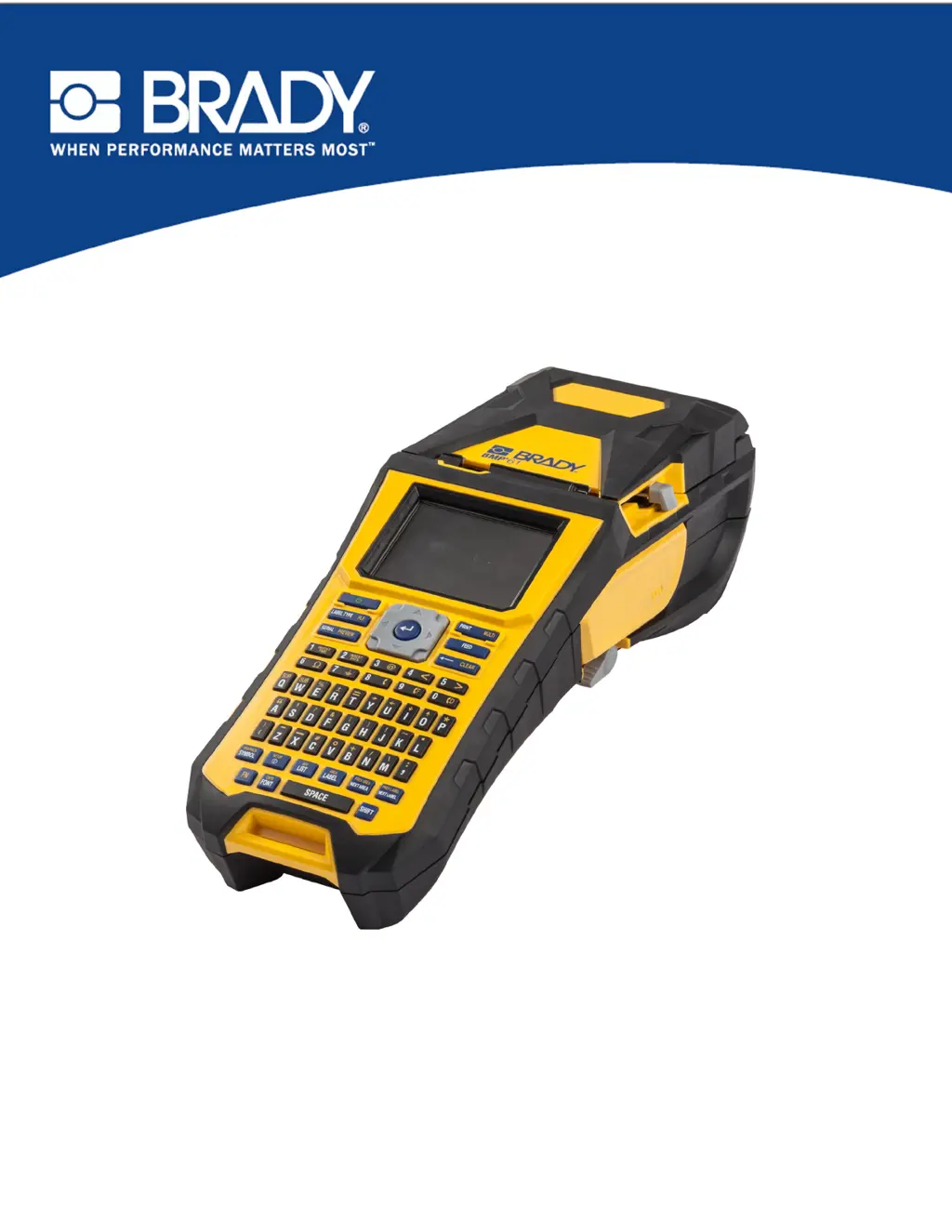
Brady BMP 61
178 pages
Print Icon
To Next Page IconTo Next Page
Loading...
BMP
®
61 Label Printer
USER’S MANUAL

Table of Contents

Other manuals for Brady BMP 61

Questions and Answers

  • Y
    Yolanda SolisAug 27, 2025
    Why does my Brady Label Maker frequently power OFF?
    • J
      Jordan ArnoldAug 28, 2025
      If your Brady Label Maker frequently powers off, it could be due to a low battery. To fix this, attach the AC Adapter to the printer and plug it into an electrical outlet to supply power and charge the battery.
  • E
    elliottrachelAug 28, 2025
    What to do if the cutter does not cut on my Brady BMP 61 Label Maker?
    • P
      Paul JonesAug 28, 2025
      If your Brady Label Maker cutter does not cut, it is possibly due to adhesive buildup. Clean the cutter blades using a moistened swab from the cleaning kit.
  • S
    Sabrina MyersAug 28, 2025
    What to do if my Brady Label Maker says 'Cover not closed'?
    • L
      Lori WestAug 29, 2025
      If your Brady Label Maker displays 'Error - "Cover not closed"', push down firmly on the cover until you hear it latch. It should line up evenly with the printer case.
  • J
    jriveraAug 29, 2025
    Why is the print faint on labels from my Brady Label Maker?
    • K
      Keith LongAug 29, 2025
      If the Brady Label Maker is printing with faint print on labels, the ribbon may not be advancing properly. With the ribbon installed, tension it by rotating the rewind spool (top spool) in a downward direction until all slack is removed. You might also try another ribbon cartridge.
  • C
    Catherine CooperAug 29, 2025
    What to do if my Brady Label Maker displays 'Label and ribbon color are identical'?
    • B
      Beth Griffin DVMAug 29, 2025
      If your Brady Label Maker displays 'Error - "Label and ribbon color are identical"', replace either the ribbon or the label/media. Press [CLEAR/ESC] key to clear the error.
  • M
    Maria SmithAug 30, 2025
    What to do if my Brady BMP 61 displays 'Ribbon not optimized for label type'?
    • D
      Dr. Kim CardenasAug 30, 2025
      If your Brady Label Maker displays 'Error - "Ribbon not optimized for label type"', replace either the ribbon or label/media. Press [CLEAR/ESC] key to clear the error.
  • B
    beckerchristopherAug 30, 2025
    Why is my Brady Label Maker printing no print on the label?
    • C
      Crystal RiosAug 30, 2025
      If your Brady Label Maker is not printing anything on the label, it might be because the label or ribbon isn't loaded correctly, or you're out of ribbon. Review the loading instructions for both the ribbon and the media, and load a new ribbon if necessary.
  • J
    James BrownAug 31, 2025
    Why do void areas or lines appear on printed text from my Brady Label Maker?
    • A
      Aaron Taylor DDSAug 31, 2025
      If your Brady Label Maker is producing void areas or lines on printed text, it's likely due to ribbon wrinkling. With the ribbon installed, tension it by rotating the rewind spool (top spool) in a downward direction until all slack is removed. You might also try another ribbon cartridge.
  • D
    Destiny MirandaAug 25, 2025
    How to fix poor print quality on Brady BMP 61 Label Maker?
    • V
      Valerie DayAug 25, 2025
      If you are experiencing poor print quality with your Brady Label Maker, it could be due to dust or adhesives accumulated on the print head. Try cleaning the print head.
  • A
    Andres WalkerSep 1, 2025
    Why will my Brady Label Maker not feed labels?
    • J
      James EdwardsSep 1, 2025
      If your Brady Label Maker will not feed labels, the leading edge of the label roll may not be inserted far enough or may be uneven. Ensure the leading edge is securely under the ribs, up to the black line. If the edge is torn, use scissors to cut a straight edge.

Summary

Getting Started with the BMP61 Label Printer

Introduction to the BMP61 Printer

Overview of the BMP®61 label printer, its features, and initial setup instructions.

Printer Power and Connectivity

Details on power sources, battery handling, AC adapters, and connecting the printer to a PC or external devices.

Loading Media and Ribbon

Instructions for loading and unloading label media and ribbon cartridges.

Attaching Accessories and Strap

Guide on how to attach the carrying strap and other accessories for printer use.

Creating and Formatting Labels

Creating and Editing Text Labels

Steps for entering, editing, clearing, and managing text content on labels.

Font Formatting Options

Customizing font size, attributes, expansion, condensation, and superscripts/subscripts.

Adding Symbols and Graphics

How to insert predefined symbols and personal graphics into label designs.

Label Structure and Barcodes

Defining label areas, justification, rotation, frames, and adding barcode elements.

Serialization and List Features

Using serialization for sequential numbering and the List function for variable data.

File Management and Printing

Managing Label Files

Saving, opening, deleting, and organizing label files and folders.

Printing and Previewing Labels

Procedures for printing labels, using print preview, and managing print jobs.

Label Types

Overview of Label Types

Introduction to the various label types supported by the BMP®61 printer.

Specific Label Type Applications

Detailed guides for using General, WireMarker, Flags, Terminal Block, Vial, and other label types.

Maintenance and Troubleshooting

Printer Maintenance Procedures

Instructions for cleaning the display screen and internal printer components.

Troubleshooting Common Issues

Diagnosing and resolving problems related to hardware, power, print quality, and media.

Keyboard Configurations and Symbols

Keyboard Configurations and Languages

Supported keyboard layouts and language options for different regions.

Available Symbols

Categorized list and usage of symbols for various label applications.

Brady BMP 61 Specifications

General IconGeneral
Print TechnologyThermal Transfer
Resolution300 dpi
DisplayColor LCD
CutterAutomatic
Keyboard TypeQWERTY
BatteryRechargeable Li-ION battery
Max Print Width1.5 inches
Label Width Range0.25 to 1.5 inches
Print Speed (mm/s)33.8
ConnectivityUSB, Wi-Fi
Power SourceBattery or AC adapter
Supported MaterialsPolyester, vinyl, nylon, and more
Memory256 MB
Material CompatibilityContinuous Tapes, Die-Cut Labels

Related product manuals