EasyManua.ls Logo

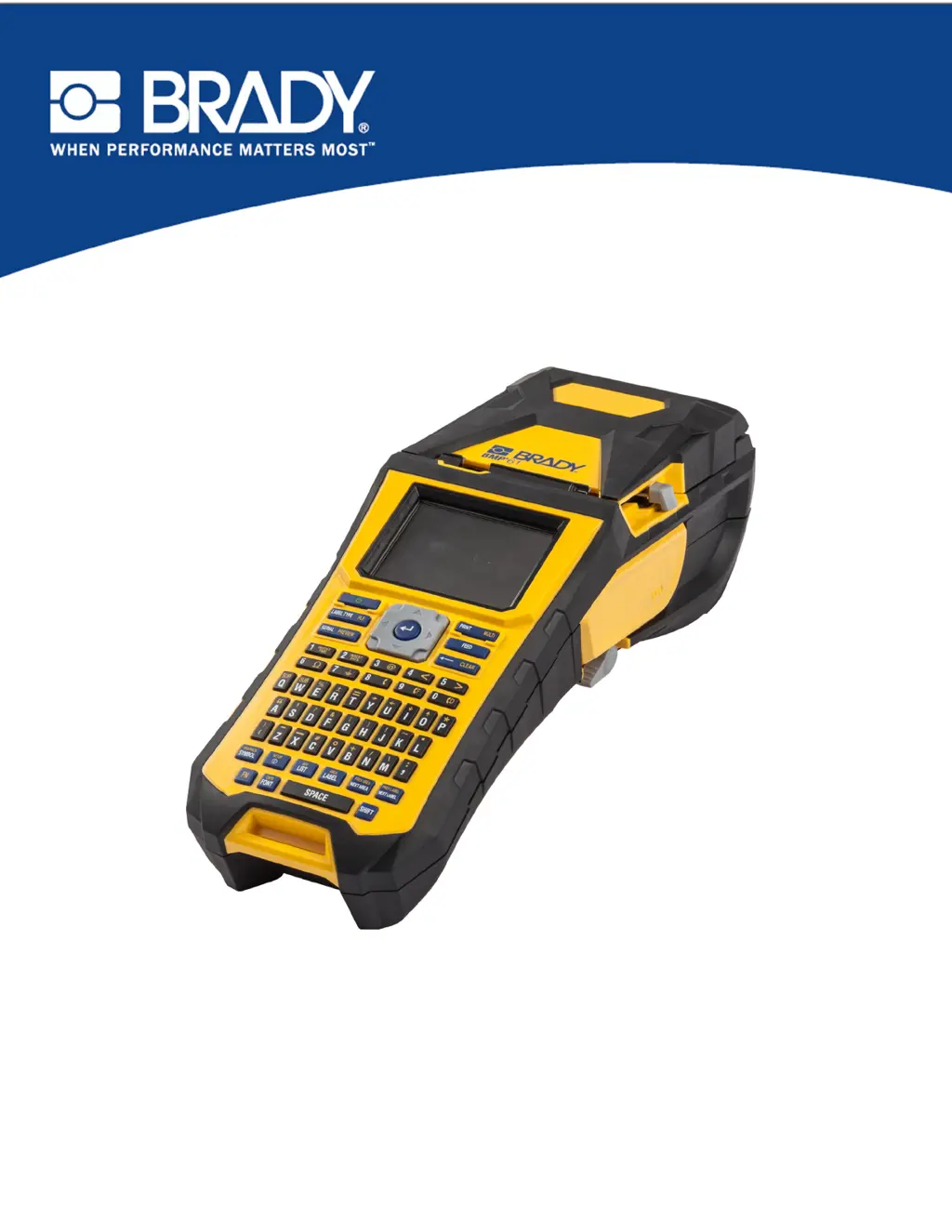
Brady BMP 61 - User Manual

Brady BMP 61
178 pages
Print Icon
To Next Page IconTo Next Page
Loading...
BMP
®
61 Label Printer
USER’S MANUAL

Table of Contents

Other manuals for Brady BMP 61

Questions and Answers

  • B
    Brian KennedySep 1, 2025
    Why does label material jam in my Brady Label Maker?
    • D
      David WilkinsSep 1, 2025
      If the label material jams in your Brady Label Maker, it might be because the last label wasn't removed. Make sure the last cut label has been removed from the label tray.
  • W
    wsantiagoSep 2, 2025
    What to do if my Brady BMP 61 has an error while printing?
    • J
      Joseph GonzalezSep 2, 2025
      If the Brady Label Maker experiences an error while printing, it might be because the printer cover was opened. Reinstall the ribbon and label/media, then press the [CLEAR/ESC] key to clear the error.
  • C
    Christopher BurtonSep 2, 2025
    What to do if my Brady BMP 61 Label Maker does not power on?
    • P
      Pamela BaldwinSep 2, 2025
      If your Brady Label Maker doesn't power up, the battery pack might not be charged. Attach the AC adapter to the printer and plug it into an electrical outlet to supply immediate power while charging the battery.
  • M
    Michael TranSep 3, 2025
    Why does my Brady BMP 61 keep turning off?
    • M
      mahoneywilliamSep 3, 2025
      If your Brady Label Maker frequently powers off, it could be due to a low battery. Try attaching the AC adapter to the printer and plugging it into an electrical outlet to supply immediate power while charging the battery.
  • E
    Elizabeth PierceSep 3, 2025
    How to stop my Brady Label Maker from turning off?
    • J
      Jared FloresSep 3, 2025
      If your Brady Label Maker frequently powers OFF, the auto shutoff timing may be the issue. You can adjust the Shut Off Delay timing in the Setup>Config menu.
  • E
    Edwin GibsonSep 3, 2025
    What to do if my Brady Label Maker is not responding?
    • B
      brownbrianSep 4, 2025
      If your Brady Label Maker is not responding, the battery may be dead. Attach the AC adapter to provide power to the printer and charge the battery, or install a new battery.
  • B
    Brian StanleySep 4, 2025
    How to fix 'Out of ribbon' error on Brady BMP 61 Label Maker?
    • D
      dallenSep 4, 2025
      If your Brady Label Maker displays an "Out of ribbon" error, the ribbon supply has likely run out. Replace the ribbon cartridge and press the [CLEAR/ESC] key to clear the error.
  • R
    Robert Nicholson Jr.Sep 4, 2025
    What does 'Head over temp' mean on Brady BMP 61 Label Maker?
    • F
      foleyjamesSep 4, 2025
      If your Brady Label Maker shows a "Head over temp" error, it means the print head is too hot. Allow the print head to cool down for about 10 minutes, then try your print job again.
  • S
    Scott McneilSep 5, 2025
    How to fix 'Cover not closed' error on Brady Label Maker?
    • K
      Kristen LandrySep 5, 2025
      If your Brady Label Maker displays an error indicating the "Cover not closed", it means the printer cover isn't fully latched. Push down firmly on the cover until you hear it latch, ensuring it lines up evenly with the printer case.
  • K
    kconnerSep 5, 2025
    How to resolve 'Out of Media' error on Brady BMP 61 Label Maker?
    • W
      William WebbSep 5, 2025
      If your Brady Label Maker shows an "Out of Media" error, the label supply is exhausted. Replace the label supply roll.

Summary

Getting Started with the BMP61 Label Printer

Introduction to the BMP61 Printer

Overview of the BMP®61 label printer, its features, and initial setup instructions.

Printer Power and Connectivity

Details on power sources, battery handling, AC adapters, and connecting the printer to a PC or external devices.

Loading Media and Ribbon

Instructions for loading and unloading label media and ribbon cartridges.

Attaching Accessories and Strap

Guide on how to attach the carrying strap and other accessories for printer use.

Creating and Formatting Labels

Creating and Editing Text Labels

Steps for entering, editing, clearing, and managing text content on labels.

Font Formatting Options

Customizing font size, attributes, expansion, condensation, and superscripts/subscripts.

Adding Symbols and Graphics

How to insert predefined symbols and personal graphics into label designs.

Label Structure and Barcodes

Defining label areas, justification, rotation, frames, and adding barcode elements.

Serialization and List Features

Using serialization for sequential numbering and the List function for variable data.

File Management and Printing

Managing Label Files

Saving, opening, deleting, and organizing label files and folders.

Printing and Previewing Labels

Procedures for printing labels, using print preview, and managing print jobs.

Label Types

Overview of Label Types

Introduction to the various label types supported by the BMP®61 printer.

Specific Label Type Applications

Detailed guides for using General, WireMarker, Flags, Terminal Block, Vial, and other label types.

Maintenance and Troubleshooting

Printer Maintenance Procedures

Instructions for cleaning the display screen and internal printer components.

Troubleshooting Common Issues

Diagnosing and resolving problems related to hardware, power, print quality, and media.

Keyboard Configurations and Symbols

Keyboard Configurations and Languages

Supported keyboard layouts and language options for different regions.

Available Symbols

Categorized list and usage of symbols for various label applications.

Brady BMP 61 Specifications

General IconGeneral
Print TechnologyThermal Transfer
Resolution300 dpi
DisplayColor LCD
CutterAutomatic
Keyboard TypeQWERTY
BatteryRechargeable Li-ION battery
Max Print Width1.5 inches
Label Width Range0.25 to 1.5 inches
Print Speed (mm/s)33.8
ConnectivityUSB, Wi-Fi
Power SourceBattery or AC adapter
Supported MaterialsPolyester, vinyl, nylon, and more
Memory256 MB
Material CompatibilityContinuous Tapes, Die-Cut Labels

Related product manuals