155
Auxiliary functions
Specifying interval for the output of messages
Key Action Description
/ Select TRAVEL.ACCU (To do this, the TRAVEL.ACCU function must be incorporated into
the DIAGNOSE main menu. See Chapter “26.2.22.4. Activation of
diagnosis functions”).
ENTER
Press
The menu is displayed.
* Required for analog position sensor only (setting the STROKE submenu)
/ *
Select STROKE
INPUT
*
Press
The preset value is displayed.
/ *
Increase value
<
Changing the decimal
place
Set total stroke of the actuator piston.
/ Select LIMIT
INPUT
Press
The preset value is displayed.
/
Increase value
<
Changing the decimal
place
Setting interval for outputting the message (limit for total number of
piston movements).
OK
Press
Return to the TRAVEL.ACCU menu.
EXIT
Press
Return to the DIAGNOSE main menu.
Table 87: TRAVEL.ACCU; specifying interval.
CYCLE.COUNTER
– Direction reversal counter
The direction reversal counter counts the number of changes in direction of the actuator piston. A change in direction
is detected when the position of the actuator piston changes by at least 1 %.
The interval for outputting messages is specified by inputting a limit for the total number of changes in direction.
• To do this, a history entry is made in the HISTORY submenu. For description see “26.2.22.7. History entries in
the HISTORY submenu”.
• The status signal, which is assigned to the message, is indicated at short intervals on the display.
See also D.MSG and CONFIG.MSG in Chapter “26.2.22.5”, page 146.
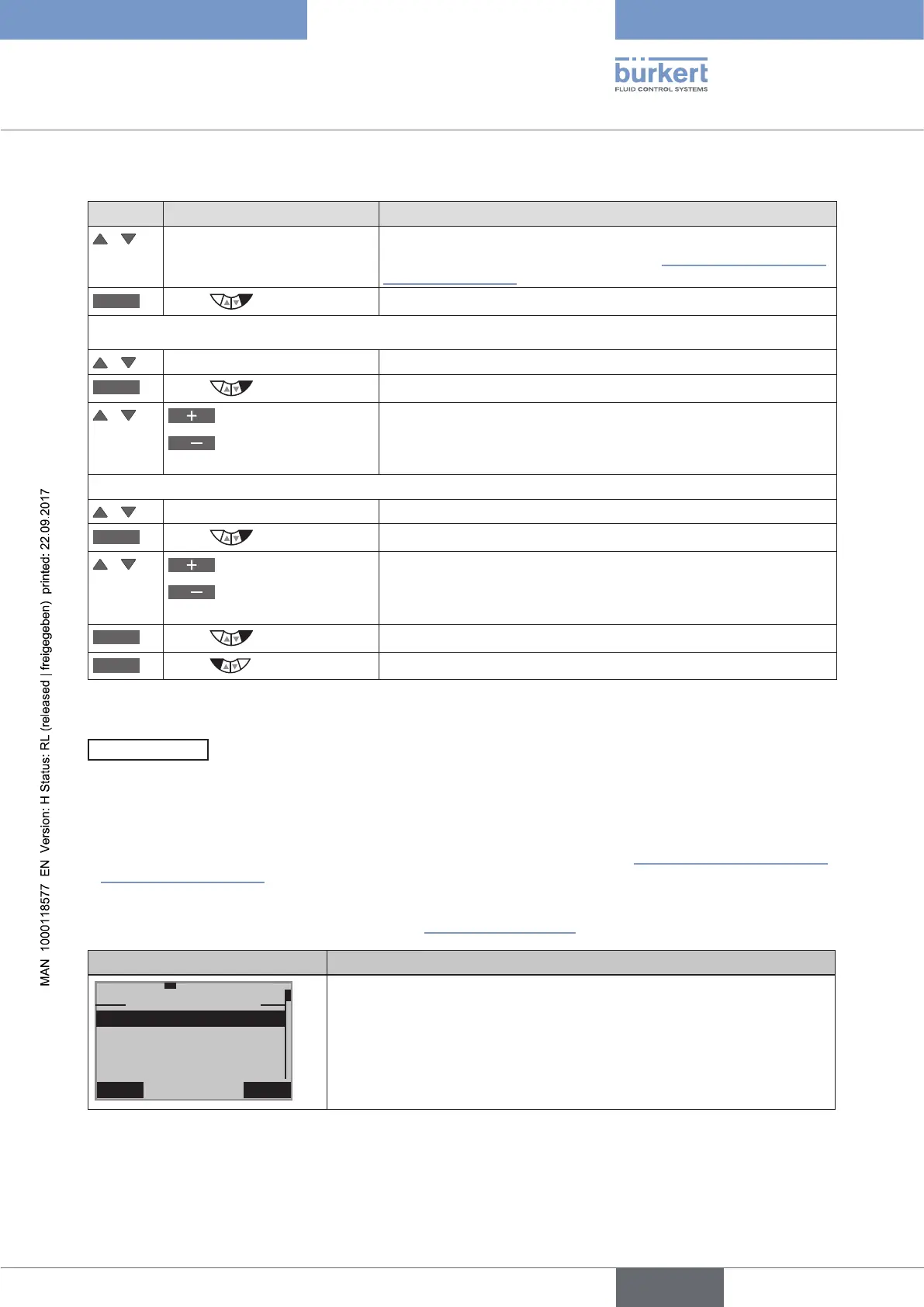
Display CYCLE.COUNTER Description of the functions
EXIT INPUT
29-7-1
CYCLE.COUNTER
LIMIT
HISTORY
NEXT.M
999960
1000000
The interval for outputting the message can be changed in the LIMIT
submenu. 1 million changes in direction have been preset at the factory.
After NEXT.M the remaining changes in direction are displayed until the
next message appears.
The history entries of the last 3 messages can be viewed and deleted in
the HISTORY submenu.
Table 88: SERVICE.TIME; operating-hours counter



 To Next Page