CAPINTEC, INC. CAPTUS
®
600
• F3 [GRAPH] Switches to the spectrum graph display, which allows detailed
observation of the spectra taken on the 400 or 1600keV range.
Reference
Figure 13-10.
• F4 [NEXT] Stores the data for this measurement in memory and proceeds to
Figure 13-6 for the next wipe location. This key is blank and
inactive for General Wipes.
• PRINT [P] Saves the results to memory, and prints the wipe report. If viewing
the graphs when print is pressed, the spectra will print as well.
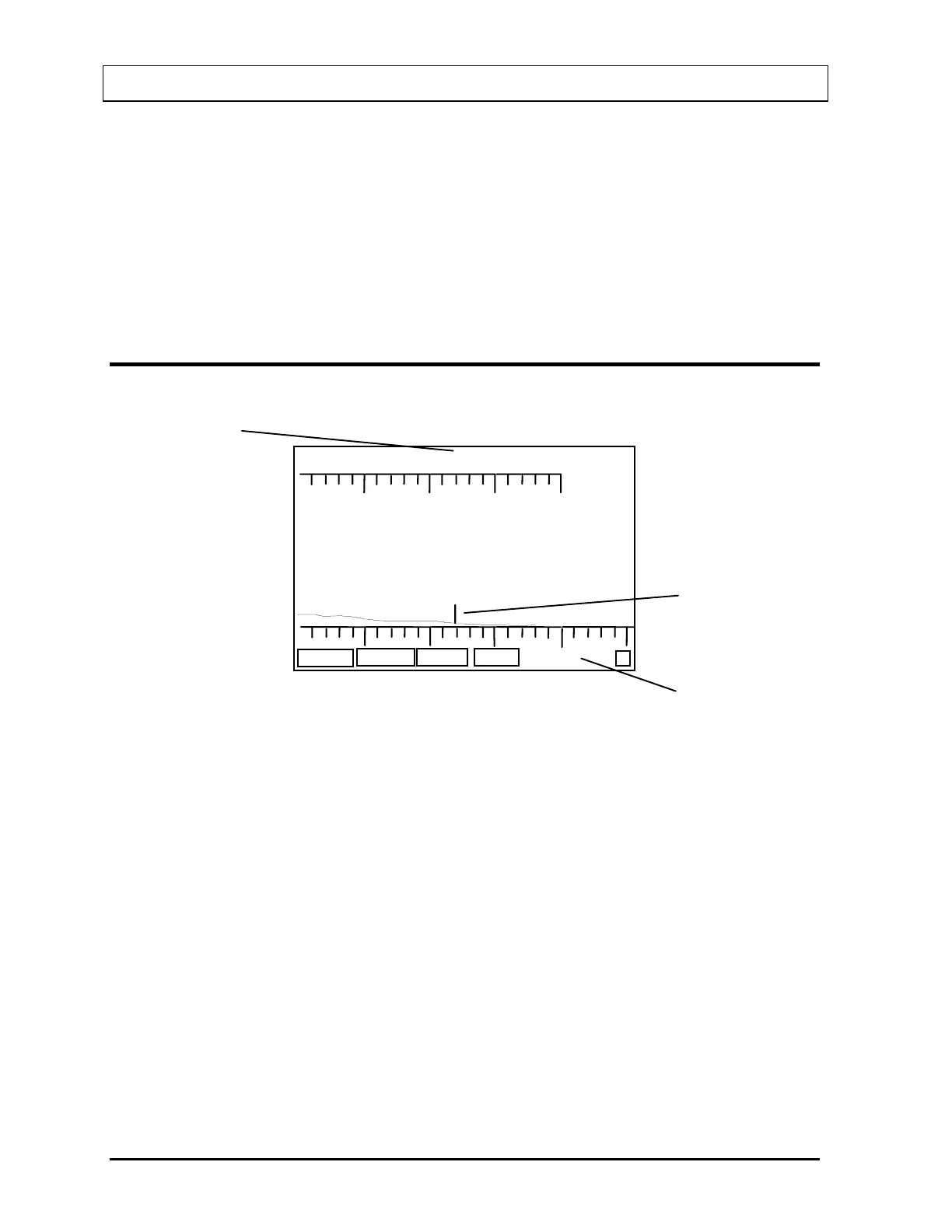
WIPE GRAPHICS SCREEN
COUNT
CT NEXT
500 Cts FS 1024 keV
P
RANGE
1600 keV
A
B
C
Figure 13-10
A. Cursor Position
B. Cursor
C. Indicates Range
The function keys of the Graph Screen (
Figure 13-10), operate as follows:
• F1 [COUNT] Re-counts the wipe.
• F2 [RANGE] Switches between 400 keV and 1600 keV ranges. If the CAPTUS
®
600 did not count in the 1600 keV range, this key will not be active
and the key will be blank.
• F3 [ACT] Switches back to the Activity Screen (Fig. 13-9).
• F4 [NEXT] Stores the data for this measurement in memory and proceeds to
Figure 13-6 for the next wipe location. This key is blank and
inactive for General Wipes.
13-6 WIPE TEST November 07



 To Next Page