Horizon Imager User’s Manual 10-19
Preventive Maintenance
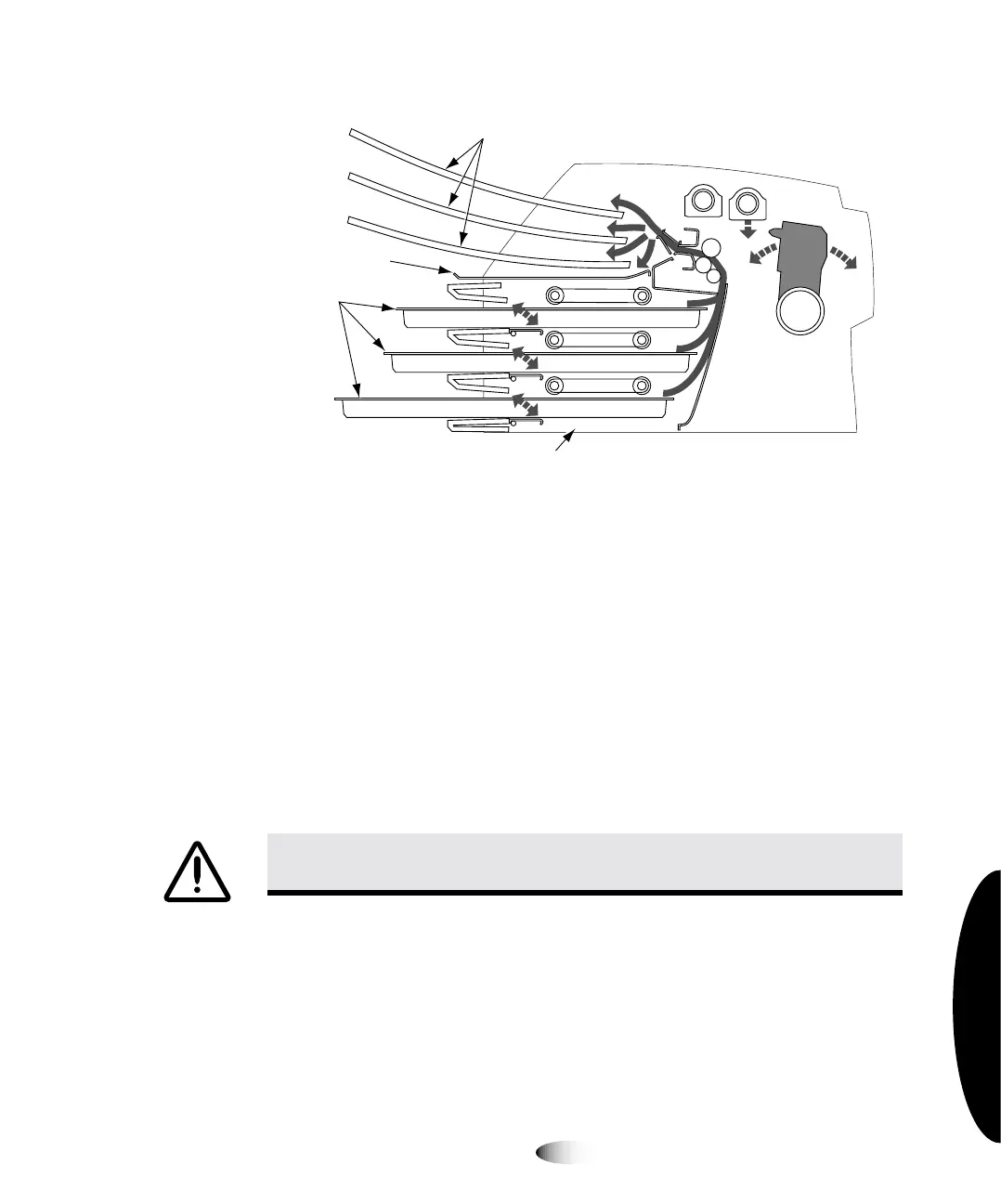
Cross-Section of Imager, Showing Location of Hide Track and
Basement
`äÉ~åáåÖ=íÜÉ=_~ëÉãÉåí
The
basement
is the polished sheet metal at the bottom, inside of
the imager (see the figure on page 10-19). When printing a
ChromaVista
sheet, the imager backs up the unfinished sheet into
the basement for all but the final color pass.
Using a platen roller wipe (refer to “Horizon Cleaning Kits” on
page 10-2), gently clean the basement of any dust or debris.
CAUTION
Do not scratch or nick the sheet metal. Scratches and nicks in the
basement will damage the printed side of
ChromaVista
sheets.
Receive
trays
assettes
Hide track
Basement



 To Next Page