2-6 Setting Up the Imager
10. Using a platen roller wipe (refer to “Horizon Cleaning Kits” on
page 10-2), gently clean the imager basement of any dust or
debris.
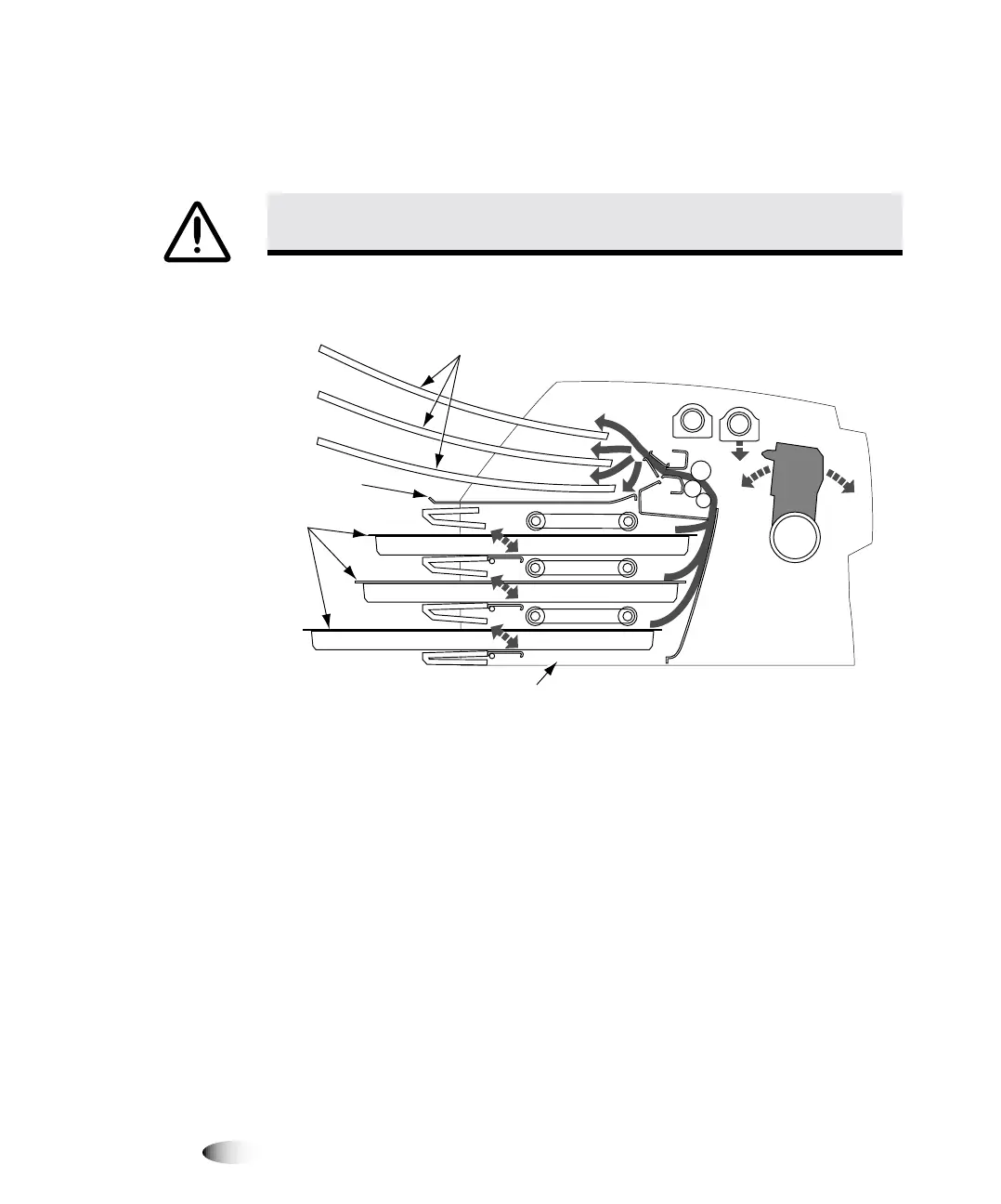
Cross-Section of Imager, Showing Location of Hide Track and
Basement (with receive trays and cassettes installed)
11. Remove the receive trays from their box.
12. Using a platen roller wipe, clean the receive trays of any dust or
debris. (For information about platen roller wipes, refer to
“Horizon Cleaning Kits” on page 10-2.)
NOTE:
Save the imager box and all packing material. You must reinsert any packing
material and use the original box to ship the imager for any reason. Refer to “Preparing the
Imager for Shipment” on page 2-26 for more information.
CAUTION
Do not scratch or nick the sheet metal. Scratches and nicks in the
basement will damage the printed side of
ChromaVista
sheets.
Receive
trays
Cassettes
Hide Track
Basement
3



 To Next Page