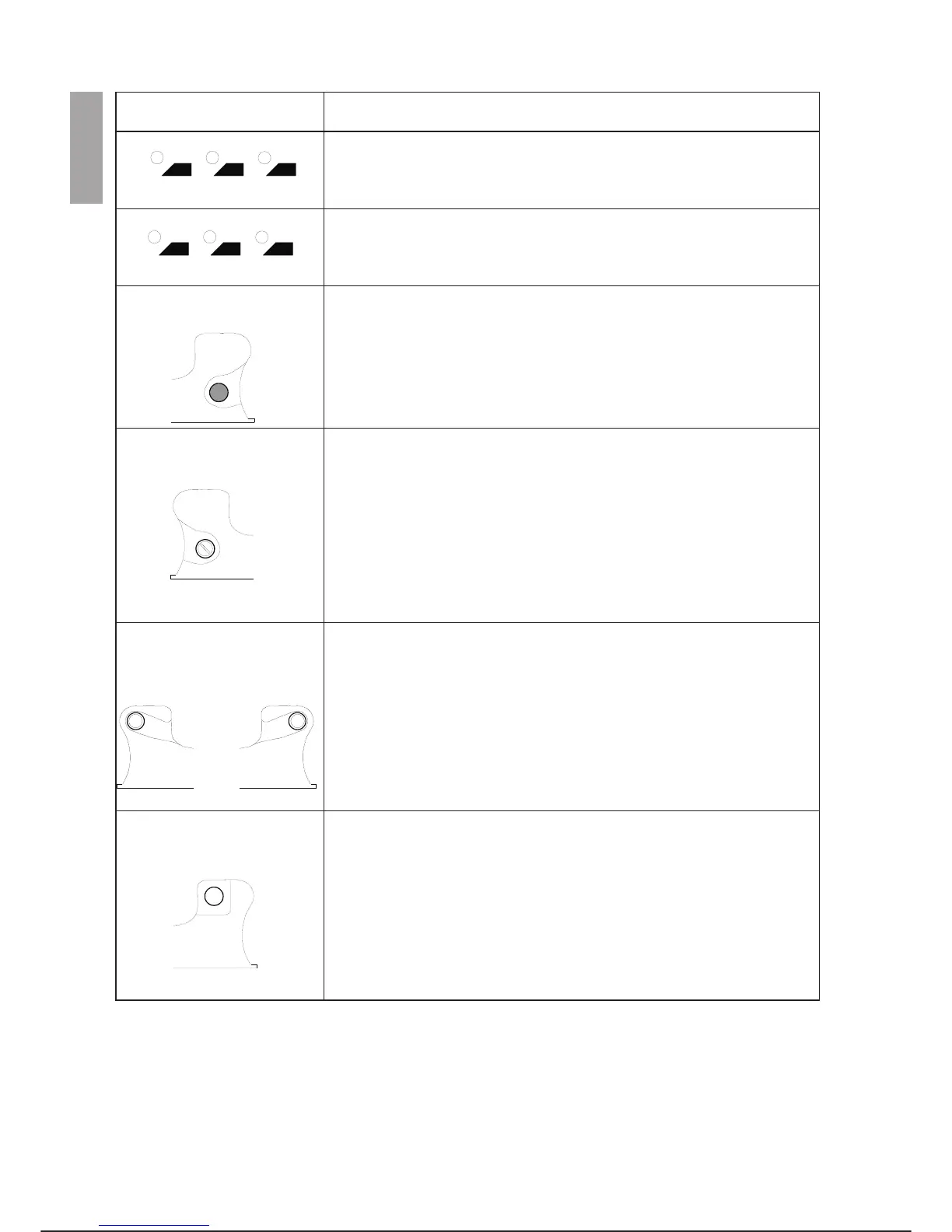
NAME and SYMBOL DESCRIPTION
The XTND, JNTP and POS keys make it possible to modify the type of
variable inserted on pressing the REC key in the Editor and EZ environ
-
ments. Variables of the XTNDPOS, JNTPOS or POSITION type can be
selected according to the key that is pressed.
The CIRC, LIN and JNT keys make it possible to modify the type of trajec
-
tory in the ProgramEdit/Memory Debug and EZ environments for setting
the REC key. The next time the REC key is pressed, a CIRCULAR,
LINEAR or JOINT clause is inserted in the MOVE instruction.
Mushroom-head emergency
stop button
Pressing this mushroom-head (red) button immediately stops all the arms
cutting off the power to the drives and activating the brakes.
It is connected to the safety chain and is not under software control.
To release, pull outwards.
AUTO/MANUAL selector This selector (optional) has two positions:
-
Automatic movement during programme development; it is possible to
run test cycles at operating speed.
-
Jogging of the axes, immediate execution and step-by-step checking of a
programme at reduced speed.
Some terminals do not have this selector. In this case the programming
terminal operates as if manual mode is always selected and when the
drives are on (Dr:ON), the enabling button must be held down to jog the
robot.
Three-position enabling button
(ENABLING DEVICE)
This is a safety switch that must be held down in the intermediate position;
to allow manual or automatic movement when the system is in program-
ming status, pressing this button the drives are automatically activated
(DRIVE ON) in programming status.
Releasing/completely pressing the button causes opening of the power
contactors and sets the robot to DRIVE OFF.
Terminal on Control
System button
This button acts as a safety device. On exiting programming mode, before
being able to operate automatically, it is necessary to put the programming
terminal in its housing on the control unit cabinet. Completely releasing the
button causes opening of the power contactors and sets the robot to
DRIVE OFF.
OPERATOR INTERFACE C3G Plus
3-8 00/1097
c3g-ptu4
XTND
JNTP
POS
CIRC
LIN JNT



 To Next Page