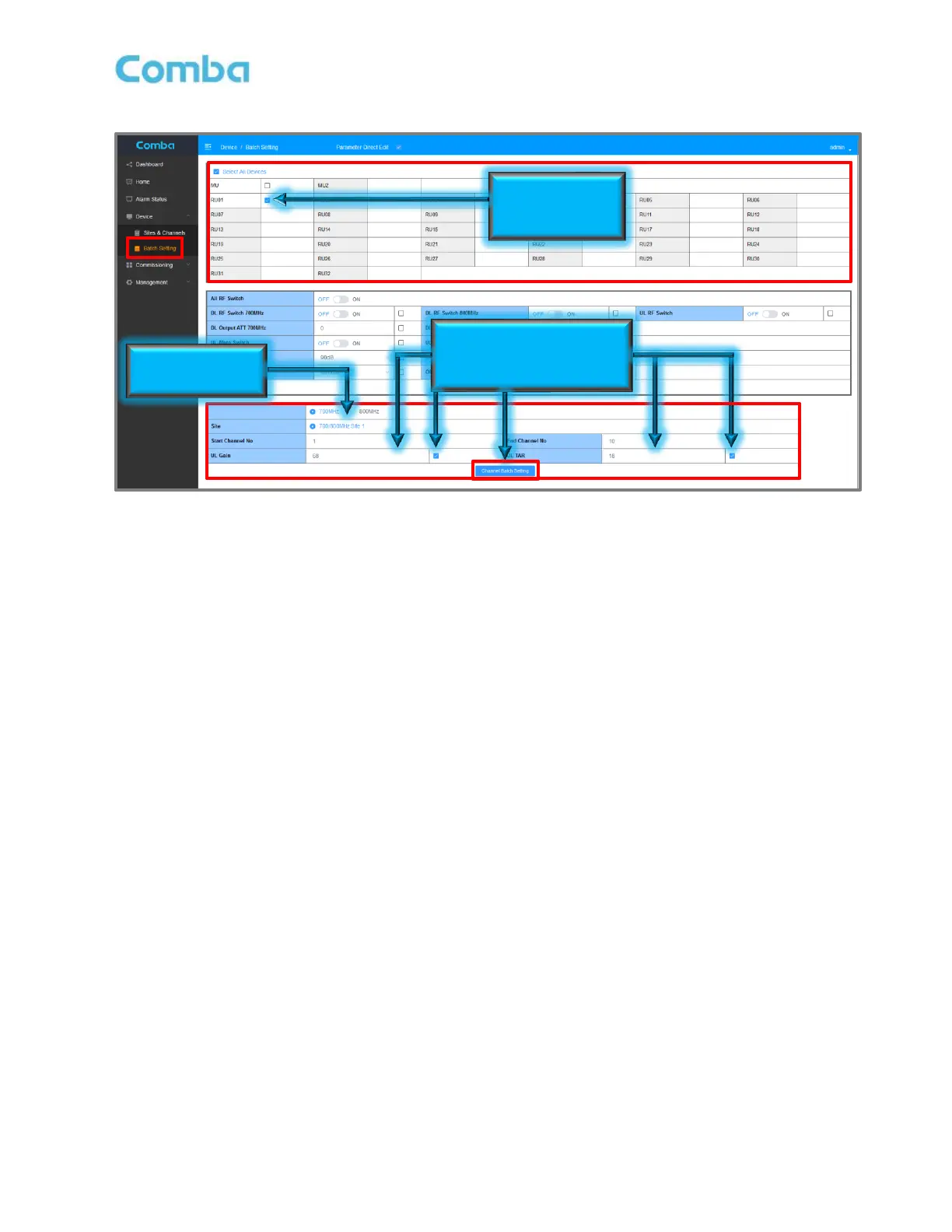
Figure 142: Commissioning Fiber DAS – Batch Setting Power and Gain Settings to RUs
Setting Input ATT, Output ATT, and Gain Limit
The Input ATT, Output ATT, Gain Limit, and RF Switches for MUs and RUs can be configured in different
manners. The parameters are available in several places for convenience. However, the easiest way to
configure these parameters for the MU are from the <Device – Sites & Channels> page as they can all be
modified quickly from the same window while monitoring RF levels in the channel filter sections. The easiest
way to configure these parameters for the RUs is by using the <Device – Batch Setting> page to configure all
RU parameters all at once.
For MU, the process is the same as the BDA (See Figure 141):
• Navigate to <Device – Sites & Channels>. There is narrow window above each channel filter section
where these parameters can be controlled.
• Click on the parameter text for a parameter to modify it. Click <Save>.
For individual RU, the basic process is the same as the BDA and MU (See Figure 141):
• Navigate to Access the RU you want to modify.
Navigate to <Dashboard – Table View – Click on RU – Device Sites and Channels>
Alternatively, Navigate to <Home – RU Checkbox – Channels & Sites>
• Click on the parameter text for a parameter to modify it. Click <Save>.
For Batch Setting RUs:
• Navigate to <Device – Batch Settings>. RU DL Output ATT, and RU UL Gain Limit can be
configured in the middle window.
• Select the RU checkboxes that need to be modified
• Enter the desired DL Output ATT and UL Gain Limit, ensure checkboxes are checked next to
parameter, and then click <Batch Setting>
See Figure 143 for more details.



 To Next Page