©2024 Comba Telecom. All Rights Reserved.
568 Gibraltar Drive, Milpitas, CA 95035 | +1 408 526 0180
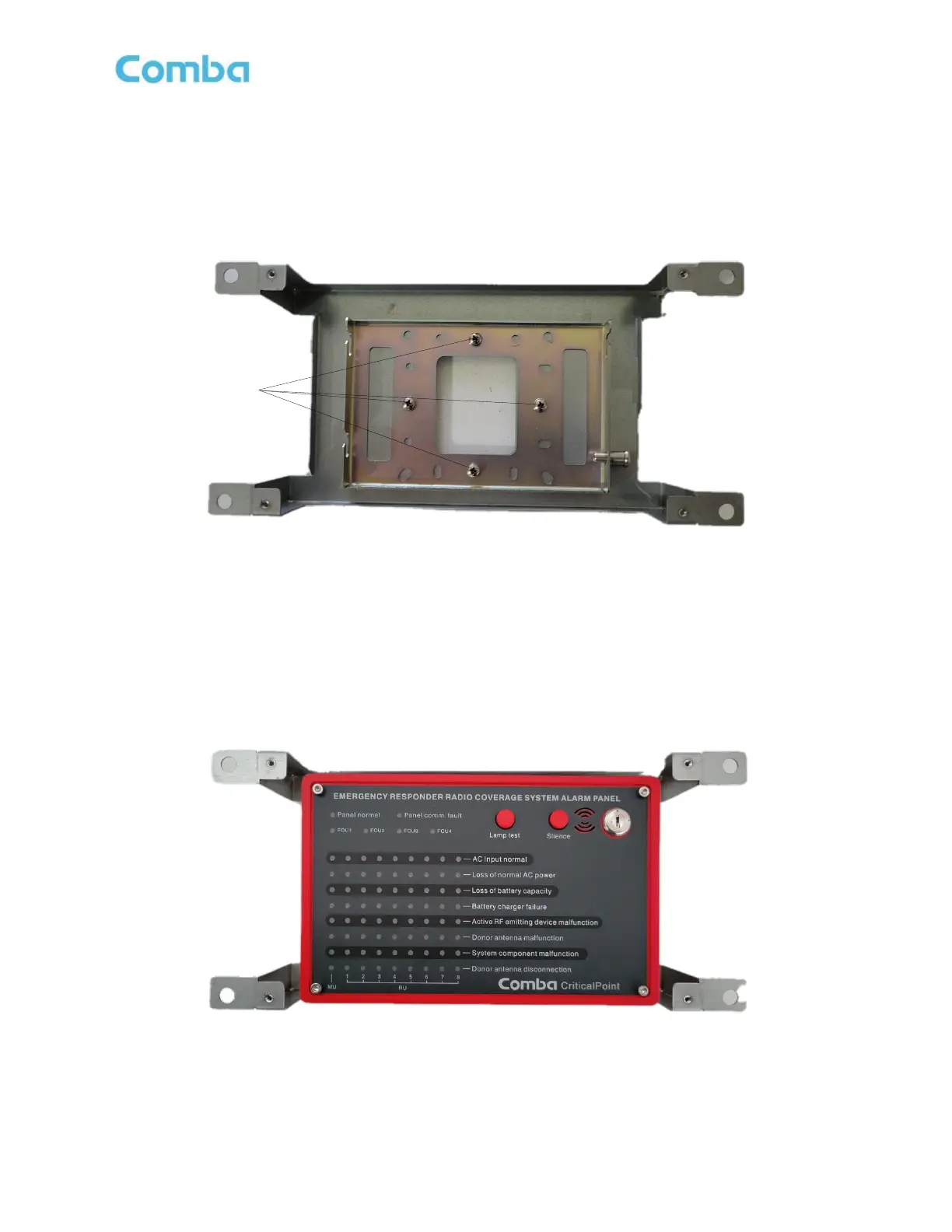
• Install the APV3-DAS standard mounting bracket into the flush mount bracket using the (4) screws
removed in the previous step. Ensure the standard mounting bracket is installed with the Spring-loaded
Pin Lock on the right side. See Figure 73 below.
Figure 73: APV3-DAS - Mounting Standard Mounting Bracket to Flush Mount Bracket
• Align and hang the APV3-DAS cabinet onto the flush mounting bracket. You must pull out the spring-
loaded pin lock, hang the AP cabinet, then release the pin lock.
Figure 74: APV3-DAS - Mounting APV3-DAS into Flush Mount Bracket



 To Next Page