©2025 Copeland LP.
026-1803 R13 Supervisor I&O User Guide B - 7
Method 2: USB Port
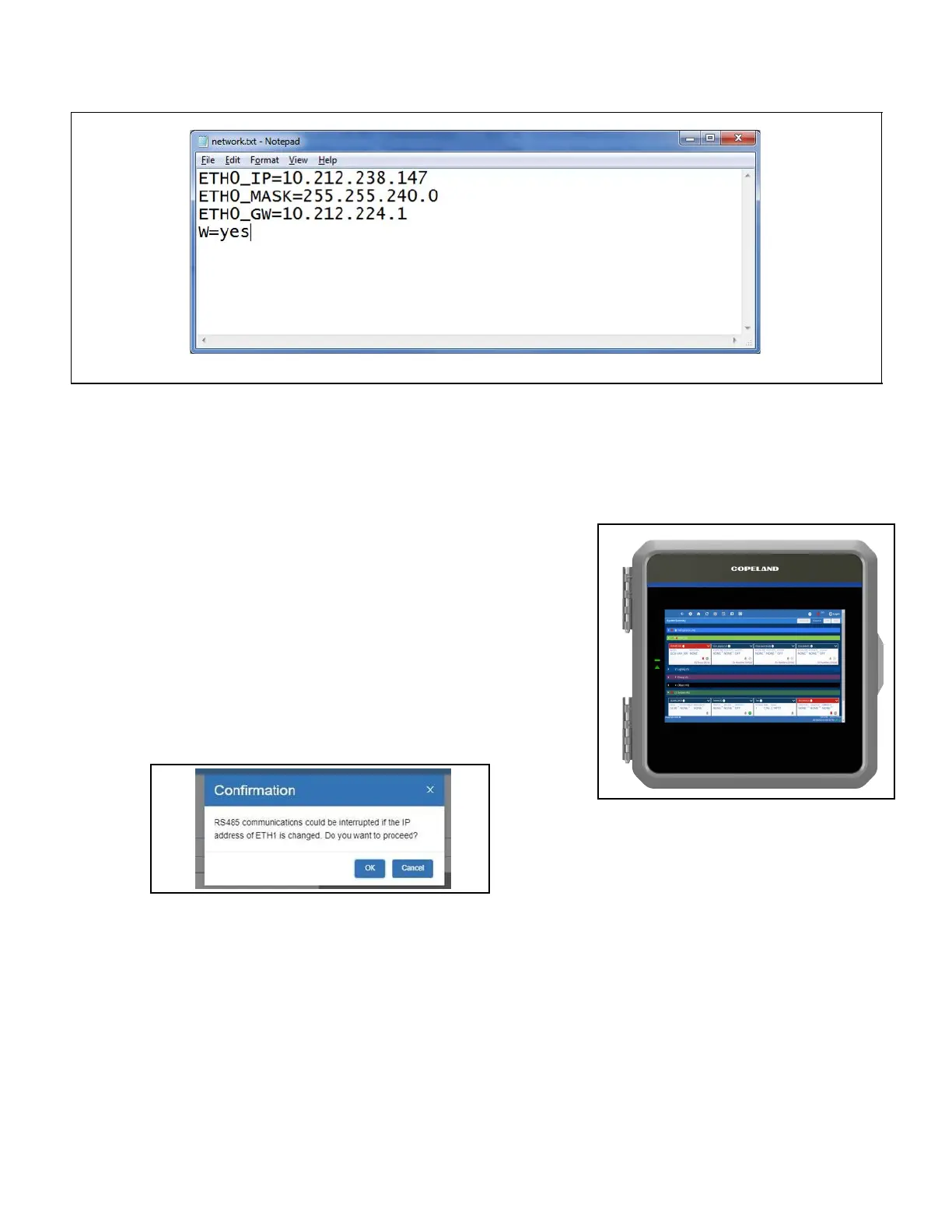
1. Create a “network.txt” with your desired settings as shown below (Network.txt Notepad):
2. Save to the root folder of a thumb drive. Insert the thumb drive into the USB port of the Supervisory Controller.
3. Power cycle the Supervisory Controller. The new IP Address will be saved.
Updating the ETH1 IP Address on E3 Controllers
Changing the ETH1 IP address on E3 controllers is not recommended and will
cause a communication loss between the control board and PIB of the E3, and
all other devices and COM ports.
The E3 control board and the E3 PIB are networked devices. The PIB opens a
TCP/IP connection to the control board. If the ETH1 address changes and the
PIB is not updated to make it known, communication will be interrupted.
As with any local network, if the IP Address of device A is changed, the IP Address
may become incompatible with device B, and the two will cease to
communicate.
If the IP Address on ETH1 must be changed, starting with version 2.18, the
following warning message will appear:
Network.txt Notepad
ETH1 IP Address Change Warning Message



 To Next Page