©2025 Copeland LP.
026-1803 R13 Supervisor I&O User Guide D - 16
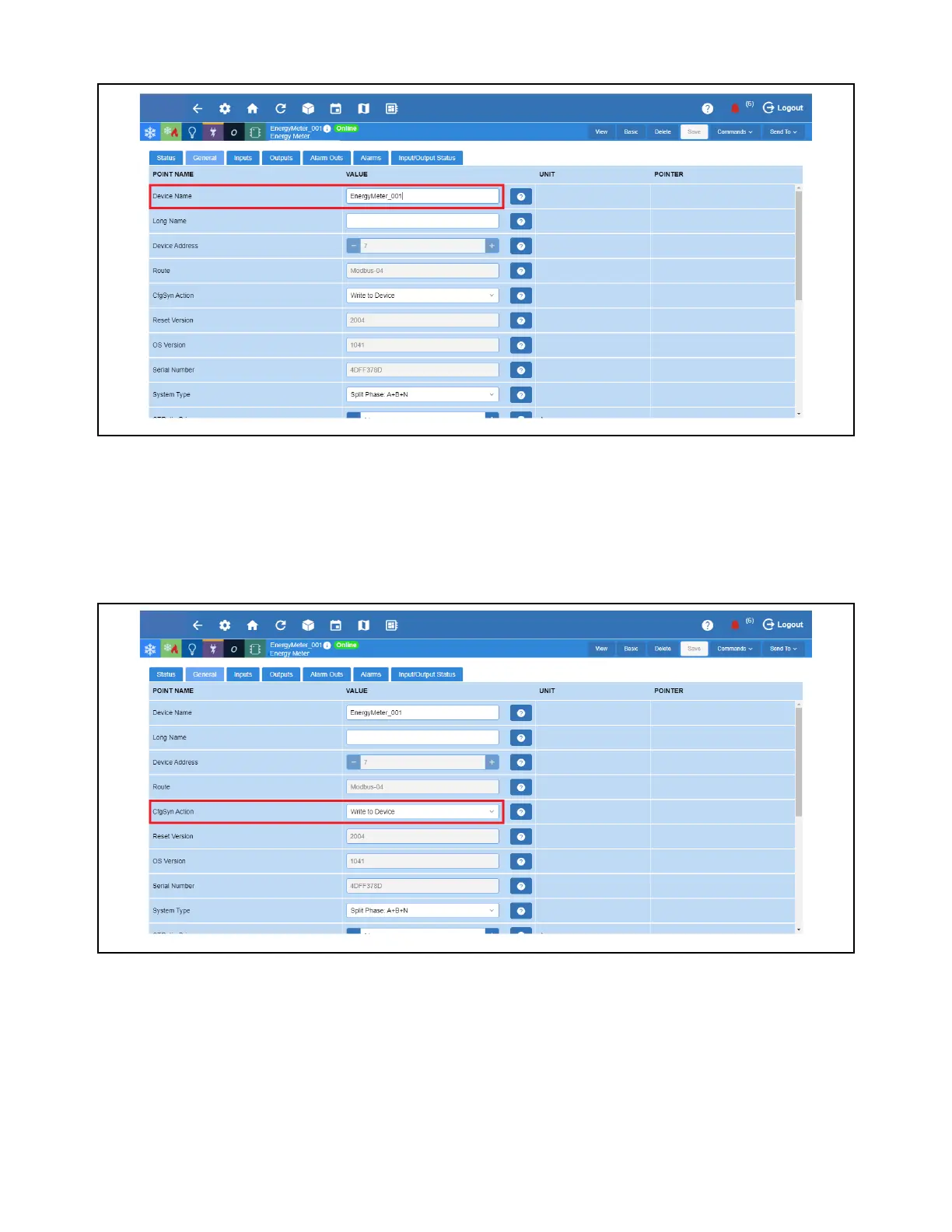
2. Go to General and enter the Device Name.
3. Setup the CfgSyn Action. This displays how to resolve an Out of Sync condition. Select the setting for this parameter using
the drop-down list.
d. Read from device - Data synchronization is from the device to Site Supervisor (the Site Supervisor will read and save
configuration data from the device).
e. Write to device data - Synchronization is from Site Supervisor to device (for example, configuration data programmed
in the Site Supervisor will be sent to the device).
Enter Device Name
Set Up CfgSyn Action



 To Next Page