xStack® DES-3528/DES-3552 Series Layer 2 Stackable Fast Ethernet Managed Switch Web UI Reference Guide
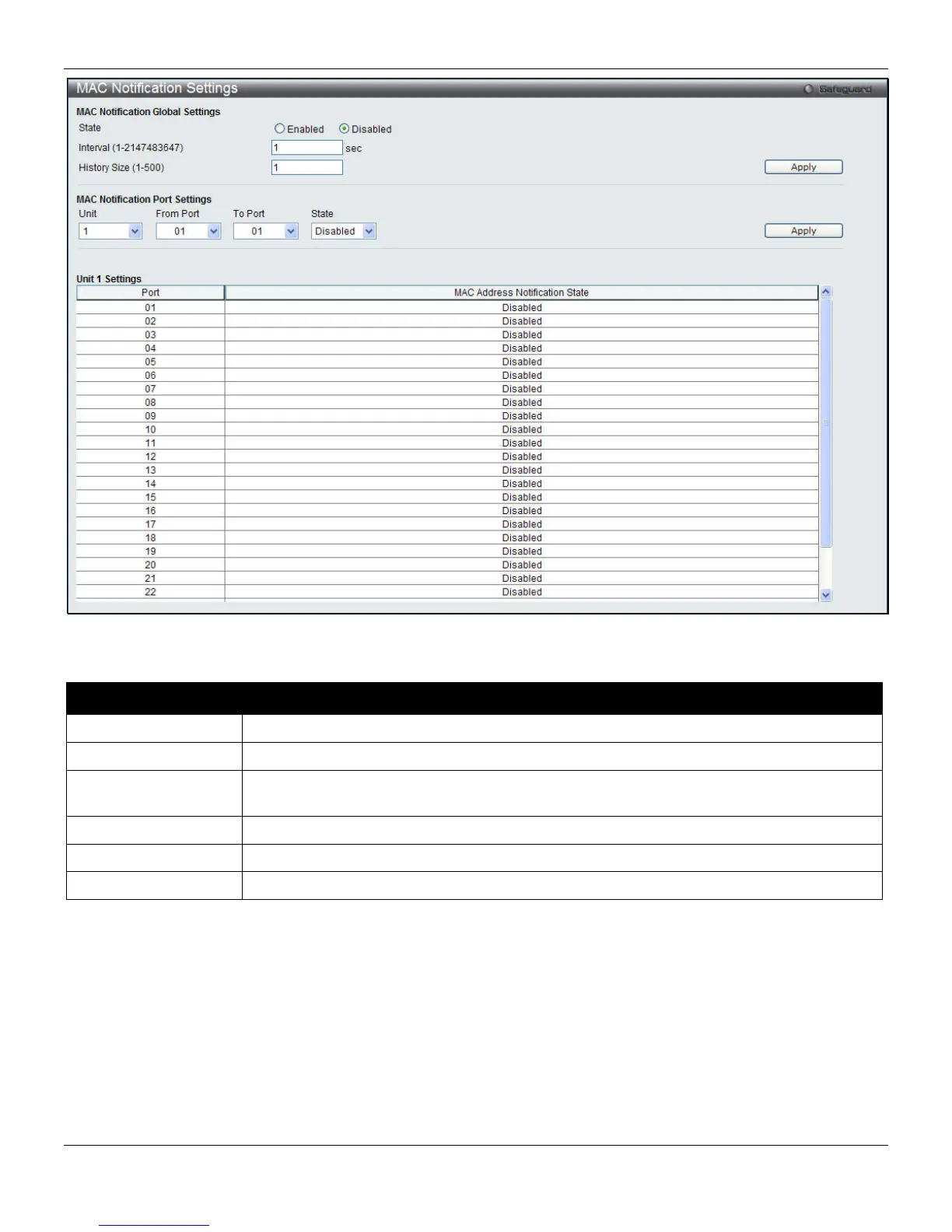
Figure 4-38 MAC Notification Settings window
The fields that can be configured are described below:
Parameter Description
State
Enable or disable MAC notification globally on the Switch
Interval
The time in seconds between notifications. Value range to use is 1 to 2147483647.
History Size
The maximum number of entries listed in the history log used for notification. Up to 500
entries can be specified.
Unit
Select the unit to configure.
From Port / To Port
Select the starting and ending ports for MAC notification.
State
Enable MAC Notification for the ports selected using the pull-down menu.
Click the Apply button to accept the changes made for each individual section.
MAC Address Aging Time Settings
Users can configure the MAC Address aging time on the Switch.
To view the following window, click L2 Features > FDB > MAC Address Aging Time Settings, as shown below:
96












 To Next Page