xStack® DES-3528/DES-3552 Series Layer 2 Stackable Fast Ethernet Managed Switch Web UI Reference Guide
System Log Server Settings
The Switch can send System log messages to up to four designated servers using the System Log Server.
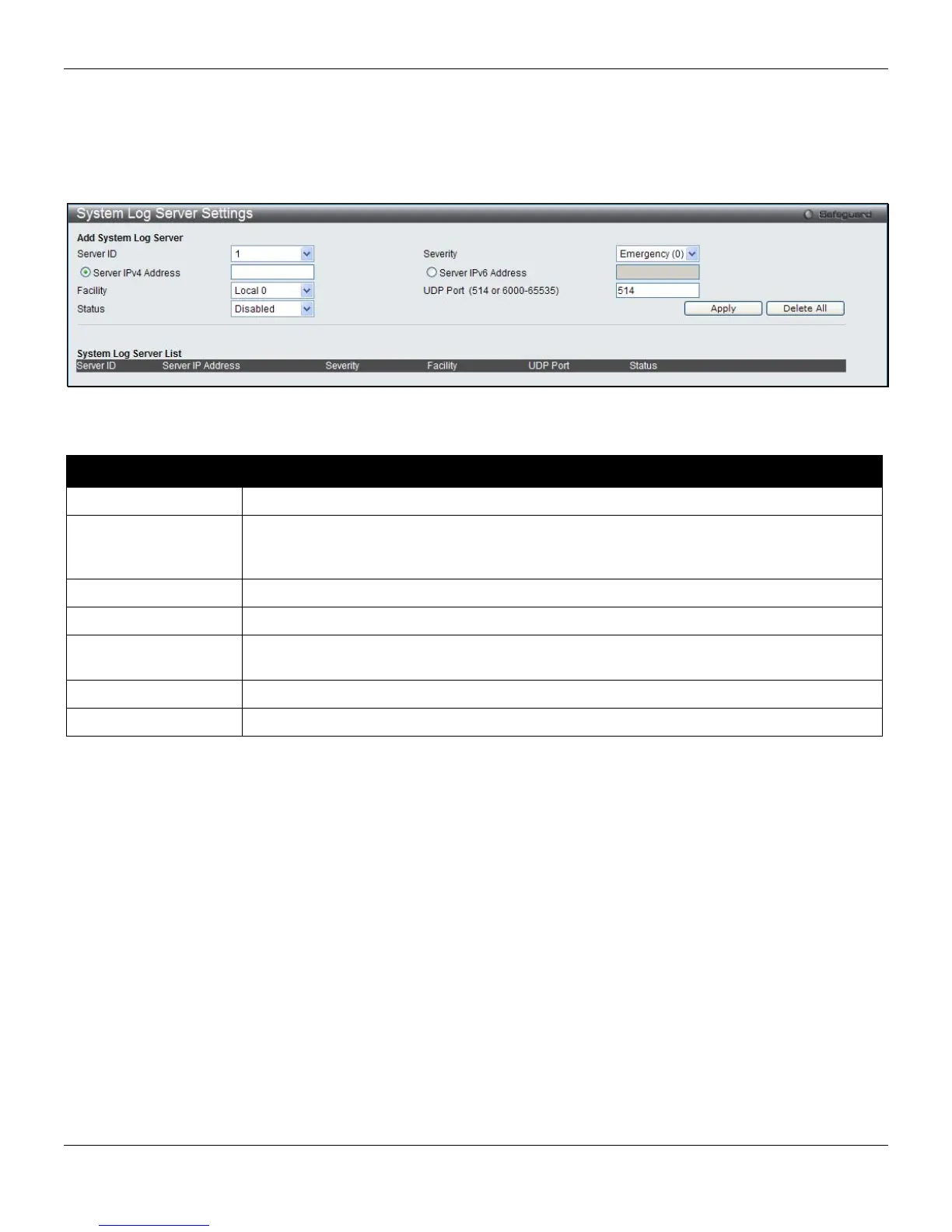
To view the following window, click System Configuration > System Log Configuration > System Log Server
Settings, as shown below:
Figure 2-11 System Log Server Settings
The fields that can be configured are described below:
Parameter Description
Server ID
Syslog server settings index (1 to 4).
Severity
Use the drop-down menu to select the higher level of messages that will be sent. All
messages which level is higher than selecting level will be sent. The options are
Emergency, Alert, Critical, Error, Warning, Notice, Informational and Debug.
Server IPv4 Address
Click the radio button and enter the IPv4 address of the Syslog server.
Server IPv6 Address
Click the radio button and enter the IPv6 address of the Syslog server.
Facility
Use the drop-down menu to select Local 0, Local 1, Local 2, Local 3, Local 4, Local 5,
Local 6, or Local 7.
UDP Port
Type the UDP port number used for sending Syslog messages. The default is 514.
Status
Choose Enabled or Disabled to activate or deactivate.
Click the Apply button to accept the changes made.
Click the Delete All button to remove all servers configured.
System Log
Users can view and delete the local history log as compiled by the Switch's management agent.
To view the following window, click System Configuration > System Log Configuration > System Log, as shown
below:
17












 To Next Page