xStack® DES-3528/DES-3552 Series Layer 2 Stackable Fast Ethernet Managed Switch Web UI Reference Guide
Port Security
Port Security Settings
A given port’s (or a range of ports') dynamic MAC address learning can be locked such that the current source MAC
addresses entered into the MAC address forwarding table cannot be changed once the port lock is enabled. The port
can be locked by changing the Admin State pull-down menu to Enabled and clicking Apply.
Port Security is a security feature that prevents unauthorized computers (with source MAC addresses) unknown to the
Switch prior to locking the port (or ports) from connecting to the Switch's locked ports and gaining access to the
network.
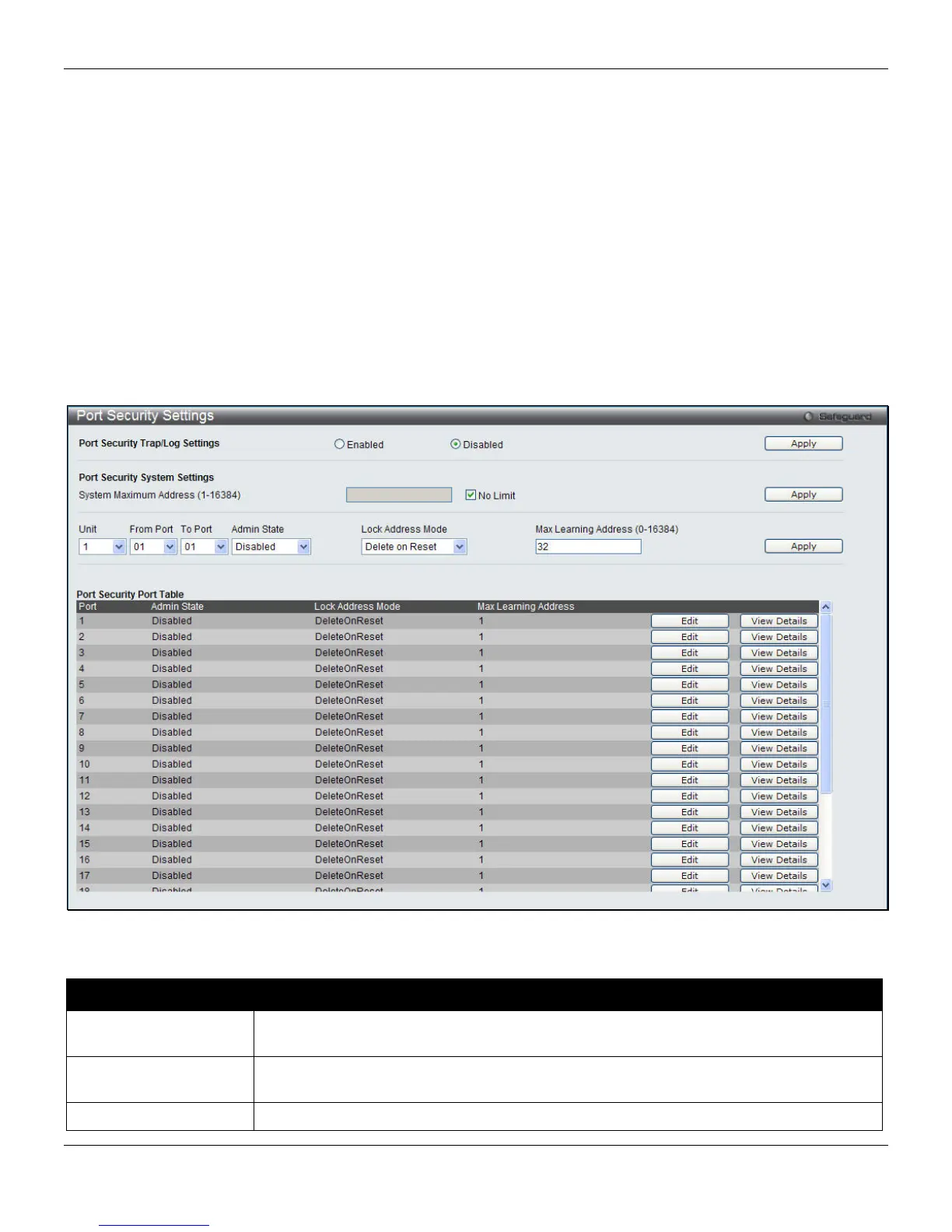
To view this window, click Security > Port Security > Port Security Settings, as shown below:
Figure 8-49 Port Security Settings window
The fields that can be configured are described below:
Parameter Description
Port Security Trap/Log
Settings
Use the radio button to enable or disable Port Security Traps and Logs on the Switch.
The default is Disabled.
System Maximum
Address
Enter the system maximum address of the switch. Tick the No Limit check box to have
unlimited address.
Unit
Select the unit in the stack to configure.
247












 To Next Page