xStack® DES-3528/DES-3552 Series Layer 2 Stackable Fast Ethernet Managed Switch Web UI Reference Guide
value is one second.
Record Number
Select number of times the Switch will be polled between 20 and 200. The default value is
200.
64
The total number of packets (including bad packets) received that were 64 octets in length
(excluding framing bits but including FCS octets).
65-127
The total number of packets (including bad packets) received that were between 65 and
127 octets in length inclusive (excluding framing bits but including FCS octets).
128-255
The total number of packets (including bad packets) received that were between 128 and
255 octets in length inclusive (excluding framing bits but including FCS octets).
256-511
The total number of packets (including bad packets) received that were between 256 and
511 octets in length inclusive (excluding framing bits but including FCS octets).
512-1023
The total number of packets (including bad packets) received that were between 512 and
1023 octets in length inclusive (excluding framing bits but including FCS octets).
1024-1518
The total number of packets (including bad packets) received that were between 1024 and
1518 octets in length inclusive (excluding framing bits but including FCS octets).
Show/Hide
Check whether or not to display 64, 65-127, 128-255, 256-511, 512-1023, and 1024-1518
packets received.
Click the Apply button to accept the changes made for each individual section.
Click the Clear button to clear all statistics counters on this window.
Click the View Table
link to display the information in a table rather than a line graph.
Click the View Graphic
link to display the information in a line graph rather than a table.
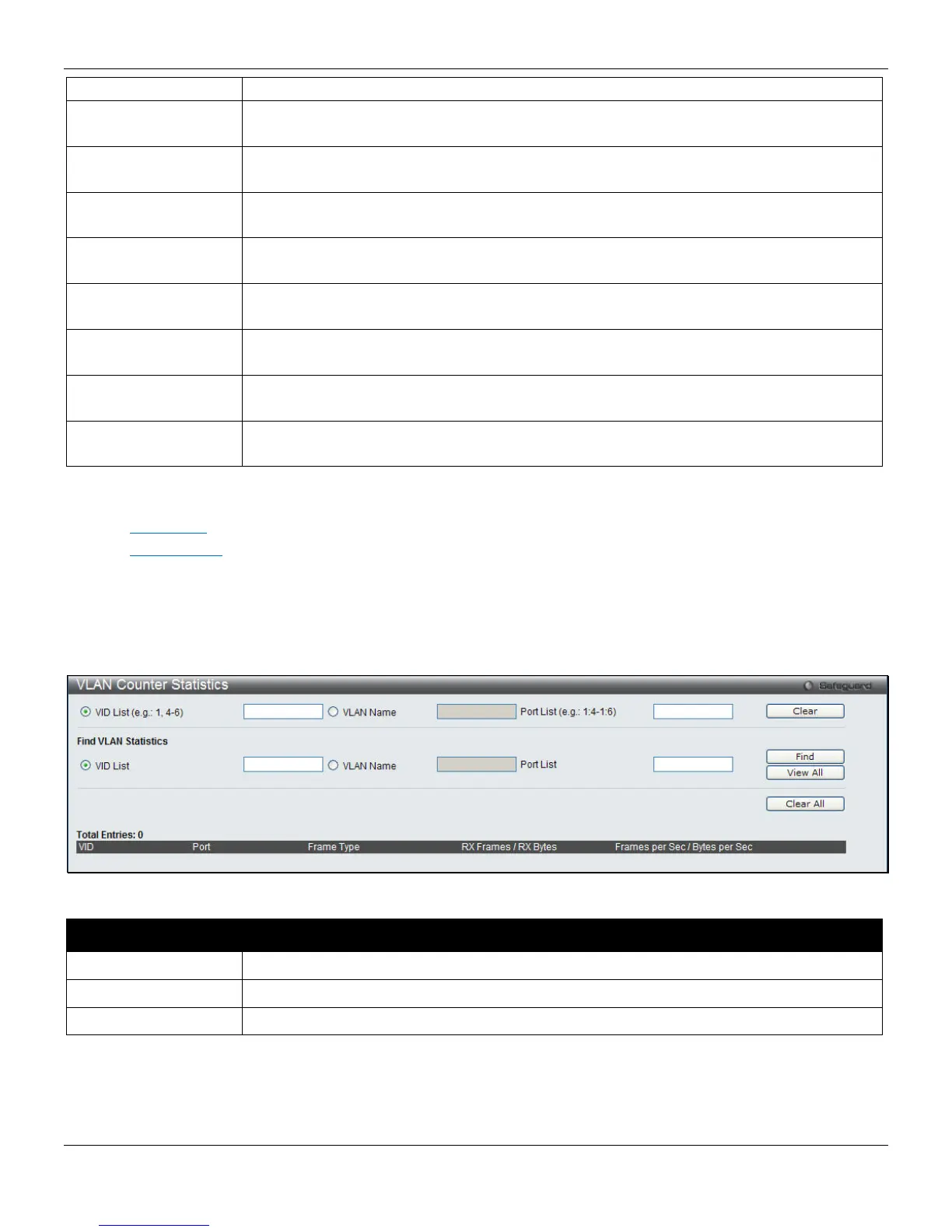
VLAN Counter Statistics
To view this window, click Monitoring > Statistics > VLAN Counter Statistics, as shown below:
The fields that can be configured are described below:
Parameter Description
VID List
Click the radio button and enter a list of VLAN ID.
VLAN name
Click the radio button and enter a VLAN name.
Port List
Enter a list of ports
Click the Clear button to clear all the information entered in the fields.
Click the Find button to locate a specific entry based on the information entered.
Click the View All button to display all the VLAN counter statistics.
Click the Clear All button to remove all the entries listed in the table.
322












 To Next Page