xStack® DES-3528/DES-3552 Series Layer 2 Stackable Fast Ethernet Managed Switch Web UI Reference Guide
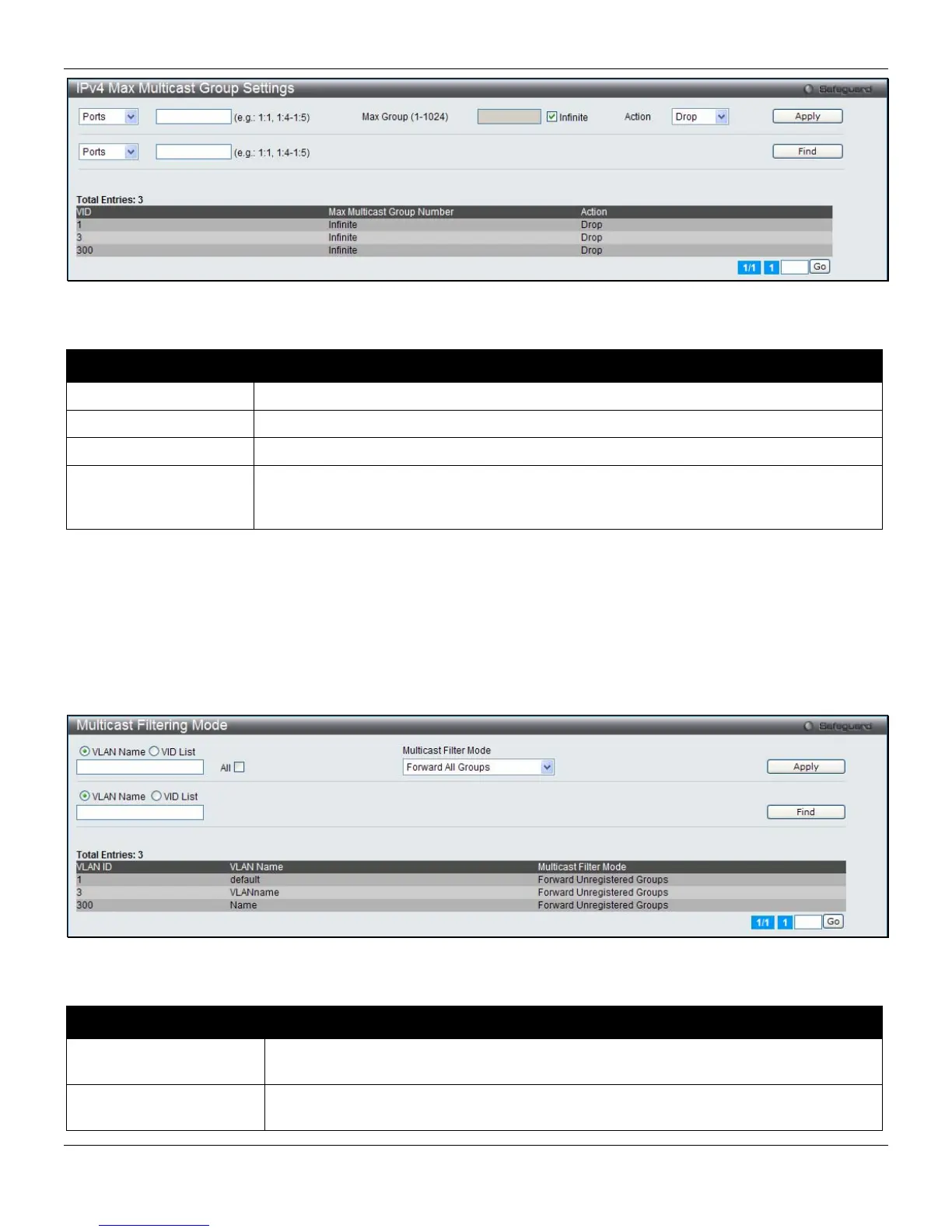
Figure 4-78 IPv4 Max Multicast Group Settings window
The fields that can be configured are described below:
Parameter Description
Ports / VID List
Select the appropriate port(s) or VLAN IDs used for the configuration here.
Max Group (1-1024)
If the check box Infinite is not ticked, the user can enter a Max Group value.
Infinite
Tick the check box to enable or disable the use of the Infinite value.
Action
Use the drop-down menu to select the appropriate action for this rule. The user can
select Drop to initiate the drop action or the user can select Replace to initiate the
replace action.
Click the Apply button to accept the changes made.
Click the Find button to locate a specific entry based on the information entered.
Enter a page number and click the Go button to navigate to a specific page when multiple pages exist.
Multicast Filtering Mode
Users can configure the multicast filtering mode.
To view the following window, click L2 Features > Multicast Filtering > Multicast Filtering Mode, as shown below:
Figure 4-79 Multicast Filtering Mode window
The fields that can be configured are described below:
Parameter Description
VLAN Name/VID List
The VLAN to which the specified filtering action applies. Tick the All check box to apply
this feature to all the VLANs.
Multicast Filtering Mode
This drop-down menu allows you to select the action the Switch will take when it
receives a multicast packet that requires forwarding to a port in the specified VLAN.
126












 To Next Page