xStack® DES-3528/DES-3552 Series Layer 2 Stackable Fast Ethernet Managed Switch Web UI Reference Guide
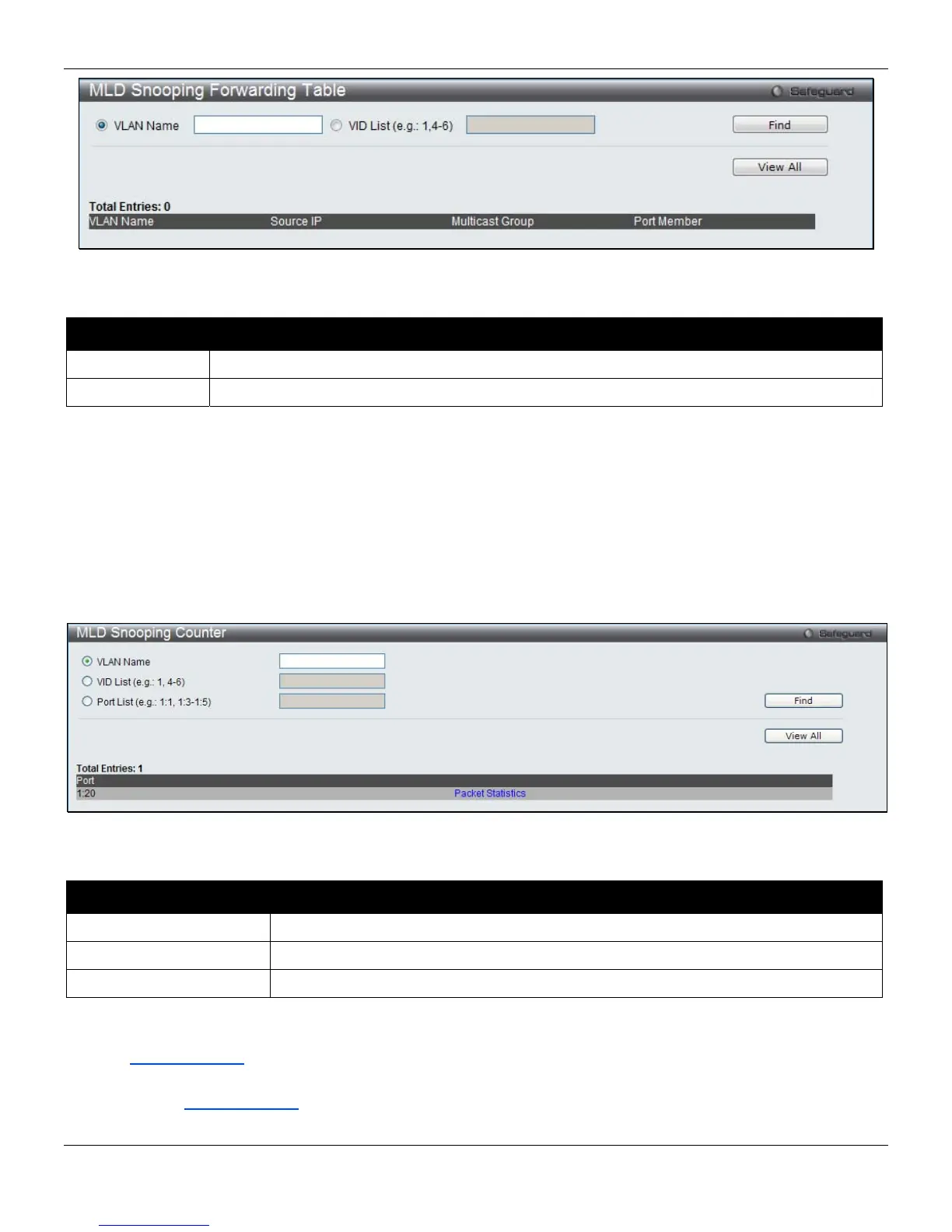
Figure 4-62 MLD Snooping Forwarding Table window
The fields that can be configured are described below:
Parameter Description
VLAN Name The name of the VLAN for which you want to view MLD snooping forwarding table information.
VID List The ID of the VLAN for which you want to view MLD snooping forwarding table information.
Click the Find button to locate a specific entry based on the information entered.
Click the View All button to display all the existing entries.
MLD Snooping Counter
This page displays the statistics counter for MLD protocol packets that are received by the Switch since MLD Snooping
is enabled.
To view the following window, click L2 Features > L2 Multicast Control > MLD Snooping > MLD Snooping Counter,
as shown below:
Figure 4-63 MLD Snooping Counter window
The fields that can be configured are described below:
Parameter Description
VLAN Name
Specify a VLAN name to be displayed.
VID List
Specify a list of VLANs to be displayed.
Port List
Specify a list of ports to be displayed.
Click the Find button to locate a specific entry based on the information entered.
Click the View All button to display all the existing entries.
Click the Packet Statistics
link to view the MLD Snooping Counter Settings for the specific entry.
After clicking the Packet Statistics
link, the following page will appear:
115












 To Next Page