xStack® DES-3528/DES-3552 Series Layer 2 Stackable Fast Ethernet Managed Switch Web UI Reference Guide
Possible authentication methods for this function include TACACS/XTACACS/TACACS+/RADIUS, user defined server
groups, local enable (local account on the Switch), or no authentication (none). Because XTACACS and TACACS do
not support the enable function, the user must create a special account on the server host, which has the username
"enable", and a password configured by the administrator that will support the "enable" function. This function becomes
inoperable when the authentication policy is disabled.
To view this window, click Security > Access Authentication Control > Enable Admin, as shown below:
Figure 8-60 Enable Admin window
When this window appears, click the Enable Admin button revealing a window for the user to enter authentication
(password, username), as seen below. A successful entry will promote the user to Administrator level privileges on the
Switch.
Authentication Policy Settings
Users can enable an administrator-defined authentication policy for users trying to access the Switch. When enabled,
the device will check the Login Method List and choose a technique for user authentication upon login.
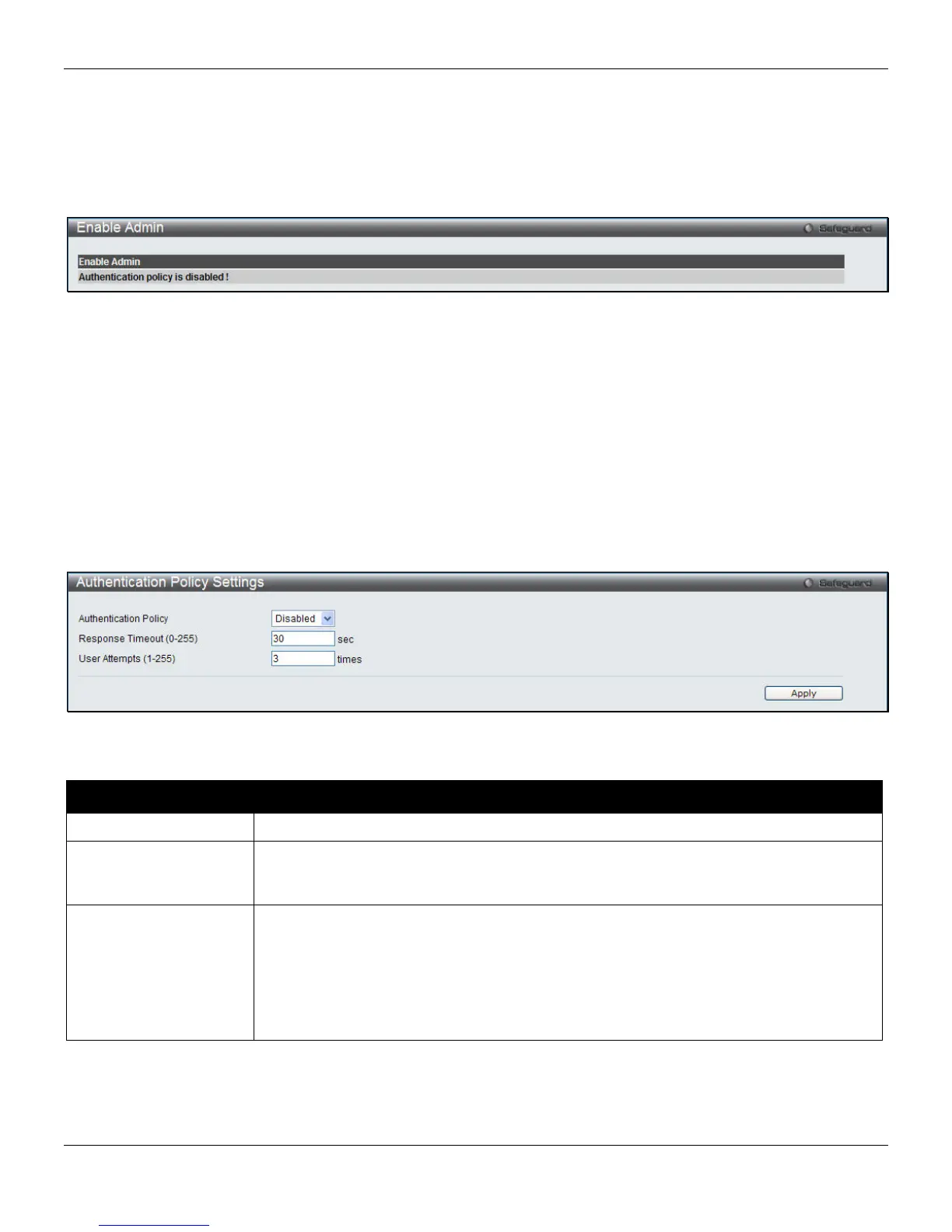
To view this window, click Security > Access Authentication Control > Authentication Policy Settings, as shown
below:
Figure 8-61 Authentication Policy Settings window
The fields that can be configured are described below:
Parameter Description
Authentication Policy
Use the pull-down menu to enable or disable the Authentication Policy on the Switch.
Response Timeout (0-
255)
This field will set the time the Switch will wait for a response of authentication from the
user. The user may set a time between 0 and 255 seconds. The default setting is 30
seconds.
User Attempts (1-255)
This command will configure the maximum number of times the Switch will accept
authentication attempts. Users failing to be authenticated after the set amount of
attempts will be denied access to the Switch and will be locked out of further
authentication attempts. Command line interface users will have to wait 60 seconds
before another authentication attempt. Telnet and Web users will be disconnected from
the Switch. The user may set the number of attempts from 1 to 255. The default setting
is 3.
Click the Apply button to accept the changes made.
258












 To Next Page