xStack® DES-3528/DES-3552 Series Layer 2 Stackable Fast Ethernet Managed Switch Web UI Reference Guide
SNMP Host Table Settings
Users can set up SNMP trap recipients for IPv4.
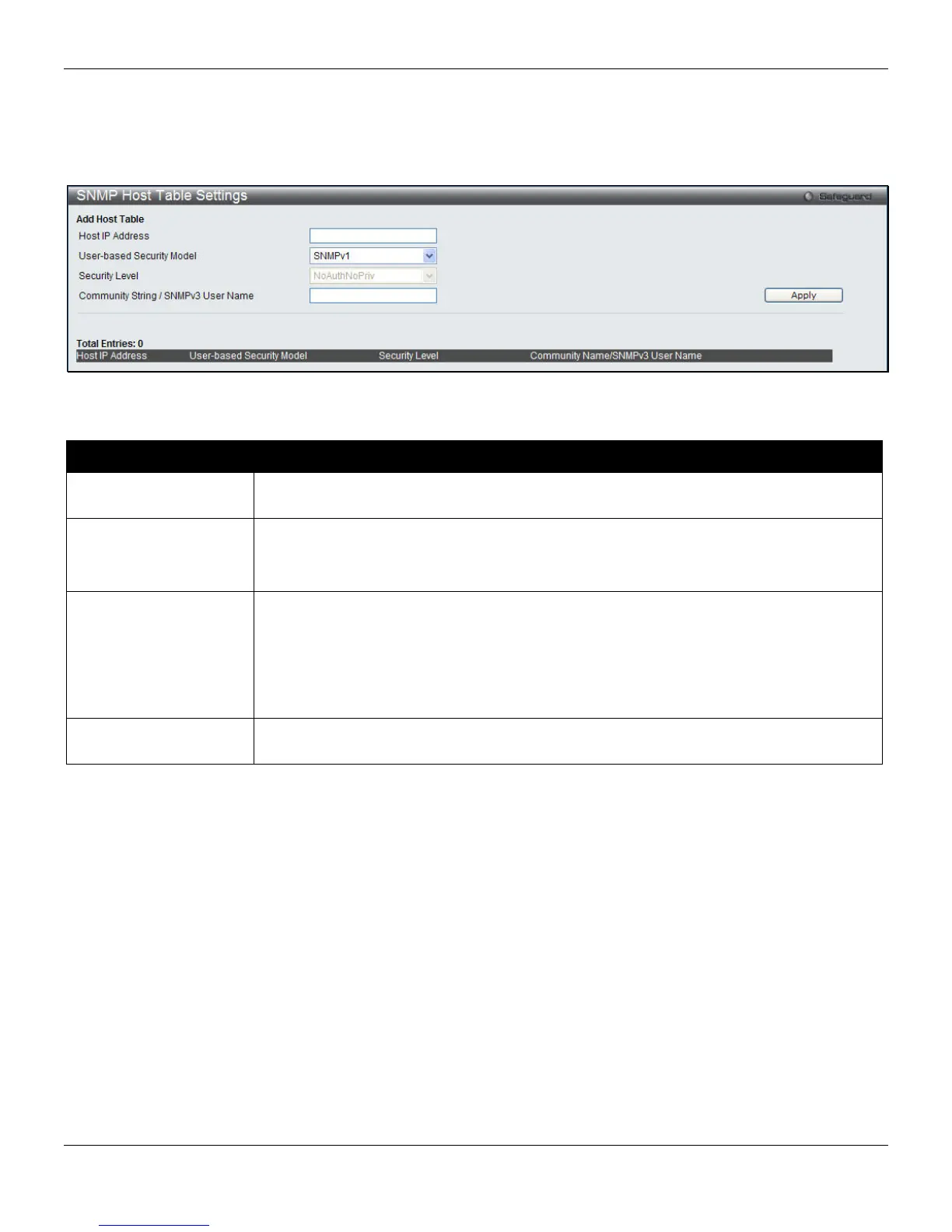
To view the following window, click Management > SNMP Settings > SNMP Host Table Settings, as shown below:
Figure 3-41 SNMP Host Table Settings window
The fields that can be configured are described below:
Parameter Description
Host IP Address
Enter the IP address of the remote management station that will serve as the SNMP
host for the Switch.
User-based Security
Model
SNMPv1 – Specify that SNMP version 1 will be used.
SNMPv2 – Specify that SNMP version 2 will be used.
SNMPv3 – Specify that SNMP version 3 will be used.
Security Level
NoAuthNoPriv – To specify that the SNMP version 3 will be used, with a NoAuth-NoPriv
security level.
AuthNoPriv – To specify that the SNMP version 3 will be used, with an Auth-NoPriv
security level.
AuthPriv – To specify that the SNMP version 3 will be used, with an Auth-Priv security
level.
Community String /
SNMPv3 User Name
Enter the community string or SNMP V3 user name as appropriate.
Click the Apply button to accept the changes made.
Click the Delete button to remove the specific entry.
SNMPv6 Host Table Settings
Users can set up SNMP trap recipients for IPv6.
To view the following window, click Management > SNMP Settings > SNMPv6 Host Table Settings, as shown below:
53












 To Next Page