xStack® DES-3528/DES-3552 Series Layer 2 Stackable Fast Ethernet Managed Switch Web UI Reference Guide
Unit
Select the unit to configure.
From Port
Use the drop-down menu to select a beginning port number.
To Port
Use the drop-down menu to select an ending port number.
State
Use the drop-down menu to toggle between Enabled and Disabled.
Click the Apply button to accept the changes made for each individual section.
Traffic Segmentation Settings
Traffic segmentation is used to limit traffic flow from a single or group of ports, to a group of ports. This method of
segmenting the flow of traffic is similar to using VLANs to limit traffic, but is more restrictive. It provides a method of
directing traffic that does not increase the overhead of the master switch CPU.
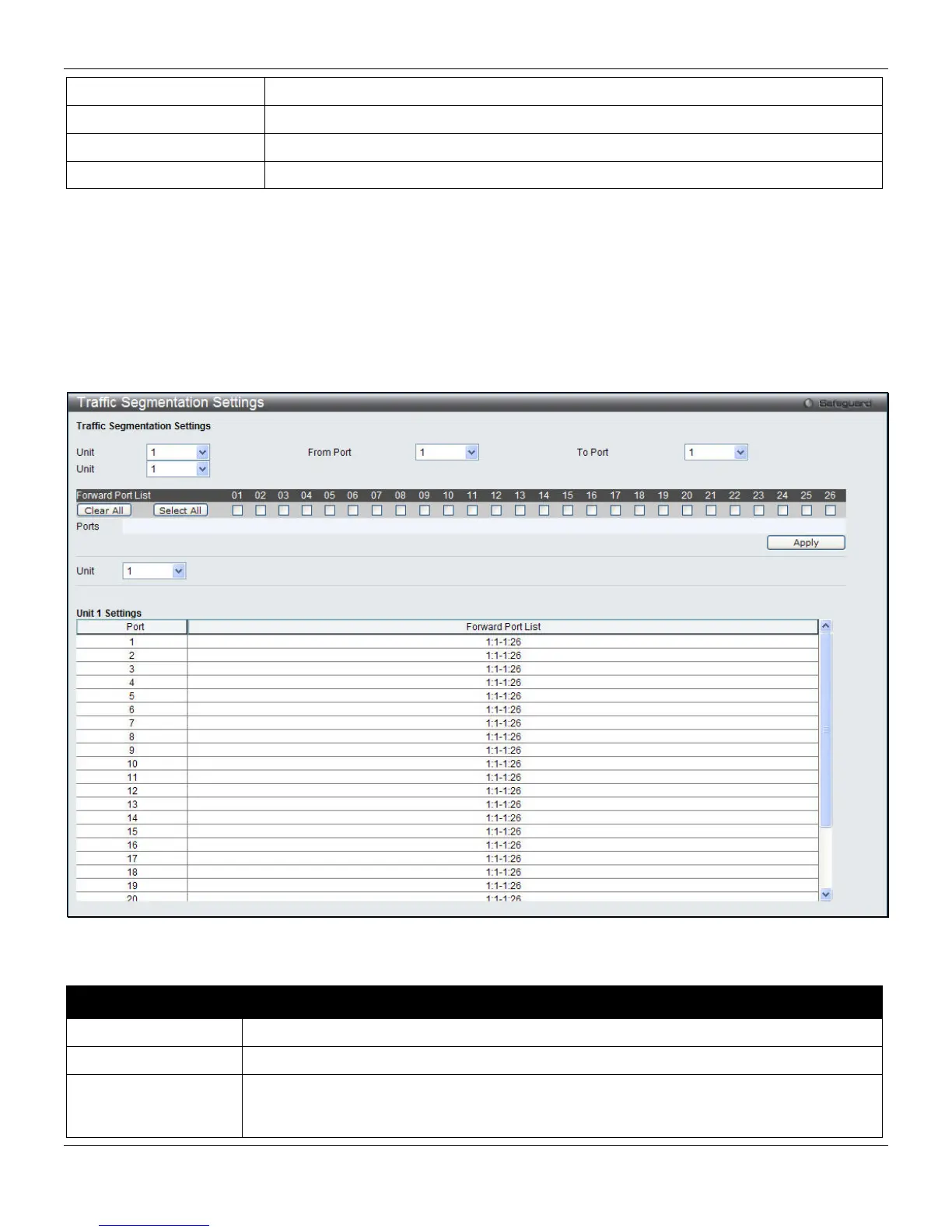
To view this window, click Security > Traffic Segmentation Settings, as shown below:
Figure 8-56 Traffic Segmentation Settings window
The fields that can be configured are described below:
Parameter Description
Unit
Select the unit to configure.
From Port / To Port
Select the ports to be included in the traffic segmentation setup.
Forward Port List
Select the ports to be included in the traffic segmentation setup by simply ticking the
corresponding port’s tick box. Click the Clear All button to un-select all the ports for the
configuration. Click the Select All button to select all the ports for the configuration.
253












 To Next Page