xStack® DES-3528/DES-3552 Series Layer 2 Stackable Fast Ethernet Managed Switch Web UI Reference Guide
box to indicate the Idle state of the authenticated host on the port will never be checked.
The default value is infinite.
Block Time (0-300)
This parameter is the period of time a host will be blocked if it fails to pass authentication.
Enter a value between 0 and 300 seconds. The default value is 60 seconds.
Click the Apply button to accept the changes made.
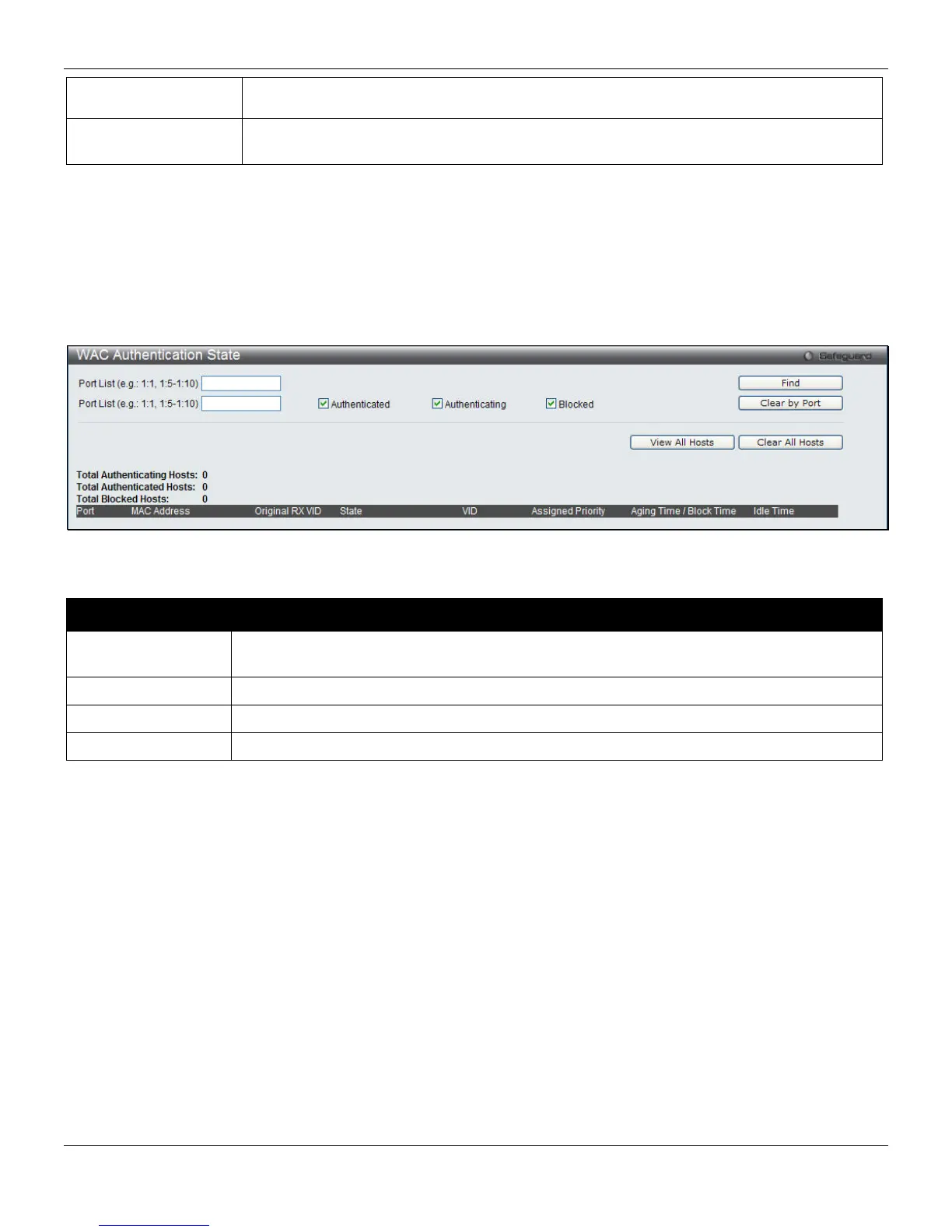
WAC Authentication State
Users can view and delete the hosts for WAC authentication.
To view this window, click Security > Web-based Access Control (WAC) > WAC Authentication State, as shown
below:
Figure 8-40 WAC Authentication State window
The fields that can be configured are described below:
Parameter Description
Port List (e.g.: 1:1,
1:5-1:10)
Use the drop-down menus to select the desired range of ports and tick the appropriate
check box(s), Authenticated, Authenticating, and Blocked.
Authenticated
Tick this check box to clear all authenticated users for a port.
Authenticating
Tick this check box to clear all authenticating users for a port.
Blocked
Tick this check box to clear all blocked users for a port.
Click the Find button to locate a specific entry based on the information entered.
Click the Clear by Port button to remove entry based on the port list entered.
Click the View All Hosts button to display all the existing entries.
Click the Clear All Hosts button to remove all the entries listed.
Japanese Web-based Access Control (JWAC)
The JWAC folder contains three windows: JWAC Global Settings, JWAC Port Settings, and JWAC User Settings.
JWAC Global Settings
Use this window to enable and configure Japanese Web-based Access Control on the Switch. Please note that JWAC
and Web Authentication are mutually exclusive functions. That is, they cannot be enabled at the same time. To use the
JWAC feature, computer users need to pass through two stages of authentication. The first stage is to do the
authentication with the quarantine server and the second stage is the authentication with the Switch. For the second
stage, the authentication is similar to Web Authentication. The RADIUS server will share the server configuration
defined by the 802.1X command set.
236












 To Next Page