xStack® DES-3528/DES-3552 Series Layer 2 Stackable Fast Ethernet Managed Switch Web UI Reference Guide
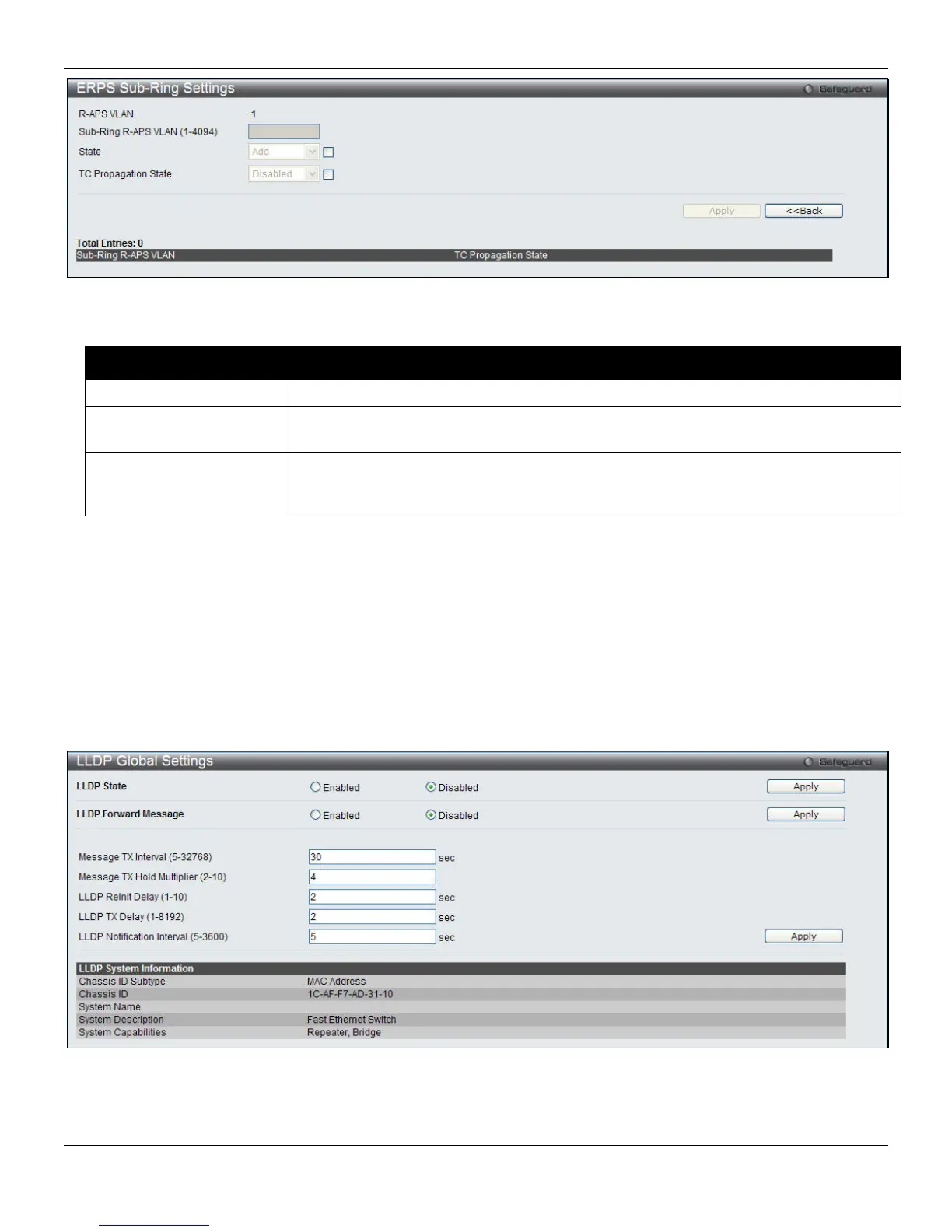
Figure 4-83 ERPS Sub-ring Settings window
The fields that can be configured are described below:
Parameter Description
Sub-ring R-APS VLAN
Enter the VLAN ID of a sub-ring connected to another ring.
State
Tick the check box and select Add or Delete from the drop-down menu to add or
remove the sub-ring to this ring.
TC Propagation State
Tick the check box and use the drop-down menu to enable or disable the propagation
state of topology change for the sub-ring. When Enabled, the switch will flush the FDB
when the topology changes.
Click the Apply button to implement the changes made.
Click the <<Back button to go back to the previous page.
LLDP
LLDP Global Settings
On this page the user can configure the LLDP global parameters.
To view the following window, click L2 Features > LLDP > LLDP Global Settings, as shown below:
Figure 4-84 LLDP Global Settings window
The fields that can be configured are described below:
130












 To Next Page