xStack® DES-3528/DES-3552 Series Layer 2 Stackable Fast Ethernet Managed Switch Web UI Reference Guide
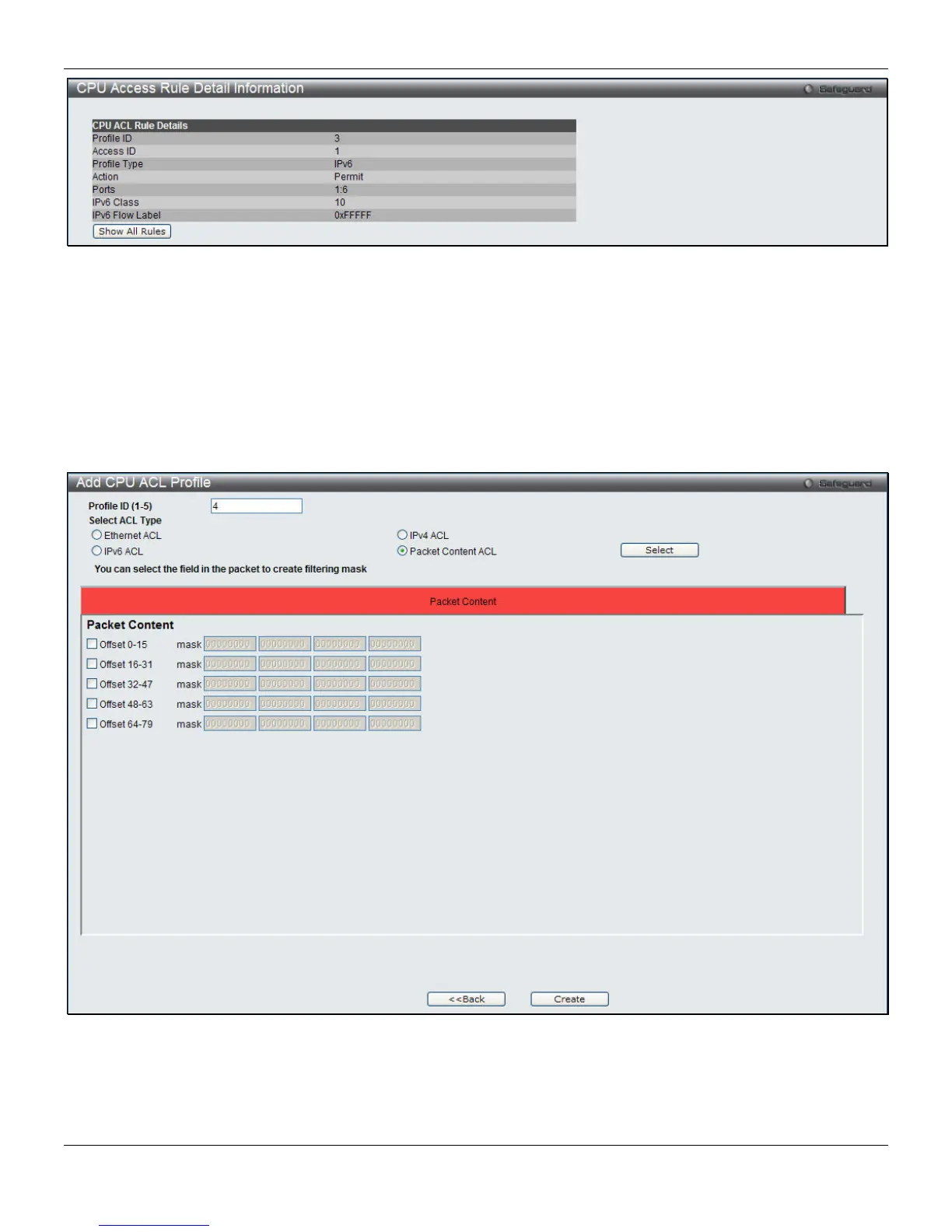
Figure 7-38 CPU Access Rule Detail Information (IPv6 ACL)
Click the Show All Rules button to navigate back to the CPU Access Rule List.
Adding a CPU Packet Content ACL Profile
The window shown below is the Add CPU ACL Profile window for Packet Content. To use specific filtering masks in
this ACL profile, click the packet filtering mask field to highlight it red. This will add more filed to the mask.
After clicking the Add CPU ACL Profile button, the following page will appear:
Figure 7-39 Add CPU ACL Profile (Packet Content ACL)
195












 To Next Page