xStack® DES-3528/DES-3552 Series Layer 2 Stackable Fast Ethernet Managed Switch Web UI Reference Guide
Parameter Description
DHCP Server Screening
Trap Log State
Enable or disable this feature.
Illegitimate Server Log
Suppress Duration
Choose an illegal server log suppress duration of 1 minute, 5 minutes, or 30 minutes.
Unit
Select the unit to configure.
From Port/To Port
A consecutive group of ports may be configured starting with the selected port.
State
Choose Enabled to enable the DHCP server screening or Disabled to disable it. The
default is Disabled.
Click the Apply button to accept the changes made for each individual section.
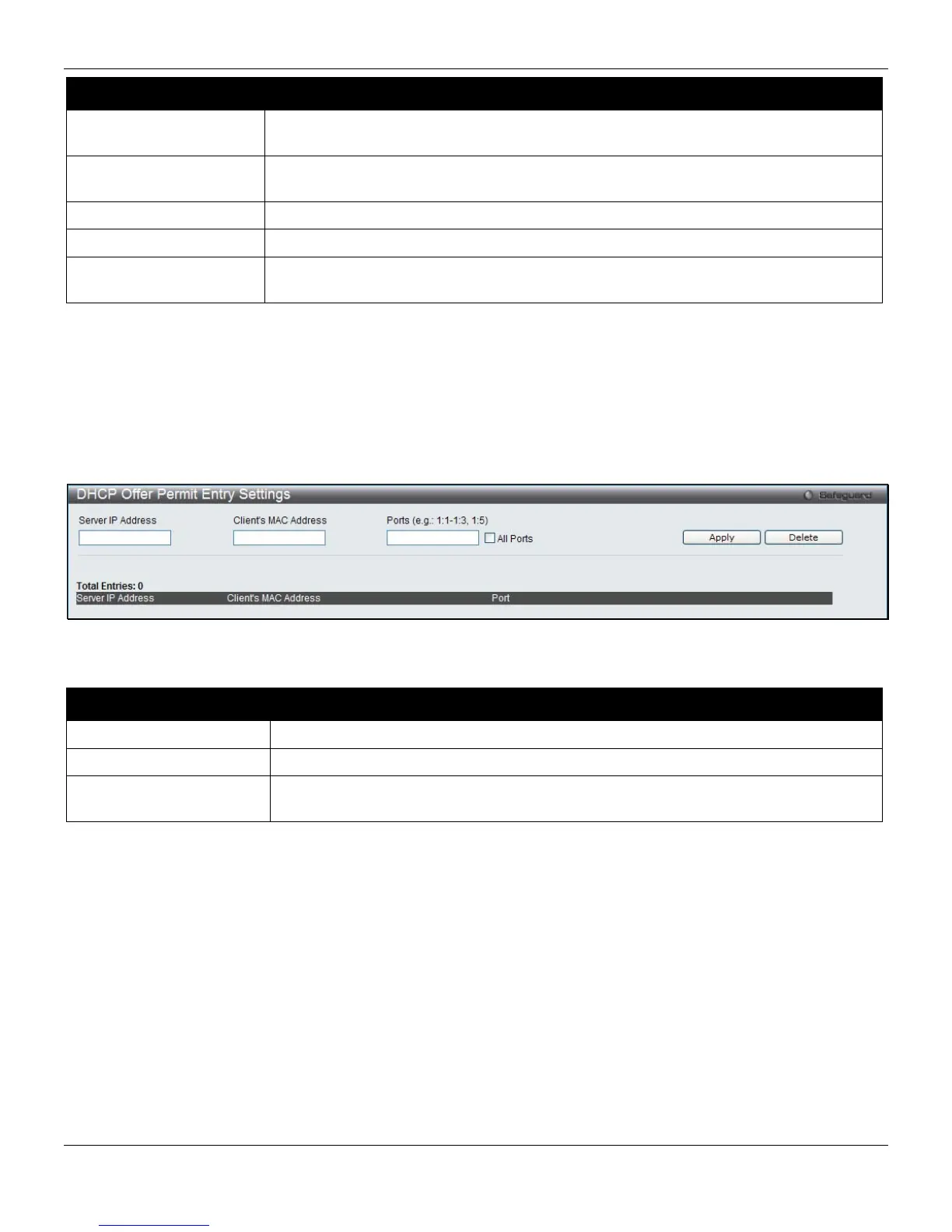
DHCP Offer Permit Entry Settings
Users can add or delete permit entries on this page.
To view this window, click Security > DHCP Server Screening > DHCP Offer Permit Entry Settings, as shown
below:
Figure 8-59 DHCP Offer Permit Entry Settings window
The fields that can be configured are described below:
Parameter Description
Server IP Address
The IP address of the DHCP server to be permitted.
Client’s MAC Address
The MAC address of the DHCP client.
Ports
The port numbers of the filter DHCP server. Tick the All Ports check box to include all
the ports on this switch for this configuration.
Click the Apply button to accept the changes made.
Click the Delete button to remove the specific entry based on the information entered.
Access Authentication Control
The TACACS / XTACACS / TACACS+ / RADIUS commands allow users to secure access to the Switch using the
TACACS / XTACACS / TACACS+ / RADIUS protocols. When a user logs in to the Switch or tries to access the
administrator level privilege, he or she is prompted for a password. If TACACS / XTACACS / TACACS+ / RADIUS
authentication is enabled on the Switch, it will contact a TACACS / XTACACS / TACACS+ / RADIUS server to verify
the user. If the user is verified, he or she is granted access to the Switch.
There are currently three versions of the TACACS security protocol, each a separate entity. The Switch's software
supports the following versions of TACACS:
256












 To Next Page