xStack® DES-3528/DES-3552 Series Layer 2 Stackable Fast Ethernet Managed Switch Web UI Reference Guide
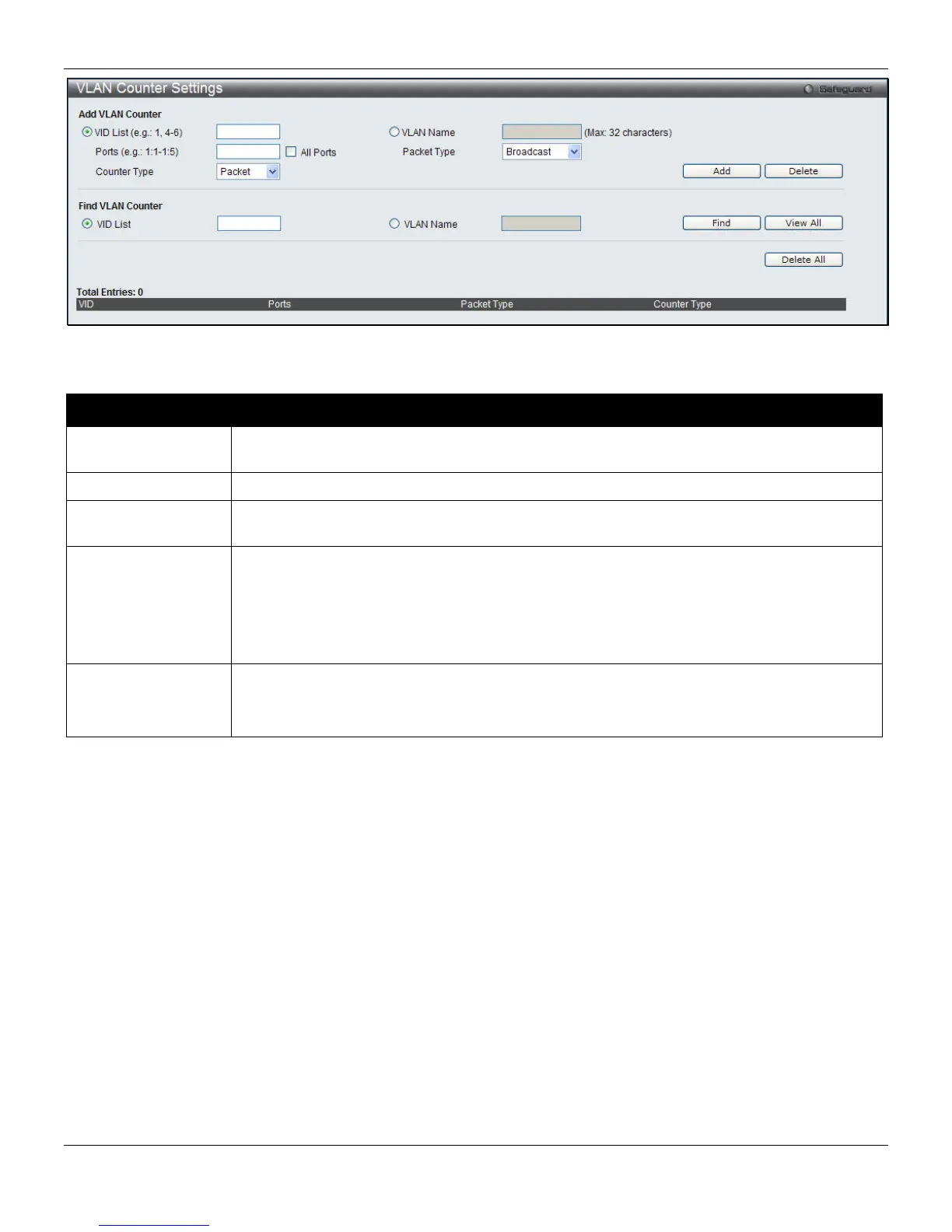
Figure 4-17 VLAN Counter Settings window
The following parameters can be configured:
Parameter Description
VID List (e.g.: 1, 4-
6)
Click the radio button and enter a list of VLAN ID.
VLAN Name
Click the radio button and enter a VLAN name.
Ports (e.g.: 1:1-1:5)
Enter a port or range of ports to configure. Tick the All Ports check box to select all ports on
the Switch.
Packet Type
Use the drop-down menu to select the packet type.
Broadcast – Specify to count broadcast packets.
Multicast – Specify to count multicast packets.
Unicast - Specify to count unicast packets.
All – The statistics is counted for all packets.
Counter Type
Use the drop-down menu to select the counter type.
Packet – Specify to count at the packet level.
Byte - Specify to count at the byte level.
Enter the appropriate information and click Add to create a new entry.
To search for a particular entry, enter the appropriate information and click Find.
To remove an entry click Delete.
To view all entries on the Switch, click View All.
To remove all entries click Delete All.
Voice VLAN
Voice VLAN Global Settings
Voice VLAN is a VLAN used to carry voice traffic from IP phone. Because the sound quality of an IP phone call will be
deteriorated if the data is unevenly sent, the quality of service (QoS) for voice traffic shall be configured to ensure the
transmission priority of voice packet is higher than normal traffic.
The switches determine whether a received packet is a voice packet by checking its source MAC address. If the
source MAC addresses of packets comply with the organizationally unique identifier (OUI) addresses configured by the
system, the packets are determined as voice packets and transmitted in voice VLAN.
73












 To Next Page