xStack® DES-3528/DES-3552 Series Layer 2 Stackable Fast Ethernet Managed Switch Web UI Reference Guide
Ports
Ports that have been selected to be included in the traffic segmentation setup will be
displayed.
Click the Clear All button to deselect the ports.
Click the Select All button to choose all ports.
Click the Apply button to accept the changes made.
NetBIOS Filtering Settings
NetBIOS is an application programming interface, providing a set of functions that applications use to communicate
across networks. NetBEUI, the NetBIOS Enhanced User Interface, was created as a data-link-layer frame structure for
NetBIOS. A simple mechanism to carry NetBIOS traffic, NetBEUI has been the protocol of choice for small MS-DOS-
and Windows-based workgroups. NetBIOS no longer lives strictly inside of the NetBEUI protocol. Microsoft worked to
create the international standards described in RFC 1001 and RFC 1002, NetBIOS over TCP/IP (NBT).
If the network administrator wants to block the network communication on more than two computers which use
NETBUEI protocol, it can use NETBIOS filtering to filter these kinds of packets.
If the user enables the NETBIOS filter, the Switch will create one access profile and three access rules automatically. If
the user enables the extensive NETBIOS filter, the Switch will create one more access profile and one more access
rule.
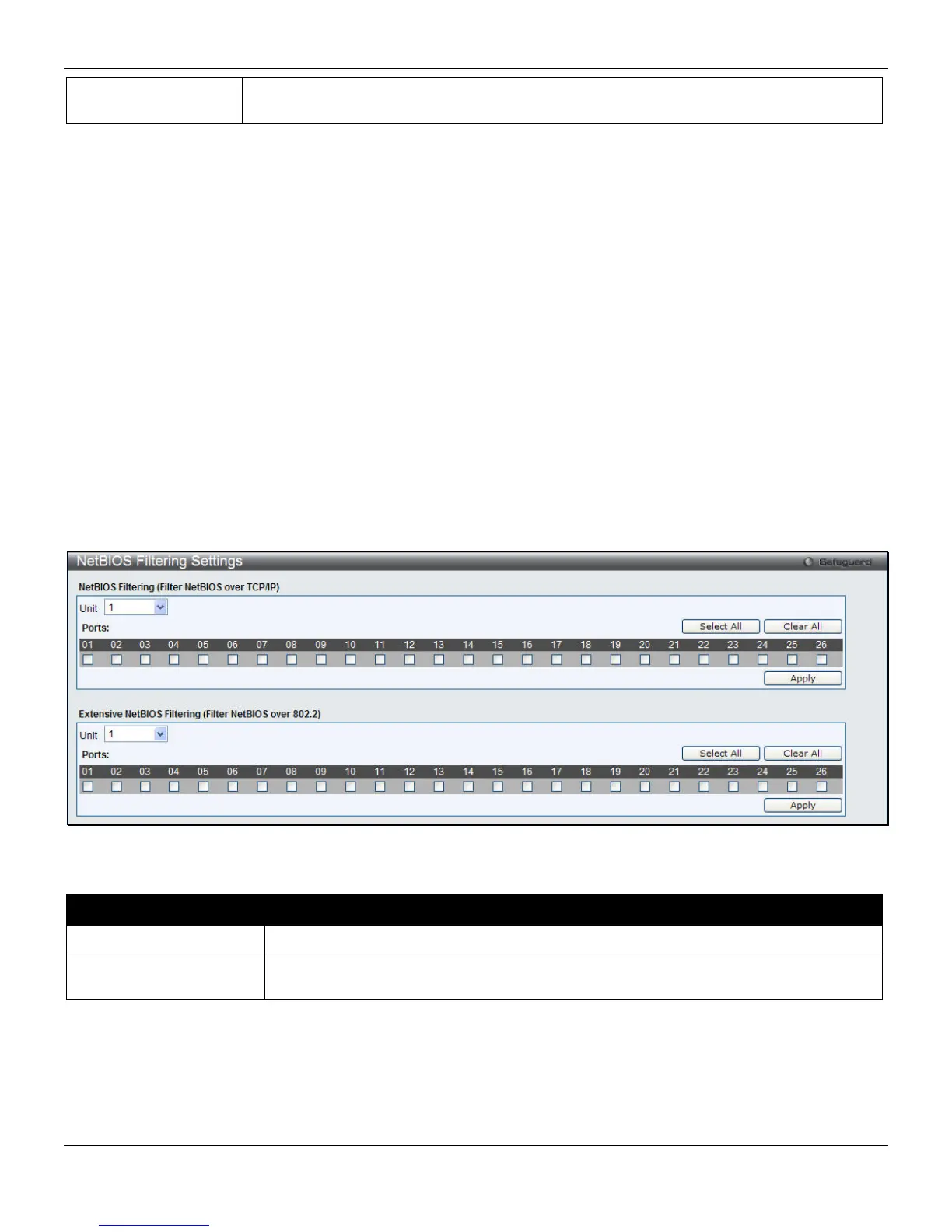
To view this window, click Security > NetBIOS Filtering Settings, as shown below:
Figure 8-57 NetBIOS Filtering Settings window
The fields that can be configured are described below:
Parameter Description
Unit
Select to unit to be configured.
Ports
Tick the appropriate ports that will be included in the NetBIOS or Extensive NetBIOS
filtering configuration.
Click the Select All button to choose all ports.
Click the Clear All button to deselect the ports.
Click the Apply button to accept the changes made for each individual section.
254












 To Next Page