xStack® DES-3528/DES-3552 Series Layer 2 Stackable Fast Ethernet Managed Switch Web UI Reference Guide
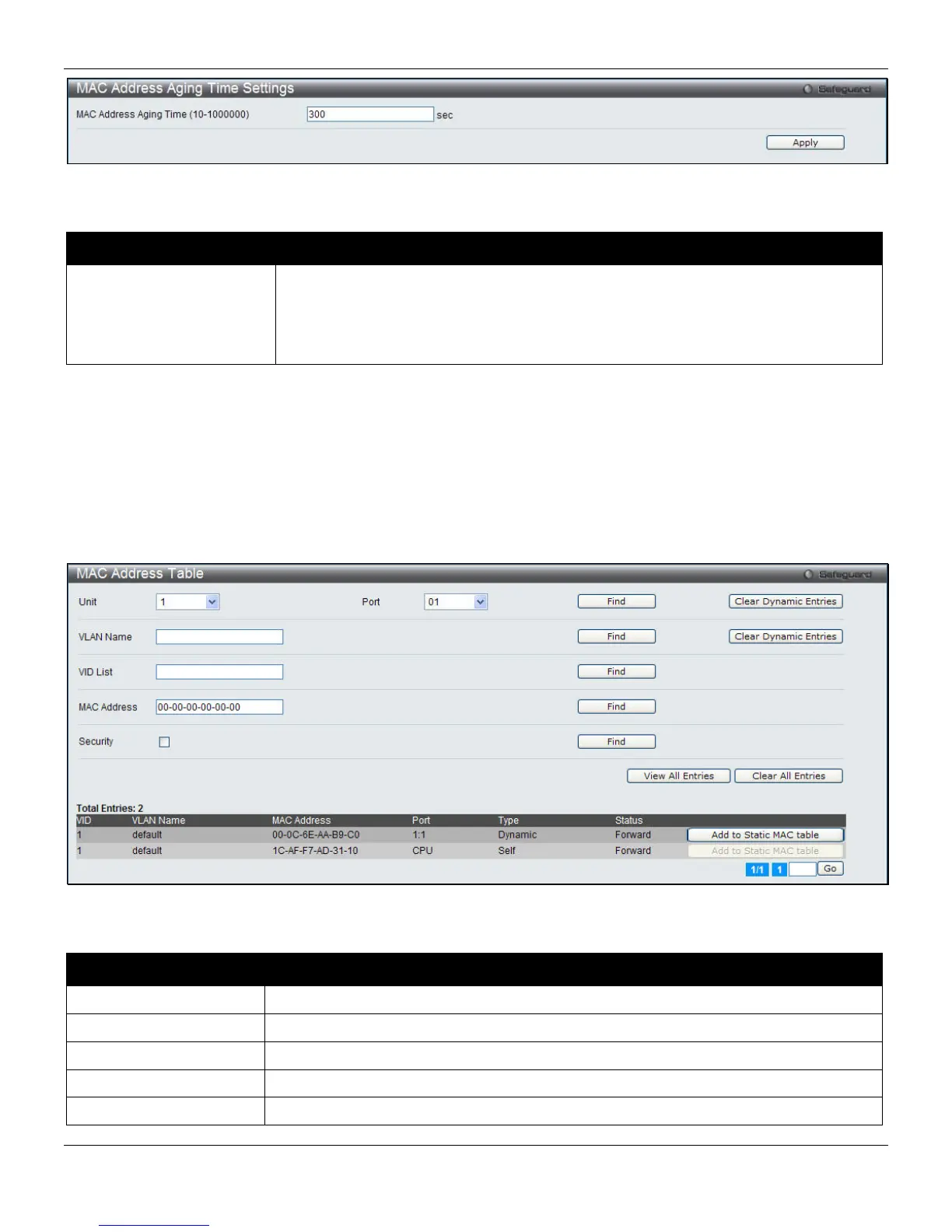
Figure 4-39 MAC Address Aging Time Settings window
The fields that can be configured are described below:
Parameter Description
MAC Address Aging Time
(10-1000000)
This field specifies the length of time a learned MAC Address will remain in the
forwarding table without being accessed (that is, how long a learned MAC Address is
allowed to remain idle). To change this option, type in a different value representing
the MAC address’ age-out time in seconds. The MAC Address Aging Time can be set
to any value between 10 and 1000000 seconds. The default setting is 300 seconds.
Click the Apply button to accept the changes made.
MAC Address Table
This allows the Switch's MAC address forwarding table to be viewed. When the Switch learns an association between
a MAC address, VLAN and a port number, it makes an entry into its forwarding table. These entries are then used to
forward packets through the Switch.
To view the following window, click L2 Features > FDB > MAC Address Table, as shown below:
Figure 4-40 MAC Address Table window
The fields that can be configured are described below:
Parameter Description
Unit
Select the unit to configure.
Port
The port to which the MAC address below corresponds.
VLAN Name
Enter a VLAN Name for the forwarding table to be browsed by.
MAC Address
Enter a MAC address for the forwarding table to be browsed by.
Security
Tick the check box to display the FDB entries that are created by the security module.
97












 To Next Page