xStack® DES-3528/DES-3552 Series Layer 2 Stackable Fast Ethernet Managed Switch Web UI Reference Guide
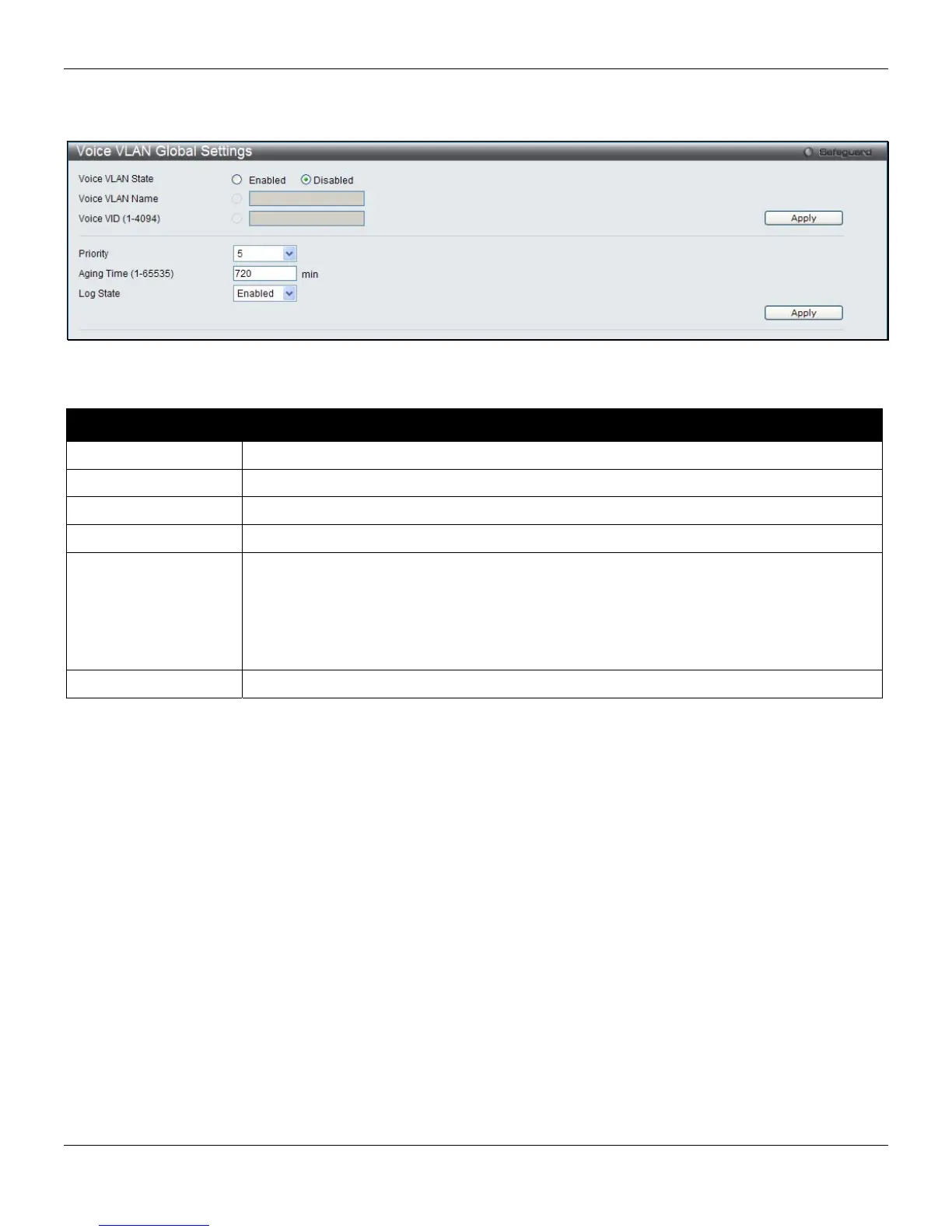
To view the following window, click L2 Features > VLAN > Voice VLAN > Voice VLAN Global Settings, as shown
below:
Figure 4-18 Voice VLAN Global Settings window
The fields that can be configured are described below:
Parameter Description
Voice VLAN State
The state of the voice VLAN.
Voice VLAN Name
The name of the voice VLAN.
Voice VID (1-4094)
The VLAN ID of the voice VLAN.
Priority
The priority of the voice VLAN, the range is 0 to 7. The default priority is 5.
Aging Time (1-65535)
Set the aging time from 1 to 65535 minutes. The default value is 720 minutes. The aging
time is used to remove a port from voice VLAN if the port is an automatic VLAN member.
When the last voice device stops sending traffic and the MAC address of this voice device
is aged out, the voice VLAN aging timer will be started. The port will be removed from the
voice VLAN after expiration of voice VLAN aging timer. If the voice traffic resumes during
the aging time, the aging timer will be reset and stop.
Log State
Used to enable or disable the sending of voice VLAN logs.
Click the Apply button to accept the changes made for each individual section.
Voice VLAN Port Settings
This page is used to show the ports voice VLAN information.
To view the following window, click L2 Features > VLAN > Voice VLAN > Voice VLAN Port Settings, as shown
below:
74












 To Next Page