xStack® DES-3528/DES-3552 Series Layer 2 Stackable Fast Ethernet Managed Switch Web UI Reference Guide
Parameter Description
Interface Name
Enter the interface name of the IPv6 neighbor.
Neighbor IPv6 Address
Enter the neighbor IPv6 address.
Link Layer MAC Address
Enter the link layer MAC address.
Interface Name
Enter the interface name of the IPv6 neighbor. To search for all the current interfaces
on the Switch, go to the second Interface Name field in the middle part of the window,
tick the All check box. Tick the Hardware option to display all the neighbor cache
entries which were written into the hardware table.
State
Use the drop-down menu to select All, Address, Static, or Dynamic. When the user
selects address from the drop-down menu, the user will be able to enter an IP address
in the space provided next to the state option.
Click the Add button to add a new entry based on the information entered.
Click the Find button to locate a specific entry based on the information entered.
Click the Clear button to clear all the information entered in the fields.
IP Interface
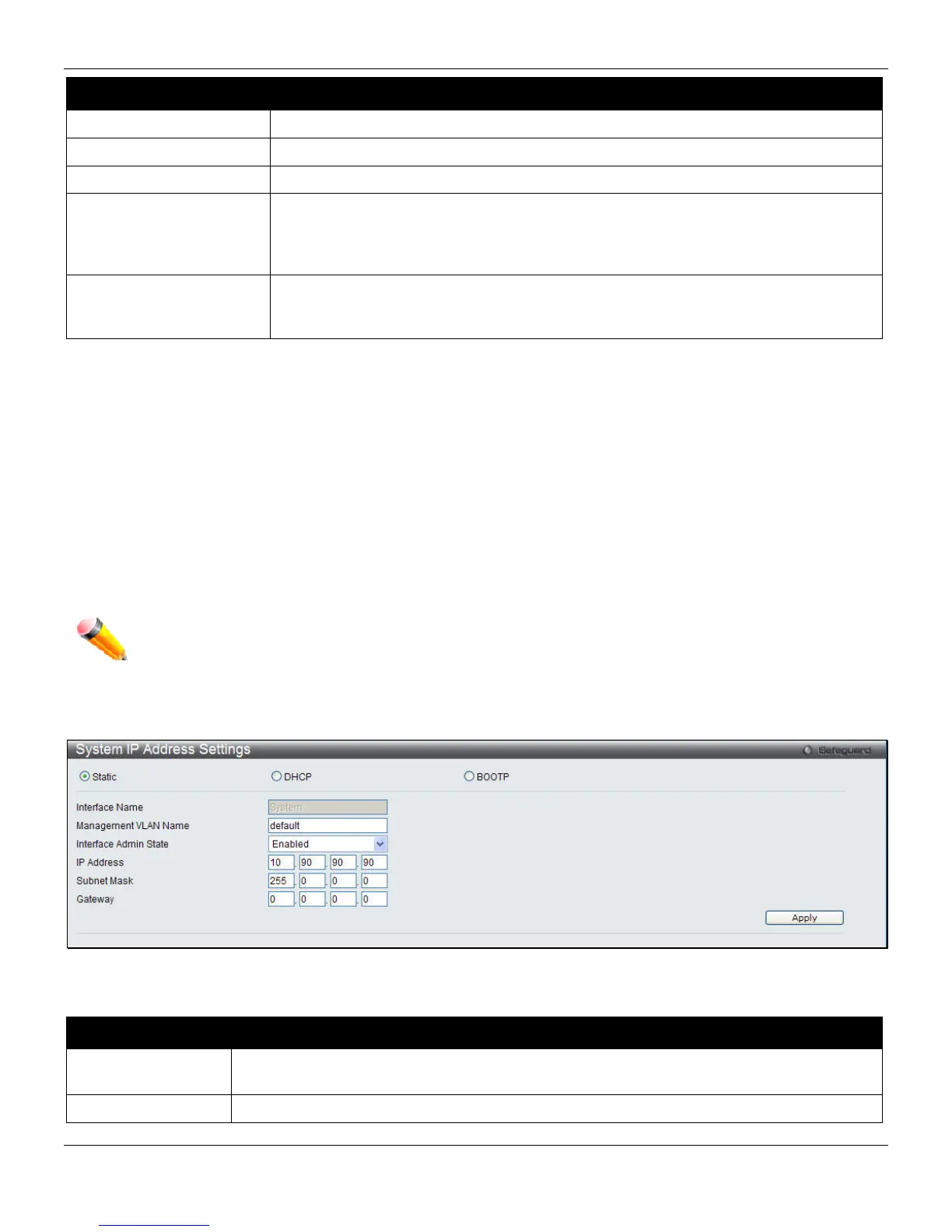
System IP Address Settings
The IP address may initially be set using the console interface prior to connecting to it through the Ethernet. The Web
manager will display the Switch’s current IP settings.
NOTE: The Switch’s factory default IP address is 10.90.90.90 with a subnet mask of 255.0.0.0 and a
default gateway of 0.0.0.0.
To view the following window, click Management > IP Interface > System IP Address Settings, as shown below:
Figure 3-7 System IP Address Settings window
The fields that can be configured are described below:
Parameter Description
Static
Allow to assign the entry of an IP address, subnet mask, and a default gateway for the
Switch manually.
DHCP
The Switch will send out a DHCP broadcast request when it is powered up. The DHCP
30












 To Next Page