xStack® DES-3528/DES-3552 Series Layer 2 Stackable Fast Ethernet Managed Switch Web UI Reference Guide
The fields that can be configured are described below:
Parameter Description
Group Name
Type an alphanumeric string of up to 32 characters. This is used to identify the new
SNMP group of SNMP users.
Read View Name
This name is used to specify the SNMP group created can request SNMP messages.
Write View Name
Specify a SNMP group name for users that are allowed SNMP write privileges to the
Switch’s SNMP agent.
Notify View Name
Specify a SNMP group name for users that can receive SNMP trap messages generated
by the Switch’s SNMP agent.
User-based Security
Model
SNMPv1 – Specify that SNMP version 1 will be used.
SNMPv2 – Specify that SNMP version 2c will be used. The SNMPv2 supports both
centralized and distributed network management strategies. It includes improvements in
the Structure of Management Information (SMI) and adds some security features.
SNMPv3 – Specify that the SNMP version 3 will be used. SNMPv3 provides secure
access to devices through a combination of authentication and encrypting packets over
the network.
Security Level
The Security Level settings only apply to SNMPv3.
NoAuthNoPriv – Specify that there will be no authorization and no encryption of packets
sent between the Switch and a remote SNMP manager.
AuthNoPriv – Specify that authorization will be required, but there will be no encryption
of packets sent between the Switch and a remote SNMP manager.
AuthPriv – Specify that authorization will be required, and that packets sent between the
Switch and a remote SNMP manger will be encrypted.
Click the Apply button to accept the changes made.
Click the Delete button to remove the specific entry.
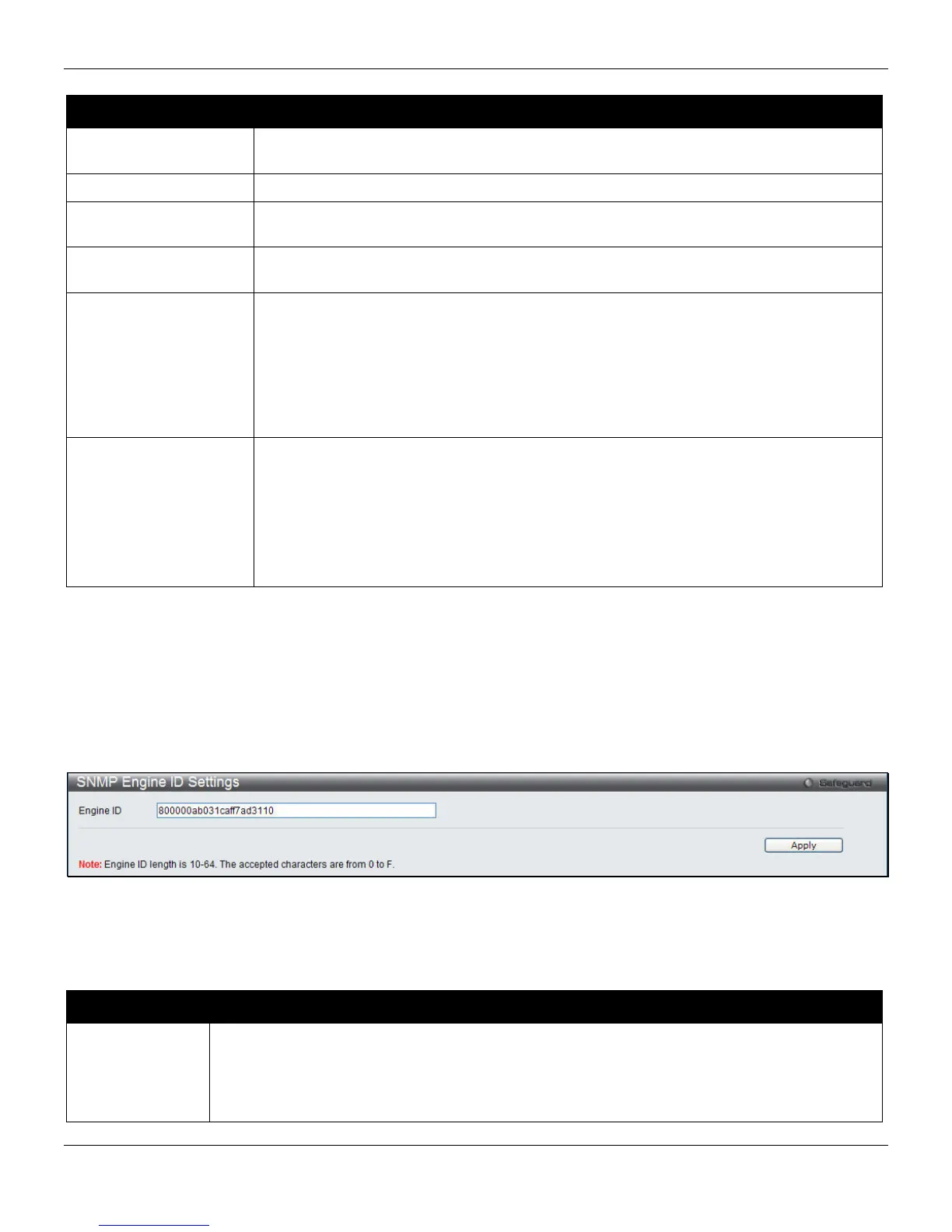
SNMP Engine ID Settings
The Engine ID is a unique identifier used for SNMP V3 implementations on the Switch.
To view the following window, click Management > SNMP Settings > SNMP Engine ID Settings, as shown below:
Figure 3-39 SNMP Engine ID Settings window
To change the Engine ID, type the new Engine ID value in the space provided.
The fields that can be configured are described below:
Parameter Description
Engine ID
The SNMP engine ID displays the identification of the SNMP engine on the Switch. The default
value is suggested in RFC2271. The very first bit is 1, and the first four octets are set to the
binary equivalent of the agent’s SNMP management private enterprise number as assigned by
IANA (D-Link is 171). The fifth octet is 03 to indicate the rest is the MAC address of this device.
The sixth to eleventh octets is the MAC address.
51












 To Next Page