xStack® DES-3528/DES-3552 Series Layer 2 Stackable Fast Ethernet Managed Switch Web UI Reference Guide
• Configure – Will open the Web manager for the specific device.
View
• Refresh – Update the views with the latest status.
• Topology – Display the Topology view.
Help
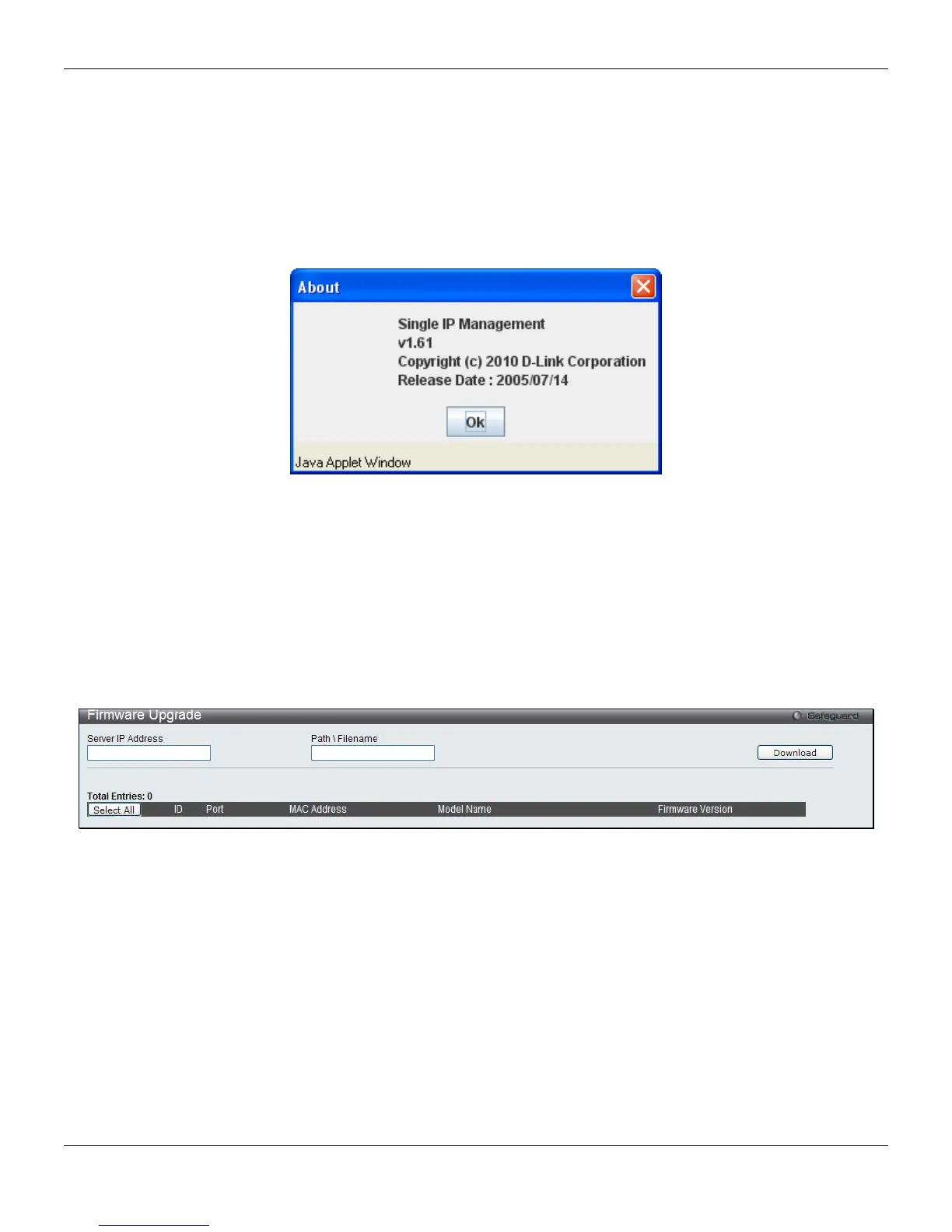
• About – Will display the SIM information, including the current SIM version.
Figure 3-29 About window
Firmware Upgrade
This screen is used to upgrade firmware from the Commander Switch to the Member Switch. Member Switches will be
listed in the table and will be specified by ID, Port (port on the CS where the MS resides), MAC Address, Model Name
and Firmware Version. To specify a certain Switch for firmware download, click its corresponding check box under the
Port heading. To update the firmware, enter the Server IP Address where the firmware resides and enter the
Path/Filename of the firmware. Click Download to initiate the file transfer.
To view the following window, click Management > Single IP Management > Firmware Upgrade, as shown below:
Figure 3-30 Firmware Upgrade window
Configuration File Backup/Restore
This screen is used to upgrade configuration files from the Commander Switch to the Member Switch using a TFTP
server. Member Switches will be listed in the table and will be specified by ID, Port (port on the CS where the MS
resides), MAC Address, Model Name and Firmware Version. To update the configuration file, enter the Server IP
Address where the file resides and enter the Path/Filename of the configuration file. Click Restore to initiate the file
transfer from a TFTP server to the Switch. Click Backup to backup the configuration file to a TFTP server.
To view the following window, click Management > Single IP Management > Configuration File Backup/Restore,
as shown below:
44












 To Next Page