xStack® DES-3528/DES-3552 Series Layer 2 Stackable Fast Ethernet Managed Switch Web UI Reference Guide
Parameter Description
VLAN Name
Enter the VLAN Name.
VID List
Specify a list of the VLAN be VLAN ID.
Max Learning Address
Specify the maximum number of port-security entries that can be learned by this VLAN.
Click the Apply button to accept the changes made.
Port Security Entries
Users can remove an entry from the port security entries learned by the Switch and entered into the forwarding
database.
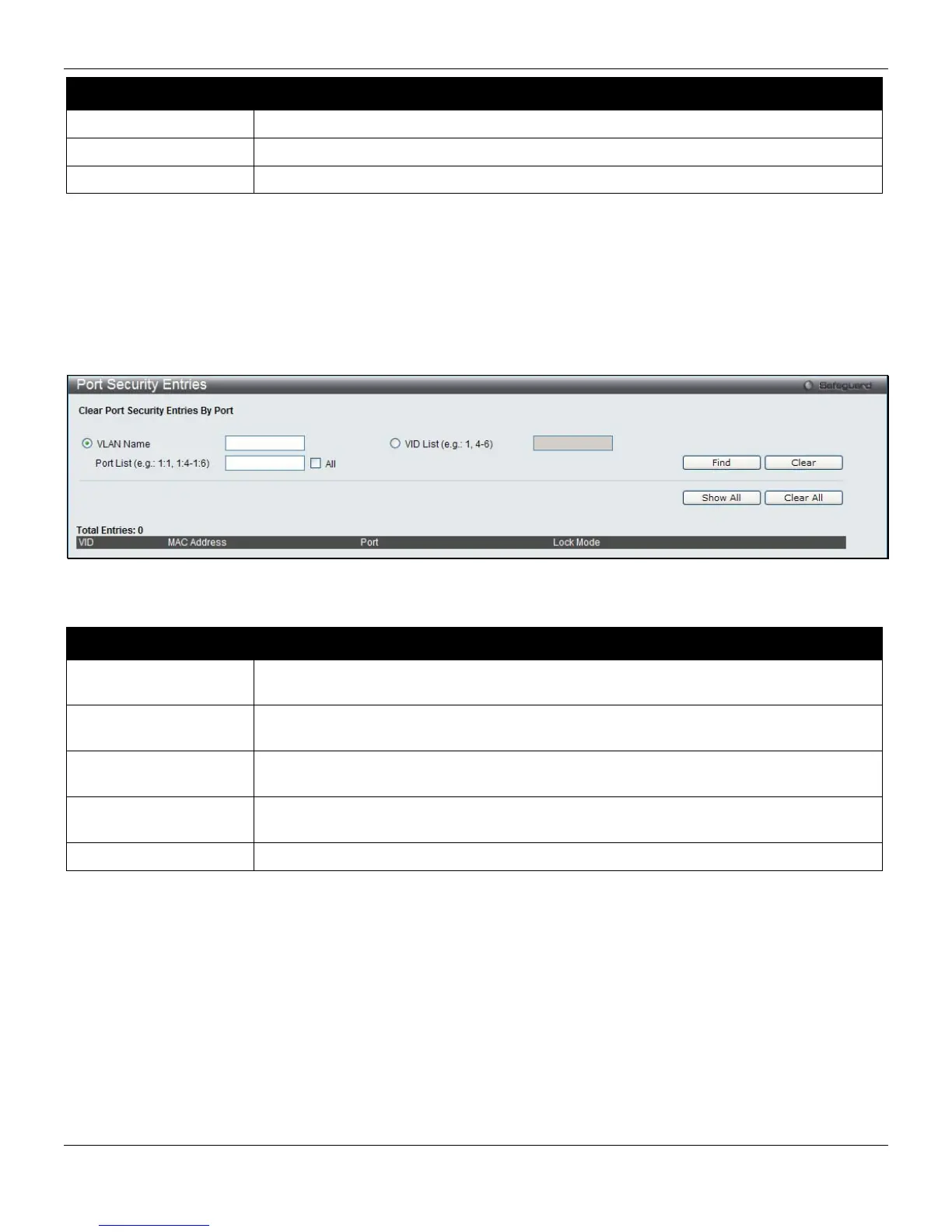
To view this window, click Security > Port Security > Port Security Entries, as shown below:
Figure 8-52 Port Security Entries window
The fields that can be configured are described below:
Parameter Description
VLAN Name
The VLAN Name of the entry in the forwarding database table that has been
permanently learned by the Switch.
VID List
The VLAN ID of the entry in the forwarding database table that has been permanently
learned by the Switch.
Port List
Enter the port number or list here to be used for the port security entry search. When All
is selected, all the ports configured will be displayed.
MAC Address
The MAC address of the entry in the forwarding database table that has been
permanently learned by the Switch.
Lock Mode
The type of MAC address in the forwarding database table.
Click the Find button to locate a specific entry based on the information entered.
Click the Clear button to clear all the entries based on the information entered.
Click the Show All button to display all the existing entries.
Click the Clear All button to remove all the entries listed.
Click the Delete button to remove the specific entry.
ARP Spoofing Prevention Settings
The user can configure the spoofing prevention entry to prevent spoofing of MAC for the protected gateway. When an
entry is created, those ARP packets whose sender IP matches the gateway IP of an entry, but either its sender MAC
field or source MAC field does not match the gateway MAC of the entry will be dropped by the system.
To view this window, click Security > ARP Spoofing Prevention Settings, as shown below:
249












 To Next Page