xStack® DES-3528/DES-3552 Series Layer 2 Stackable Fast Ethernet Managed Switch Web UI Reference Guide
sFlow Analyzer Server Settings
The Switch can support four different Analyzer Servers at the same time and each sampler or poller can select a
collector to send the samples. The Switch can send different samples from different samplers or pollers to different
collectors.
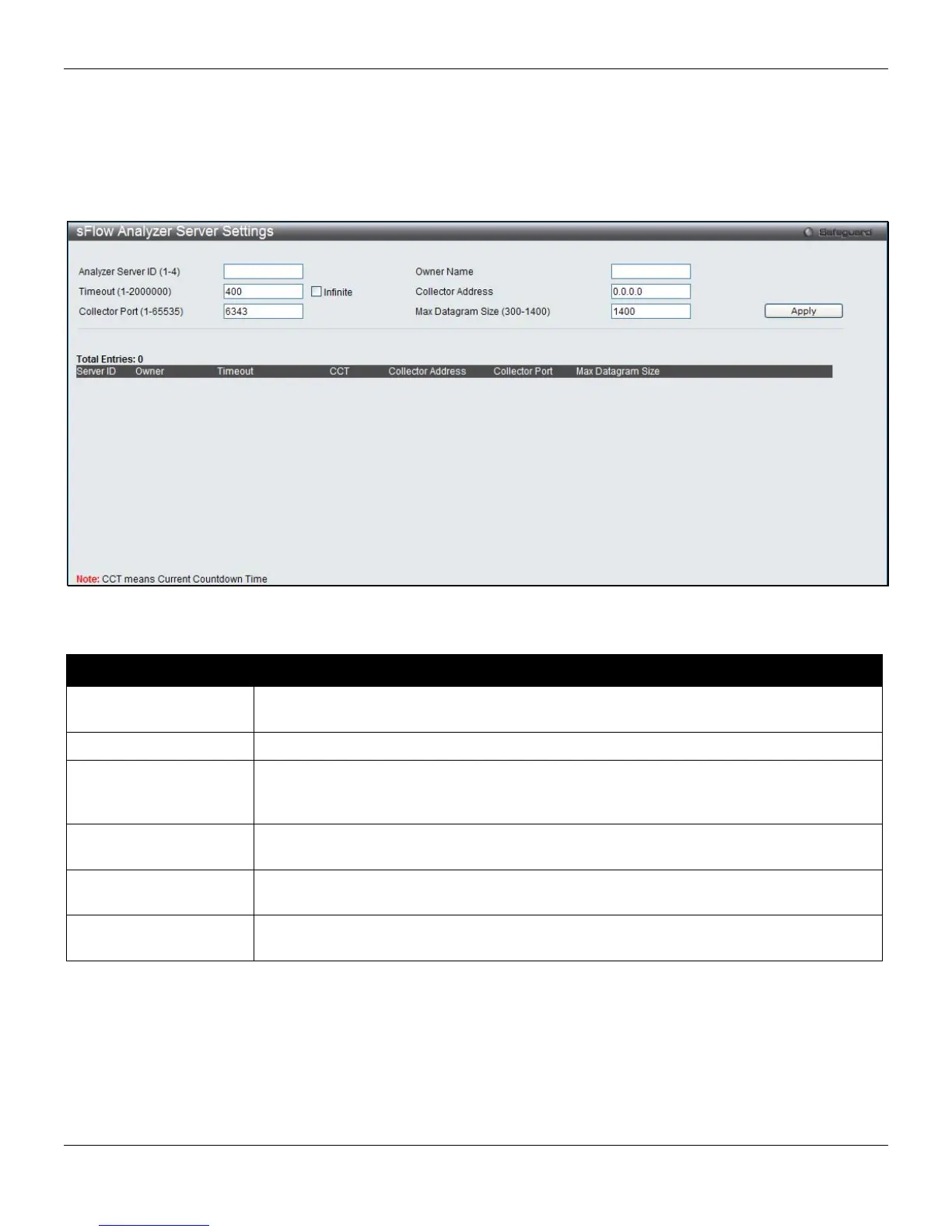
To view this window, click Monitoring > sFlow > sFlow Analyzer Server Settings, as shown below:
Figure 11-20 sFlow Analyzer Server Settings window
The fields that can be configured are described below:
Parameter Description
Analyzer Server ID (1-
4)
The analyzer server ID specifies the ID of a server analyzer where the packet will be
forwarded.
Owner Name
The entity making use of this sFlow analyzer server.
Timeout (1-2000000)
The length of time before the server times out. When the analyzer server times out, all of
the flow samplers and counter pollers associated with this analyzer server will be
deleted. If not specified, its default value is 400.
Collector Address
The IP address of the analyzer server. If not specified or set a 0 address, the entry will
be inactive.
Collector Port (1-
65535)
The destination UDP port for sending the sFlow datagrams. If not specified, the default
value is 6343.
Max Datagram Size
(300-1400)
The maximum number of data bytes that can be packed in a single sample datagram. If
not specified, the default value is 1400.
Click the Apply button to accept the changes made.
Click the Edit button to re-configure the specific entry.
Click the Delete button to remove the specific entry.
sFlow Flow Sampler Settings
This window is used to configure the sFlow flow sampler parameters. By configuring the sampling function for a port, a
sample packet received by this port will be encapsulated and forwarded to the analyzer server at the specified interval.
326












 To Next Page