xStack® DES-3528/DES-3552 Series Layer 2 Stackable Fast Ethernet Managed Switch Web UI Reference Guide
SNTP
The Simple Network Time Protocol (SNTP) is a protocol for synchronizing computer clocks through the Internet. It
provides comprehensive mechanisms to access national time and frequency dissemination services, organize the
SNTP subnet of servers and clients, and adjust the system clock in each participant.
SNTP Settings
Users can configure the time settings for the Switch.
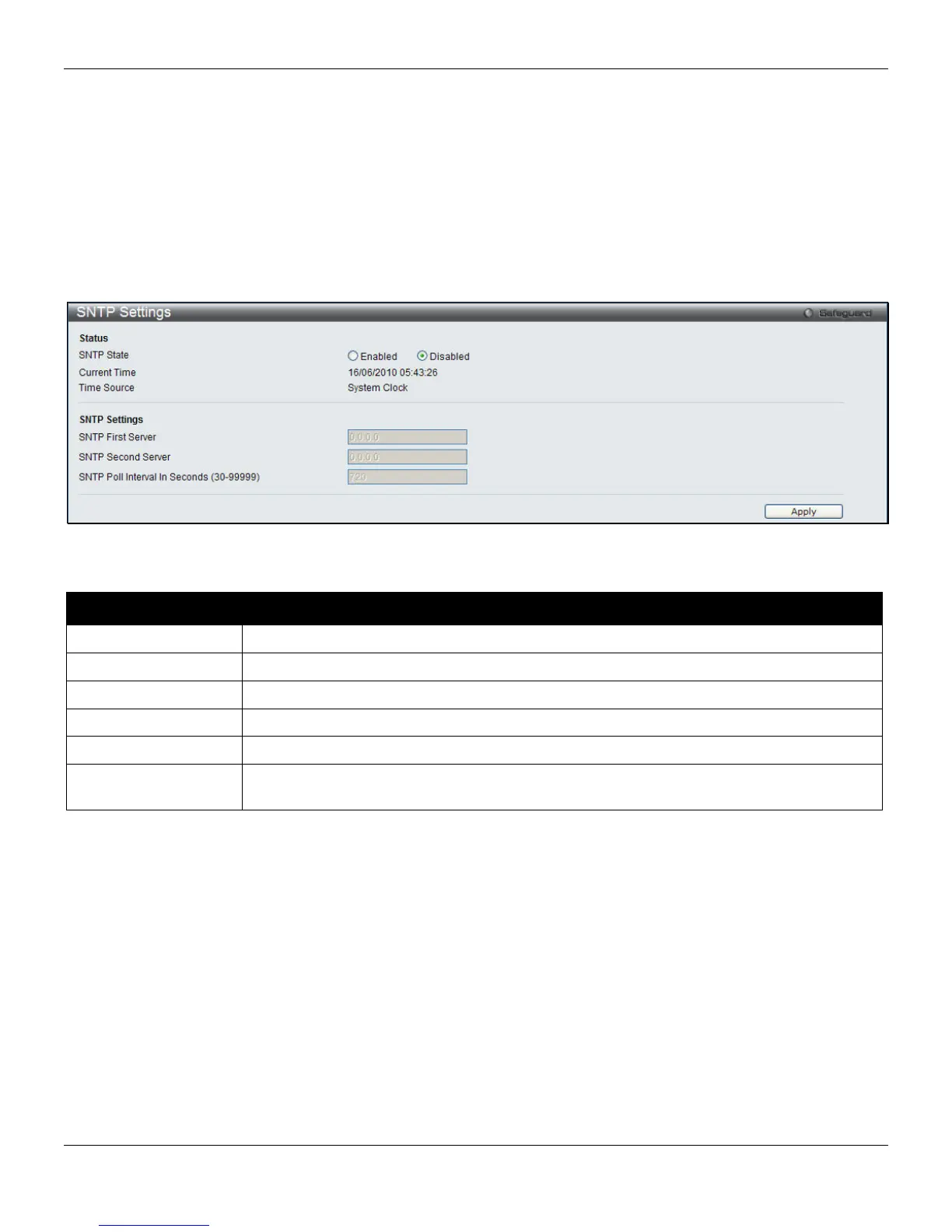
To view this window, click Network Application > SNTP > SNTP Settings, as shown below:
Figure 9-23 SNTP Settings window
The fields that can be configured are described below:
Parameter Description
SNTP State
Use this radio button to enable or disable SNTP.
Current Time
Displays the current time.
Time Source
Displays the time source for the system.
SNTP First Server
The IP address of the primary server from which the SNTP information will be taken.
SNTP Second Server
The IP address of the secondary server from which the SNTP information will be taken.
SNTP Poll Interval In
Seconds (30-99999)
The interval, in seconds, between requests for updated SNTP information.
Click the Apply button to accept the changes made.
290












 To Next Page