xStack® DES-3528/DES-3552 Series Layer 2 Stackable Fast Ethernet Managed Switch Web UI Reference Guide
Port Configuration
Port Settings
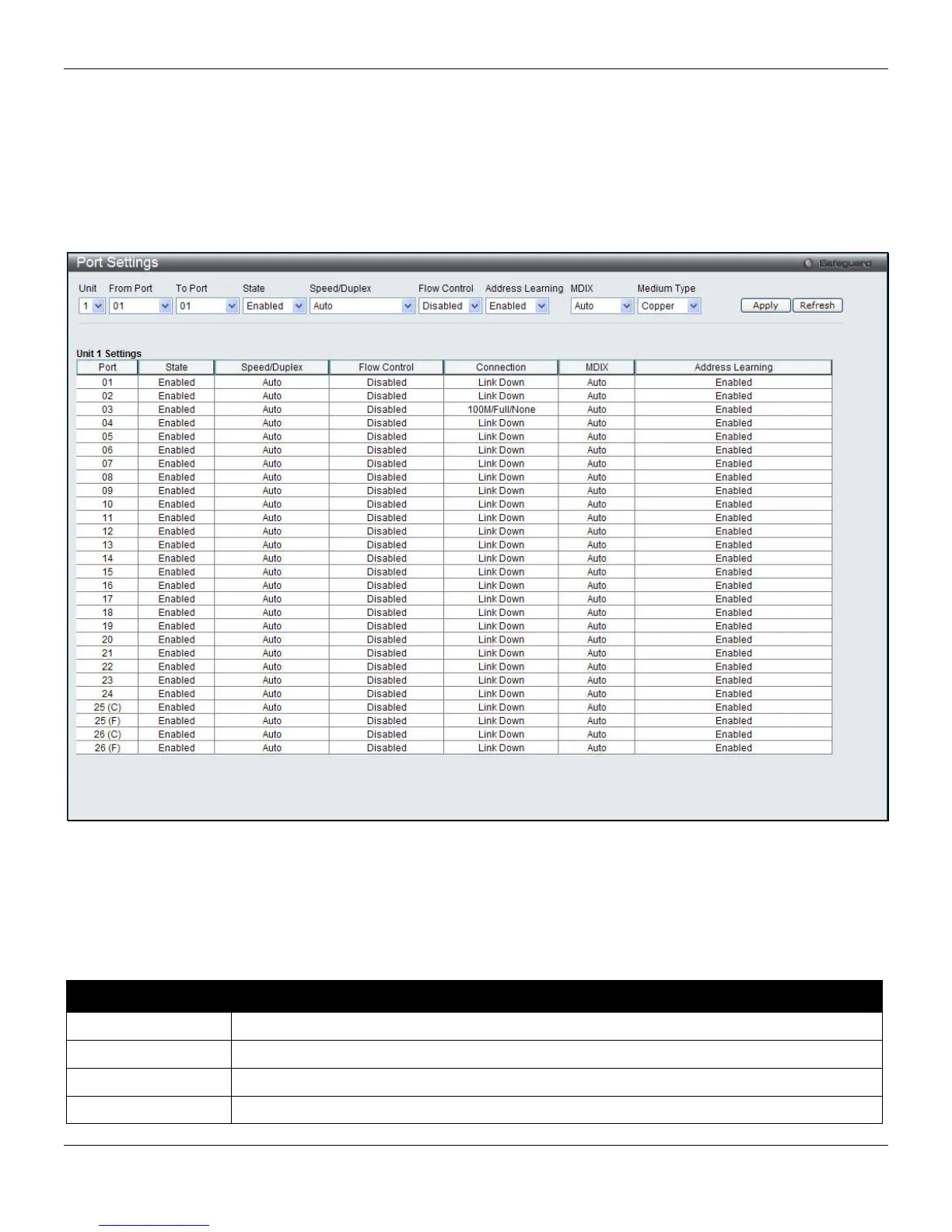
This page used to configure the details of the switch ports. To view the following window, click System Configuration
> Port Configuration > Port Settings, as shown below:
Figure 2-3 Port Settings window
To configure switch ports:
1. Choose the port or sequential range of ports using the From Port and To Port pull-down menus.
2. Use the remaining pull-down menus to configure the parameters described below:
The fields that can be configured are described below:
Parameter Description
Unit
Select the unit to configure.
From Port / To Port
Select the appropriate port range used for the configuration here.
State
Toggle the State field to either enable or disable a given port or group of ports.
Speed/Duplex
Toggle the Speed/Duplex field to select the speed and full-duplex/half-duplex state of the
9












 To Next Page