xStack® DES-3528/DES-3552 Series Layer 2 Stackable Fast Ethernet Managed Switch Web UI Reference Guide
DSCP
DSCP Trust Settings
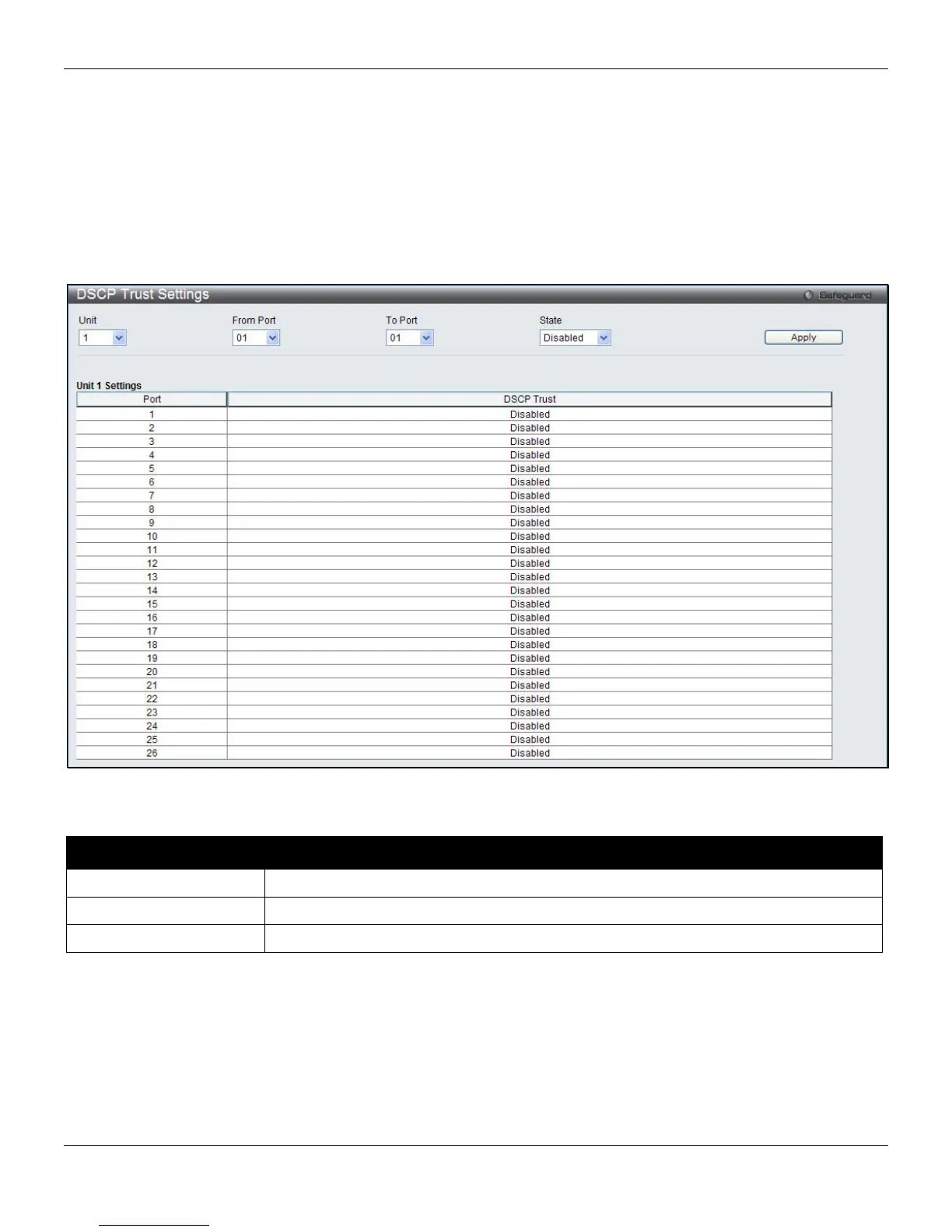
This page is to configure the DSCP trust state of ports. When ports are under the DSCP trust mode, the Switch will
insert the priority tag to untagged packets by using the DSCP Map settings instead of the default port priority.
To view the following window, click QoS > DSCP > DSCP Trust Settings, as shown below:
Figure 6-7 DSCP Trust Settings window
The fields that can be configured are described below:
Parameter Description
Unit
Select the unit to configure.
From Port / To Port
Use the drop-down menu to select a range of port to configure.
State
Enable/disable to trust DSCP. By default, DSCP trust is disabled.
Click the Apply button to accept the changes made.
155












 To Next Page