xStack® DES-3528/DES-3552 Series Layer 2 Stackable Fast Ethernet Managed Switch Web UI Reference Guide
Parameter Description
Profile ID (1-14)
Enter an ACL profile ID.
Access ID (1-128)
Enter an ACL access ID.
Next Hop IPv4 Address
g next hop. Enter an IP address routin
State
Use the drop-down menu to enable or disable the rule.
Click the Apply button to imp
w.
nected IP information. On this page the user can view all the direct
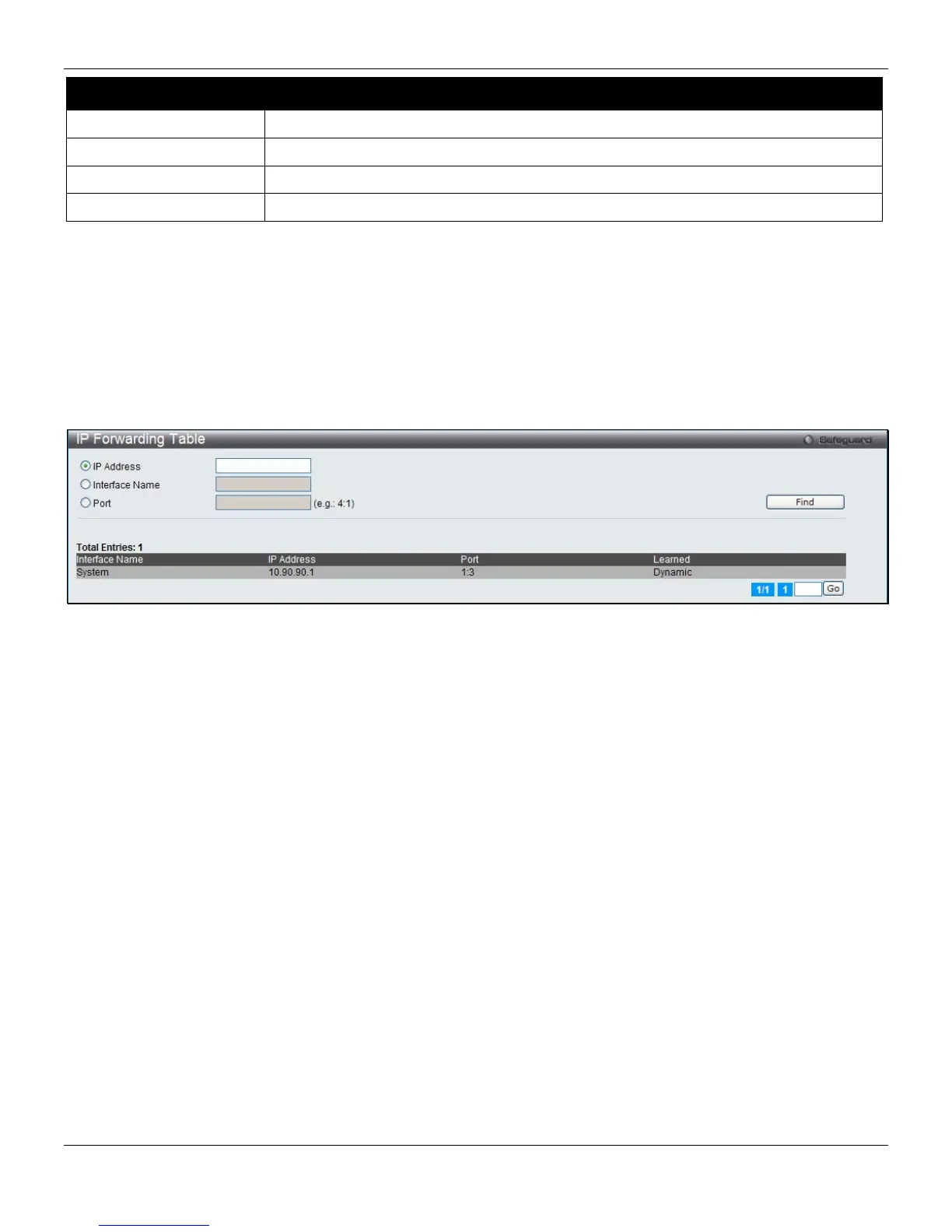
w, click L3 Features > IP Forwarding Table, as shown below:
lement the changes made.
Click the <<Back button to go back to the previous windo
IP Forwarding Table
The IP forwarding table stores all the direct con
connected IP information.
To view the following windo
Figure 5-8 IP Forwarding Table
lick the IP Address, Interface Name or Port radio button, enter the information and click the Find button to locate a
avigate to a specific page when multiple pages exist.
C
specific entry based on the information entered.
Enter a page number and click the Go button to n
144












 To Next Page