xStack® DES-3528/DES-3552 Series Layer 2 Stackable Fast Ethernet Managed Switch Web UI Reference Guide
Click the Find button to locate a specific entry based on the information entered.
Click the Clear Dynamic Entries button to delete all dynamic entries of the address table.
Click the View All Entries button to display all the existing entries.
Click the Clear All Entries button to remove all the entries listed in the table.
Click the Add to Static MAC table button to add the specific entry to the Static MAC table.
Enter a page number and click the Go button to navigate to a specific page when multiple pages exist.
ARP & FDB Table
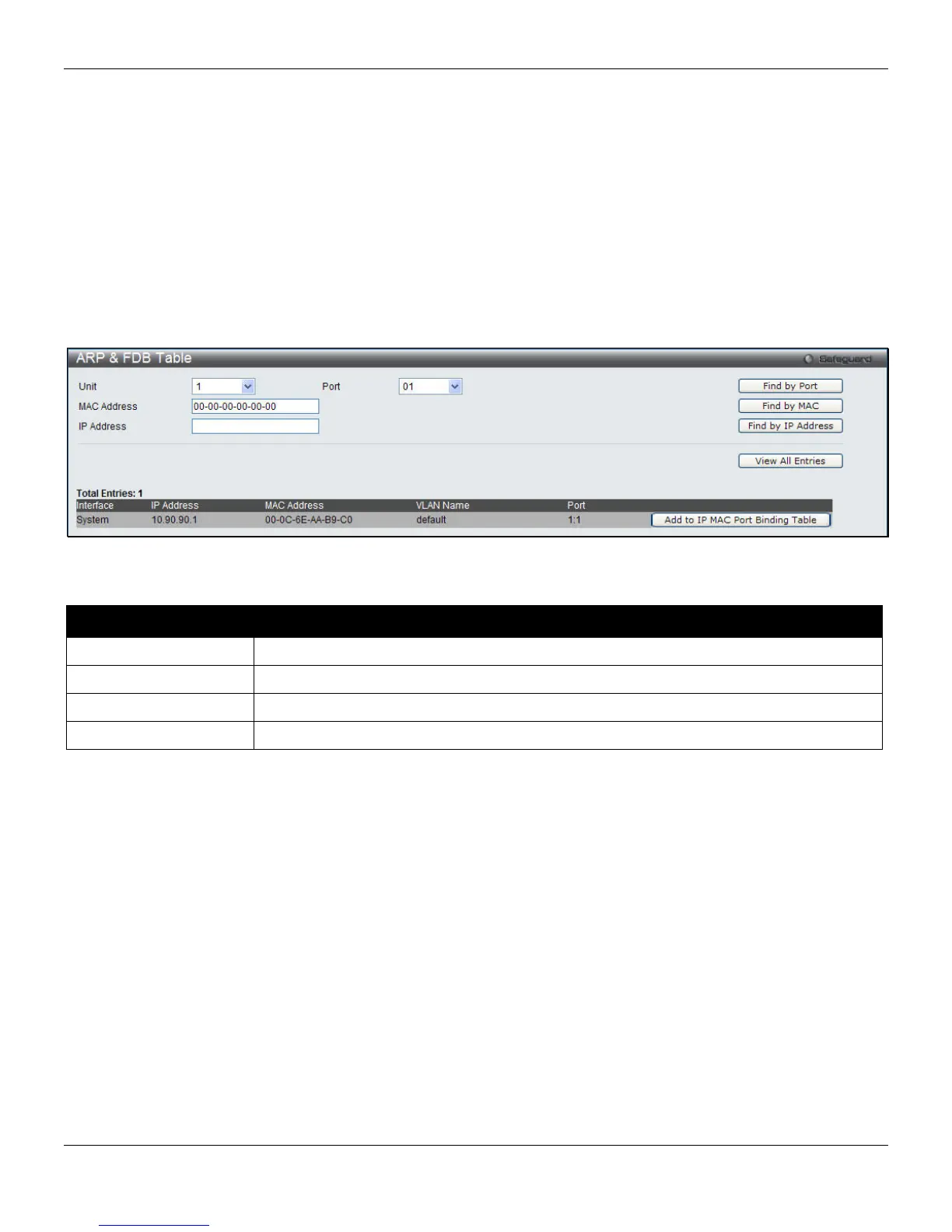
On this page the user can find the ARP and FDB table parameters.
To view the following window, click L2 Features > FDB > ARP & FDB Table, as shown below:
Figure 4-41 ARP & FDB Table window
The fields that can be configured are described below:
Parameter Description
Unit
Select the unit to configure.
Port
Select the port number to use for this configuration.
MAC Address
Enter the MAC address to use for this configuration.
IP Address
Enter the IP address the use for this configuration.
Click the Find by Port button to locate a specific entry based on the port number selected.
Click the Find by MAC button to locate a specific entry based on the MAC address entered.
Click the Find by IP Address button to locate a specific entry based on the IP address entered.
Click the View All Entries button to display all the existing entries.
Click the Add to IP MAC Port Binding Table to add a specific entry to the table in IMPB Entry Settings window.
L2 Multicast Control
IGMP Snooping
Internet Group Management Protocol (IGMP) snooping allows the Switch to recognize IGMP queries and reports sent
between network stations or devices and an IGMP host. When enabled for IGMP snooping, the Switch can open or
close a port to a specific device based on IGMP messages passing through the Switch.
98












 To Next Page