xStack® DES-3528/DES-3552 Series Layer 2 Stackable Fast Ethernet Managed Switch Web UI Reference Guide
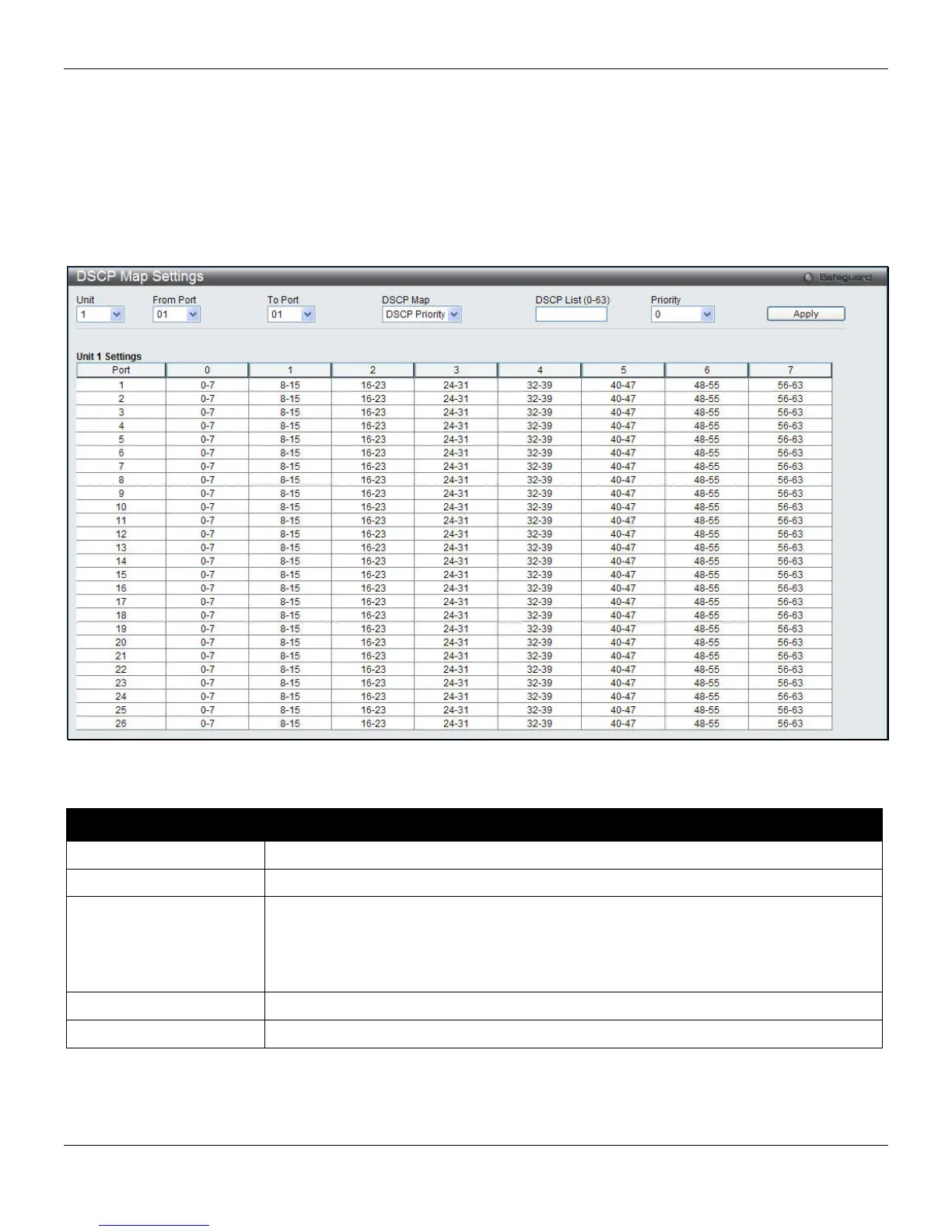
DSCP Map Settings
The mapping of DSCP to queue will be used to determine the priority of the packet (which will be then used to
determine the scheduling queue) when the port is in DSCP trust state.
The DSCP-to-DSCP mapping is used in the swap of DSCP of the packet when the packet is ingresses to the port. The
remaining processing of the packet will base on the new DSCP. By default, the DSCP is mapped to the same DSCP.
To view the following window, click QoS > DSCP > DSCP Map Settings, as shown below:
Figure 6-8 DSCP Map Settings window
The fields that can be configured are described below:
Parameter Description
Unit
Select the unit to configure.
From Port / To Port
Use the drop-down menu to select a range of port to configure.
DSCP Map
Use the drop-down menu to select one of three options:
DSCP Priority – Specify a list of DSCP values to be mapped to a specific priority.
DSCP DSCP – Specify a list of DSCP value to be mapped to a specific DSCP.
DSCP Color - Specify a list of DSCP values to be mapped to a specific color.
DSCP List (0-63)
Enter a DSCP List value.
Priority
Use the drop-down menu to select a Priority value.
Click the Apply button to accept the changes made.
To view the following window, click QoS > DSCP > DSCP Map Settings and select DSCP DSCP from the DSCP Map
drop-down menu, as shown below:
156












 To Next Page