xStack® DES-3528/DES-3552 Series Layer 2 Stackable Fast Ethernet Managed Switch Web UI Reference Guide
From Port / To Port
Select a range of ports to set for IP-MAC-port binding.
IPv4 State / IPv6 State
Use the pull-down menu to enable or disable these ports for IP-MAC-port binding.
Enabled (Strict)
This mode provides a stricter method of control. If the user selects this mode, all packets
will be sent to the CPU, thus all packets will not be forwarded by the hardware until the
S/W learns the entries for the ports. The port will check ARP and IP packets by IP-MAC-
port binding entries. When the packet is found by the entry, the MAC address will be set
to dynamic state. If the packet is not found by the entry, the packets will be dropped. The
default mode is strict if not specified. The ports with strict mode will capture unicast
DHCP packets through the ACL module. If configuring IP-MAC-port binding in strict
mode when IP-MAC-port binding DHCP snooping is enabled, it will create an ACL profile
and the rules according to the ports. If there is not enough profile or rule space for an
ACL profile or rule table, it will return a warning message and will not create an ACL
profile and rules to capture unicast DHCP packets.
Enabled (Loose)
This mode provides a looser way of control. If the user selects loose mode, ARP packets
will be sent to the CPU. The packets will still be forwarded by the hardware until a
specific source MAC address is blocked by the software. The port will check ARP
packets by IP-MAC-port binding entries. When the packet is found by the entry, the MAC
address will be set to dynamic state. If the packet is not found by the entry, the MAC
address will be set to drop. Other packets will be bypassed.
Zero IP
Use the pull-down menu to enable or disable this feature. Allow zero IP configures the
state which allows ARP packets with 0.0.0.0 source IP to bypass.
DHCP Packet
By default, the DHCP packet with broadcast DA will be flooded. When set to disable, the
broadcast DHCP packet received by the specified port will not be forwarded in strict
mode. This setting is effective when DHCP snooping is enabled, in the case when a
DHCP packet which has been trapped by the CPU needs to be forwarded by the
software. This setting controls the forwarding behavior in this situation.
Mode
Toggle between ARP and ACL. When configuring the port mode to ACL, the Switch will
create an ACL access entry corresponding to the entries of this port. If the port changes
to ARP, all the ACL access entries will be deleted automatically. The default mode is
ARP.
Stop Learning
Threshold
Enter the number of blocked entries on the port. The value is from 0 to 500.
Click the Apply button to accept the changes made.
IMPB Entry Settings
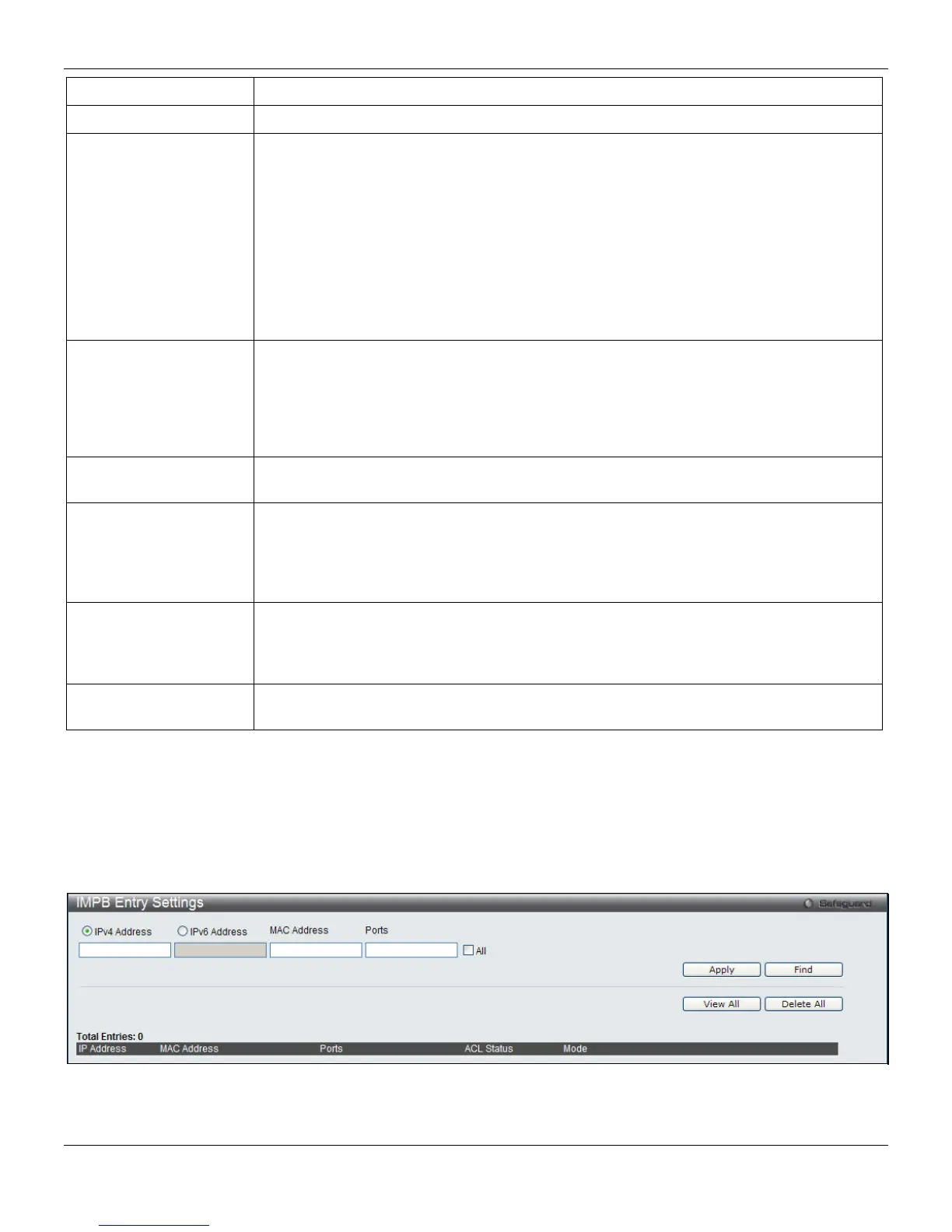
This window is used to create static IP-MAC-binding port entries and view all IMPB entries on the Switch.
To view this window, click Security > IP-MAC-Port Binding (IMPB) > IMPB Entry Settings, as shown below:
Figure 8-26 IMPB Entry Settings window
The fields that can be configured are described below:
222












 To Next Page