xStack® DES-3528/DES-3552 Series Layer 2 Stackable Fast Ethernet Managed Switch Web UI Reference Guide
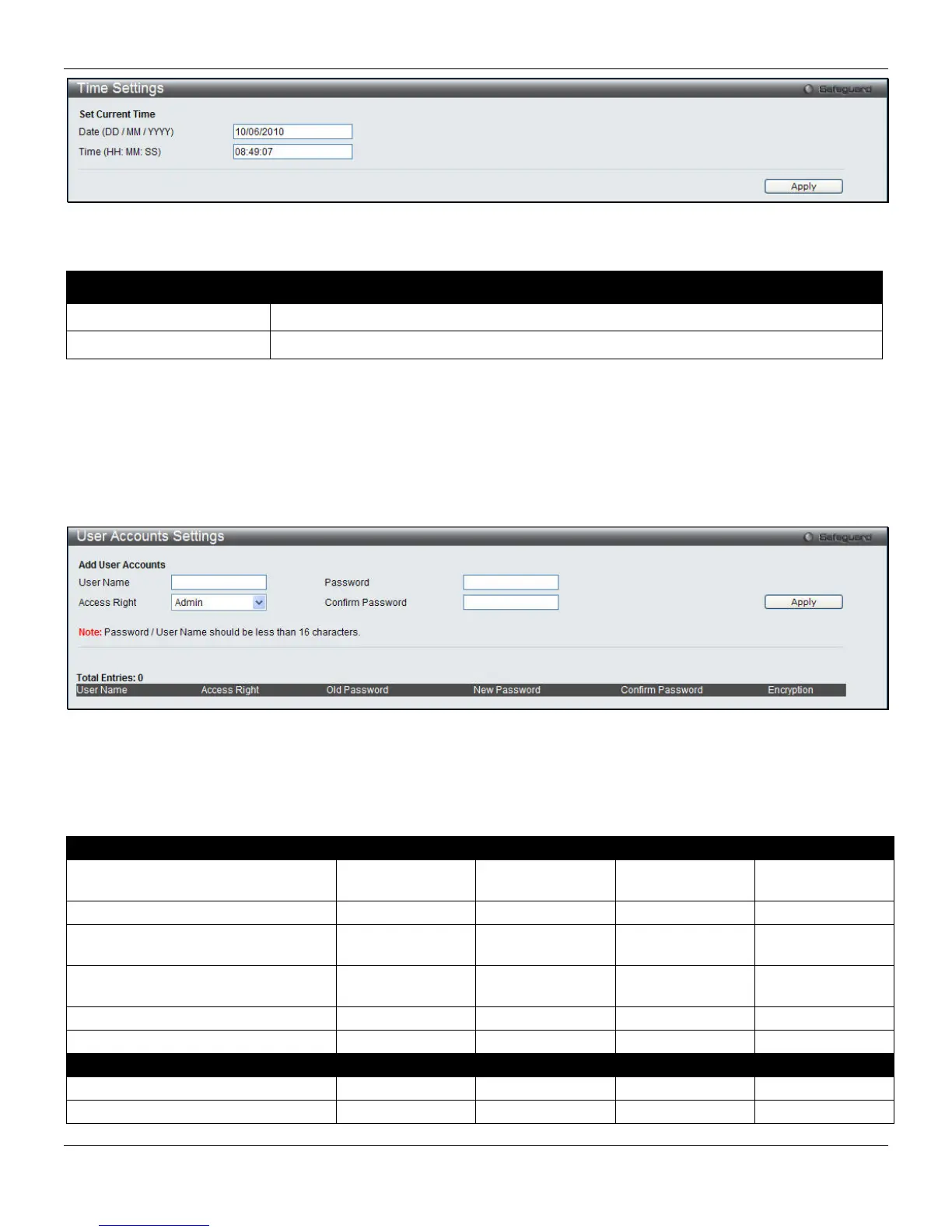
Figure 2-16 Time Settings window
The fields that can be configured are described below:
Parameter Description
Date (DD/MM/YYYY)
Enter the current day, month, and year to update the system clock.
Time (HH:MM:SS)
Enter the current time in hours, minutes, and seconds.
Click the Apply button to accept the changes made.
User Accounts Settings
The Switch allows the control of user privileges.
To view the following window, click System Configuration > User Accounts Settings, as shown below:
Figure 2-17 User Accounts Settings window
To add a new user, type in a User Name and New Password and retype the same password in the Confirm New
Password field. Choose the level of privilege (Admin, Operator, Power_User or User) from the Access Right drop-down
menu.
Management Admin Operator Power_User User
Configuration Read/Write Read/Write–
partly
Read/Write–
partly
No
Network Monitoring Read/Write Read/Write Read-only Read-only
Community Strings and Trap
Stations
Read/Write Read-only Read-only Read-only
Update Firmware and Configuration
Files
Read/Write No No No
System Utilities Read/Write Read-only Read-only Read-only
Factory Reset Read/Write No No No
User Account Management
Add/Update/Delete User Accounts Read/Write No No No
View User Accounts Read/Write No No No
21












 To Next Page