xStack® DES-3528/DES-3552 Series Layer 2 Stackable Fast Ethernet Managed Switch Web UI Reference Guide
The fields that can be configured are described below:
Parameter Description
Profile ID (1-5)
Enter a unique identifier number for this profile set. This value can be set from 1 to5.
Select ACL Type
Select profile based on Ethernet (MAC Address), IPv4 address, IPv6 address, or packet
content mask. This will change the window according to the requirements for the type of
profile.
Select Ethernet ACL to instruct the Switch to examine the layer 2 part of each packet
header.
Select IPv4 ACL to instruct the Switch to examine the IP address in each frame's header.
Select IPv6 ACL to instruct the Switch to examine the IPv6 address in each frame's header.
Select Packet Content ACL to specify a mask to hide the content of the packet header.
Offset
This field will instruct the Switch to mask the packet header beginning with the offset value
specified:
0-15 - Enter a value in hex form to mask the packet from the beginning of the packet to the
15th byte.
16-31 – Enter a value in hex form to mask the packet from byte 16 to byte 31.
32-47 – Enter a value in hex form to mask the packet from byte 32 to byte 47.
48-63 – Enter a value in hex form to mask the packet from byte 48 to byte 63.
64-79 – Enter a value in hex form to mask the packet from byte 64 to byte 79.
Click the Select button to select an CPU ACL type. Click the Create button to create a profile.
Click the <<Back button to discard the changes made and return to the previous page.
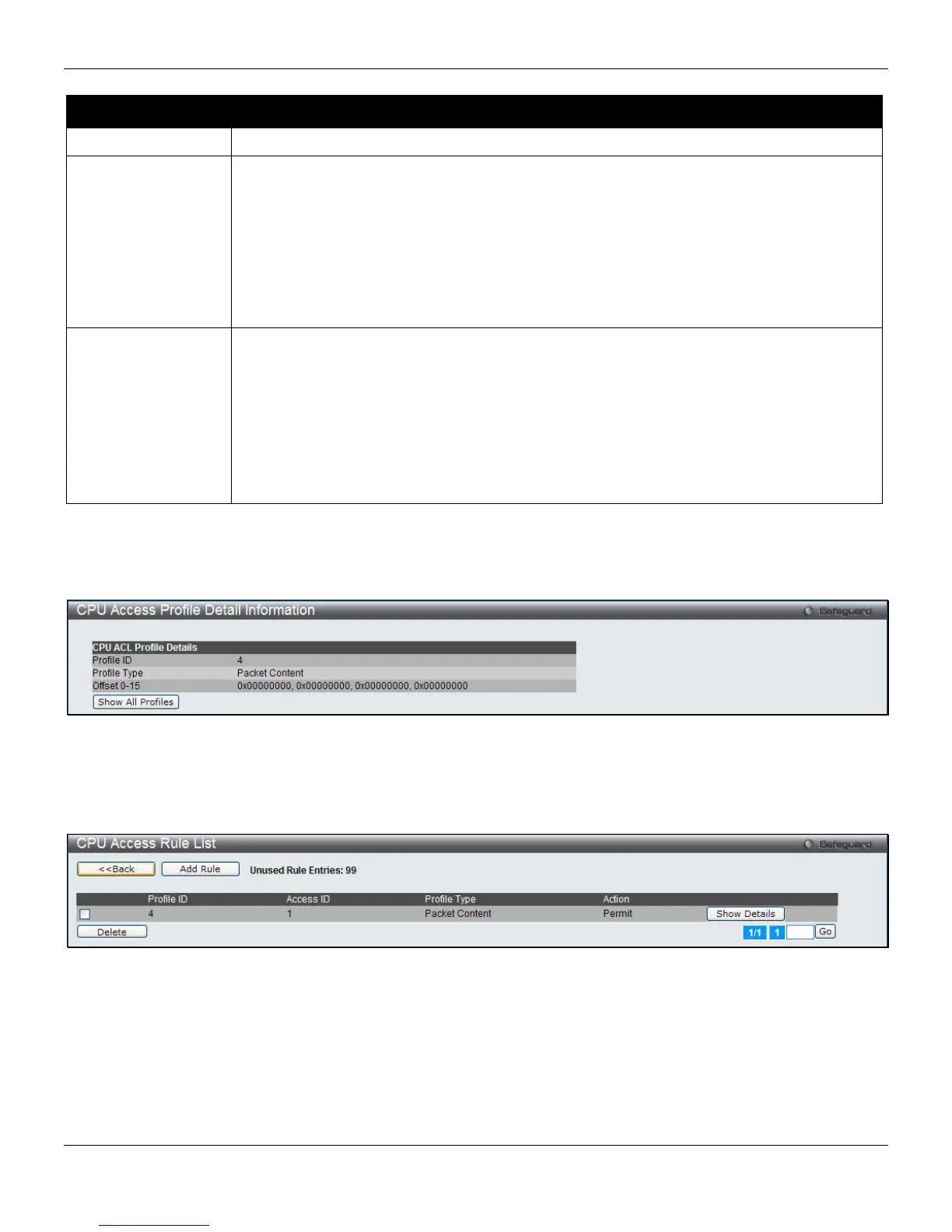
After clicking the Show Details button, the following page will appear:
Figure 7-40 CPU Access Profile Detail Information (Packet Content ACL)
Click the Show All Profiles button to navigate back to the CPU ACL Profile List Page.
After clicking the Add/View Rules button, the following page will appear:
Figure 7-41 CPU Access Rule List (Packet Content ACL)
Click the Add Rule button to create a new CPU ACL rule in this profile.
Click the <<Back button to return to the previous page.
Click the Show Details button to view more information about the specific rule created.
Click the Delete Rules button to remove the specific entry.
Enter a page number and click the Go button to navigate to a specific page when multiple pages exist.
196












 To Next Page