xStack® DES-3528/DES-3552 Series Layer 2 Stackable Fast Ethernet Managed Switch Web UI Reference Guide
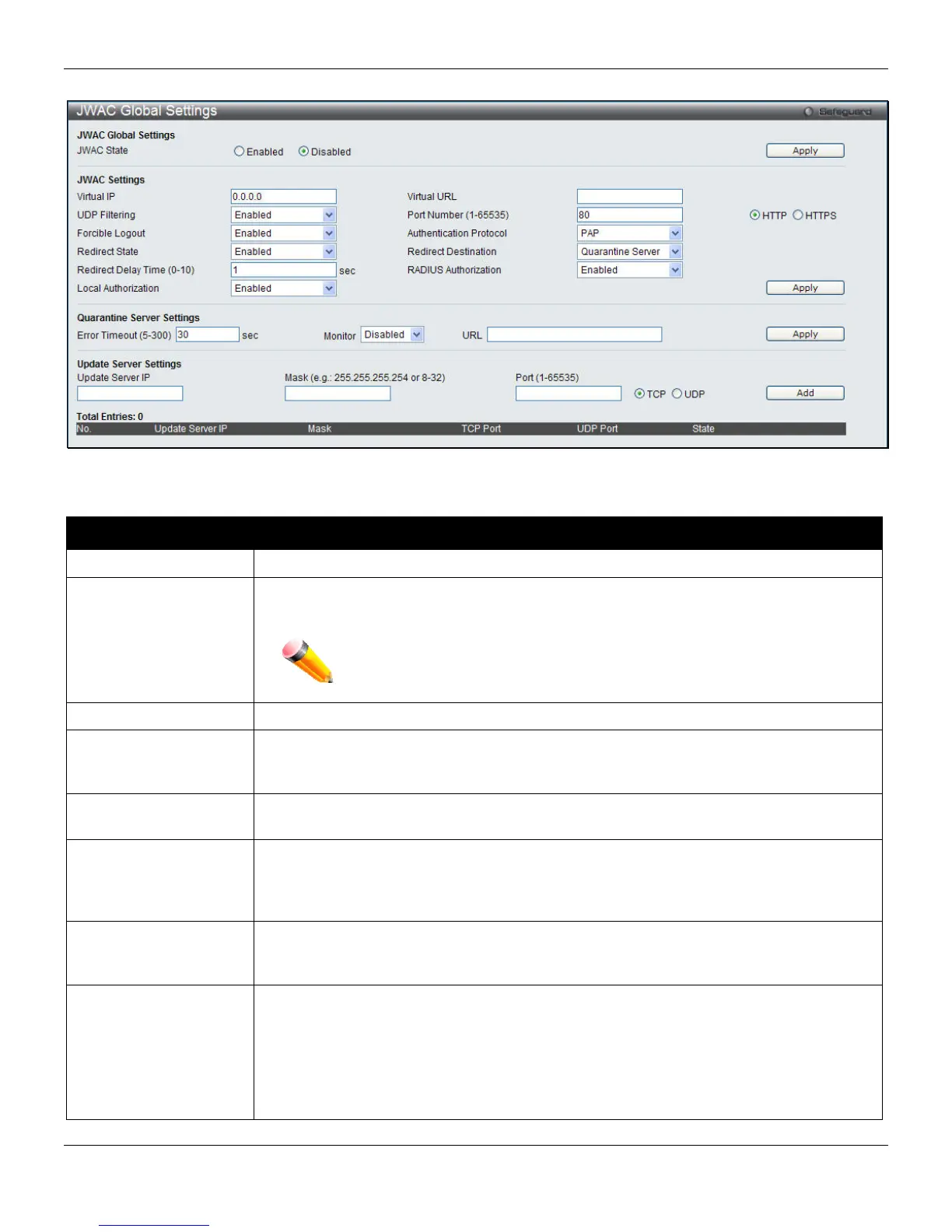
To view this window, click Security > JWAC > JWAC Global Settings, as shown below:
Figure 8-41 JWAC Global Settings
The fields that can be configured are described below:
Parameter Description
JWAC State
Use this drop-down menu to either enable or disable JWAC on the Switch.
Virtual IP
Specify the JWAC Virtual IP address that is used to accept authentication requests from
an unauthenticated host. Only requests sent to this IP will get a correct response.
NOTE: This IP does not respond to ARP requests or ICMP packets.
Virtual URL
Specify the URL of Quarantine Server.
UDP Filtering
This parameter enables or disables JWAC UDP Filtering. When UDP Filtering is
Enabled, all UDP and ICMP packets except DHCP and DNS packets from
unauthenticated hosts will be dropped
Port Number (1-65535)
This parameter specifies the TCP port that the JWAC Switch listens to and uses to finish
the authentication process.
Forcible Logout
This parameter enables or disables JWAC Forcible Logout. When Forcible Logout is
Enabled, a Ping packet from an authenticated host to the JWAC Switch with TTL=1 will
be regarded as a logout request, and the host will move back to the unauthenticated
state.
Authentication
Protocol
This parameter specifies the RADIUS protocol used by JWAC to complete a RADIUS
authentication. The options include Local, EAP MD5, PAP, CHAP, MS CHAP, and MS
CHAPv2.
Redirect State
This parameter enables or disables JWAC Redirect. When the redirect quarantine server
is enabled, the unauthenticated host will be redirected to the quarantine server when it
tries to access a random URL. When the redirect JWAC login page is enabled, the
unauthenticated host will be redirected to the JWAC login page in the Switch to finish
authentication. When redirect is disabled, only access to the quarantine server and the
JWAC login page from the unauthenticated host are allowed, all other web access will
be denied.
237












 To Next Page