xStack® DES-3528/DES-3552 Series Layer 2 Stackable Fast Ethernet Managed Switch Web UI Reference Guide
Click the Show All Profiles button to navigate back to the Access Profile List Page.
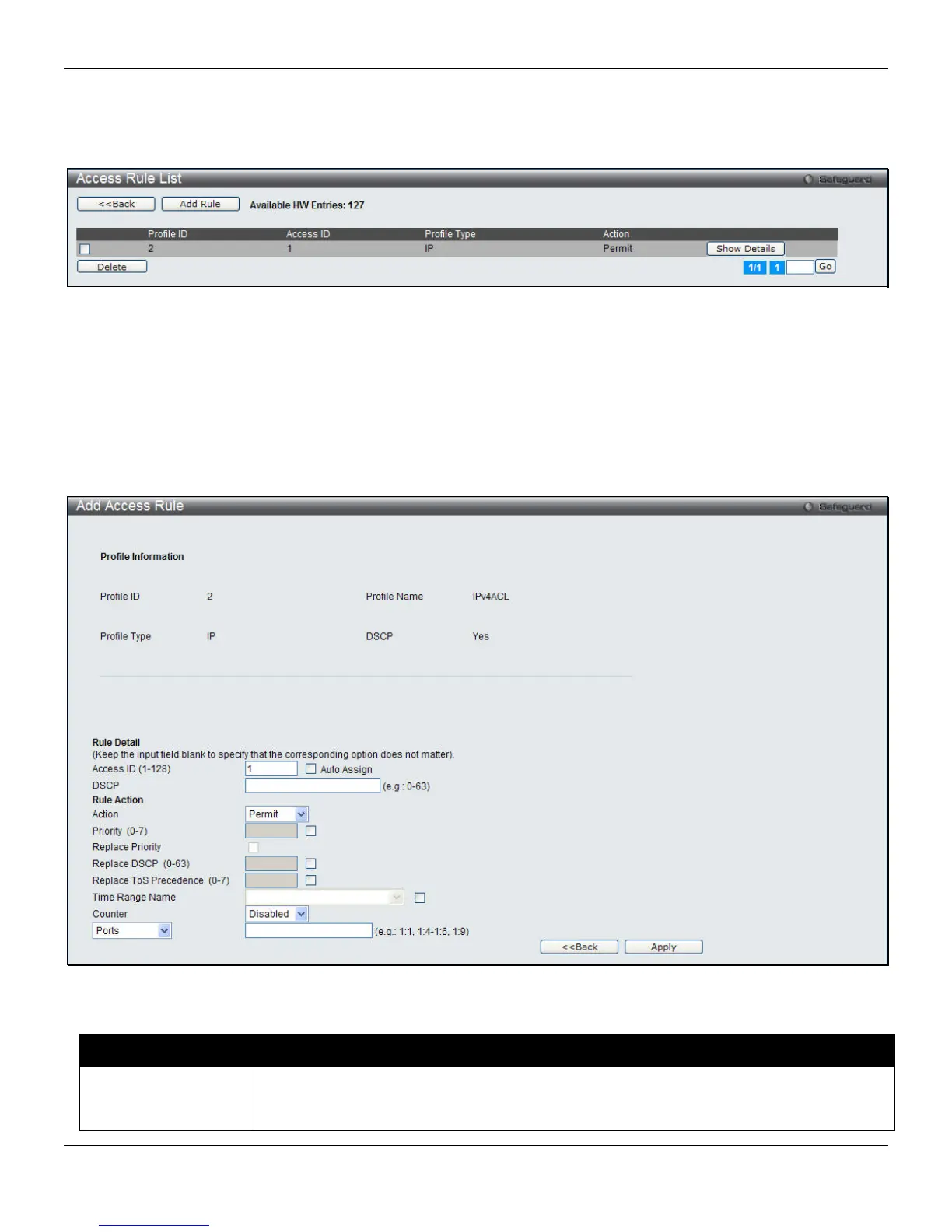
After clicking the Add/View Rules button, the following page will appear:
Figure 7-10 Access Rule List window (IPv4 ACL)
Click the Add Rule button to create a new ACL rule in this profile.
Click the <<Back button to return to the previous page.
Click the Show Details button to view more information about the specific rule created.
Click the Delete Rules button to remove the specific entry.
Enter a page number and click the Go button to navigate to a specific page when multiple pages exist.
After clicking the Add Rule button, the following page will appear:
Figure 7-11 Add Access Rule (IPv4 ACL)
The fields that can be configured are described below:
Parameter Description
Access ID (1-128)
Type in a unique identifier number for this access. This value can be set from 1 to 128.
Tick the Auto Assign check box to instruct the Switch to automatically assign an Access ID
for the rule being created.
174












 To Next Page