xStack® DES-3528/DES-3552 Series Layer 2 Stackable Fast Ethernet Managed Switch Web UI Reference Guide
Figure 8-74 Mapping QoS on the Switch
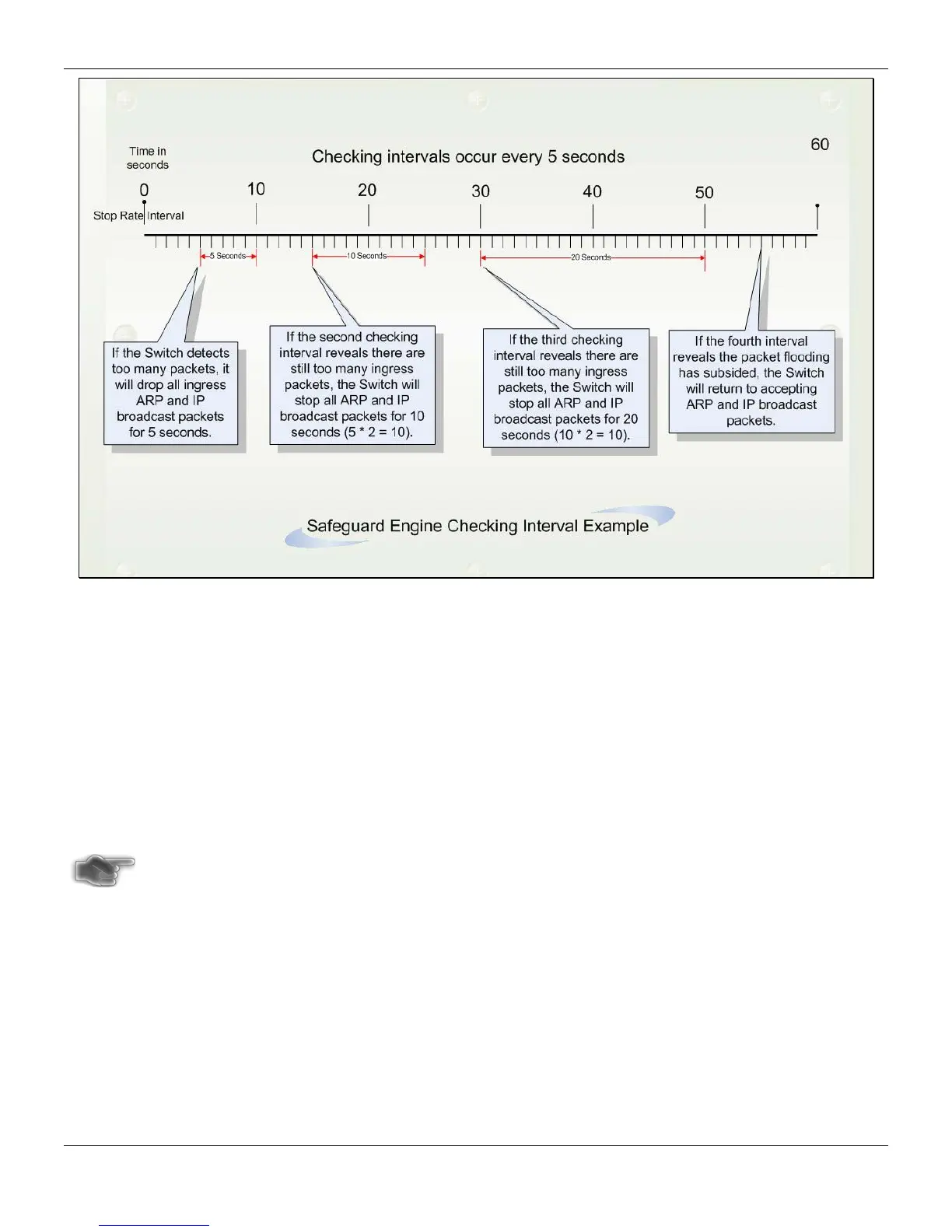
For every consecutive checking interval that reveals a packet flooding issue, the Switch will double the time it will
discard ingress ARP and IP broadcast packets and packets from the illegal IP addresses. In the example above, the
Switch doubled the time for dropping ARP and IP broadcast packets when consecutive flooding issues were detected
at 5-second intervals. (First stop = 5 seconds, second stop = 10 seconds, third stop = 20 seconds) Once the flooding is
no longer detected, the wait period for dropping ARP and IP broadcast packets will return to 5 seconds and the
process will resume.
In Fuzzy mode, once the Safeguard Engine has entered the Exhausted mode, the Safeguard Engine will decrease the
packet flow by half. After returning to Normal mode, the packet flow will be increased by 25%. The Switch will then
return to its interval checking and dynamically adjust the packet flow to avoid overload of the Switch.
NOTICE: When Safeguard Engine is enabled, the Switch will allot bandwidth to various traffic flows (ARP,
IP) using the FFP (Fast Filter Processor) metering table to control the CPU utilization and limit
traffic. This may limit the speed of routing traffic over the network.
Users can enable the Safeguard Engine or configure advanced Safeguard Engine settings for the Switch.
To view this window, click Security > Safeguard Engine Settings, as shown below:
273












 To Next Page