UMN:CLI User Manual
V8102
222
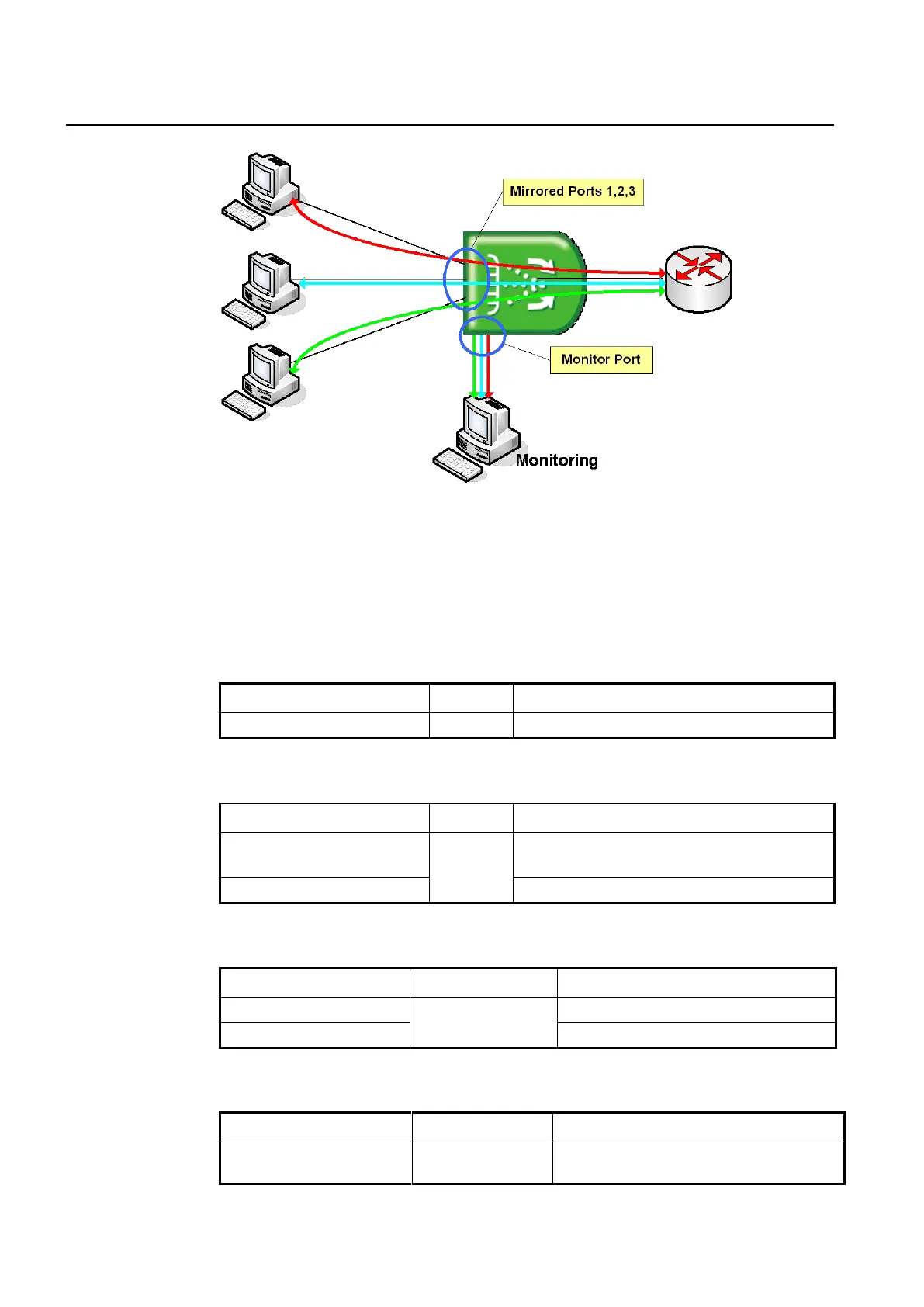
Fig. 7.8 Port Mirroring
To configure port mirroring, designate mirrored ports and monitor port. Then enable port
mirroring function. Monitor port should be connected to the watch program installed PC.
You can designate only one monitor port but many mirrored ports for one switch.
Step 1 Activate the port mirroring, using the following command.
Activates port mirroring.
Step 2 Designate the monitor interface, use the following command.
Specifies the packet mirroring to CPU. The TX packets
from the local CPU is not available.
Deletes the packet mirroring to CPU.
To specify the monitor interface, use the following command.
Designates the monitor interface.
Deletes a designated monitor port.
Step 3 Designate the mirrored port, use the following command.
Designates the mirrored ports.
receive: traffic in the ingress (RX) direction



 To Next Page