8-10 Infinity Vista VF6
8 ECG AND HEART RATE
One- or Two-Channel Signal Processing
The monitor can process one or two ECG leads. If you select two-channel signal
processing, ECG and arrhythmia monitoring is less vulnerable to artifact, because the
monitor can assign a greater weight to the “cleaner” channel or even exclude a
channel from signal processing altogether, if it exceeds a certain level of artifact. In
this case, ECG monitoring continues without interruption, unless both channels start
showing excessive artifact.
The monitor processes the two leads displayed in the top two waveform channels. If
no lead or only one lead is currently displayed in these channels, the monitor uses the
last leads previously displayed there.
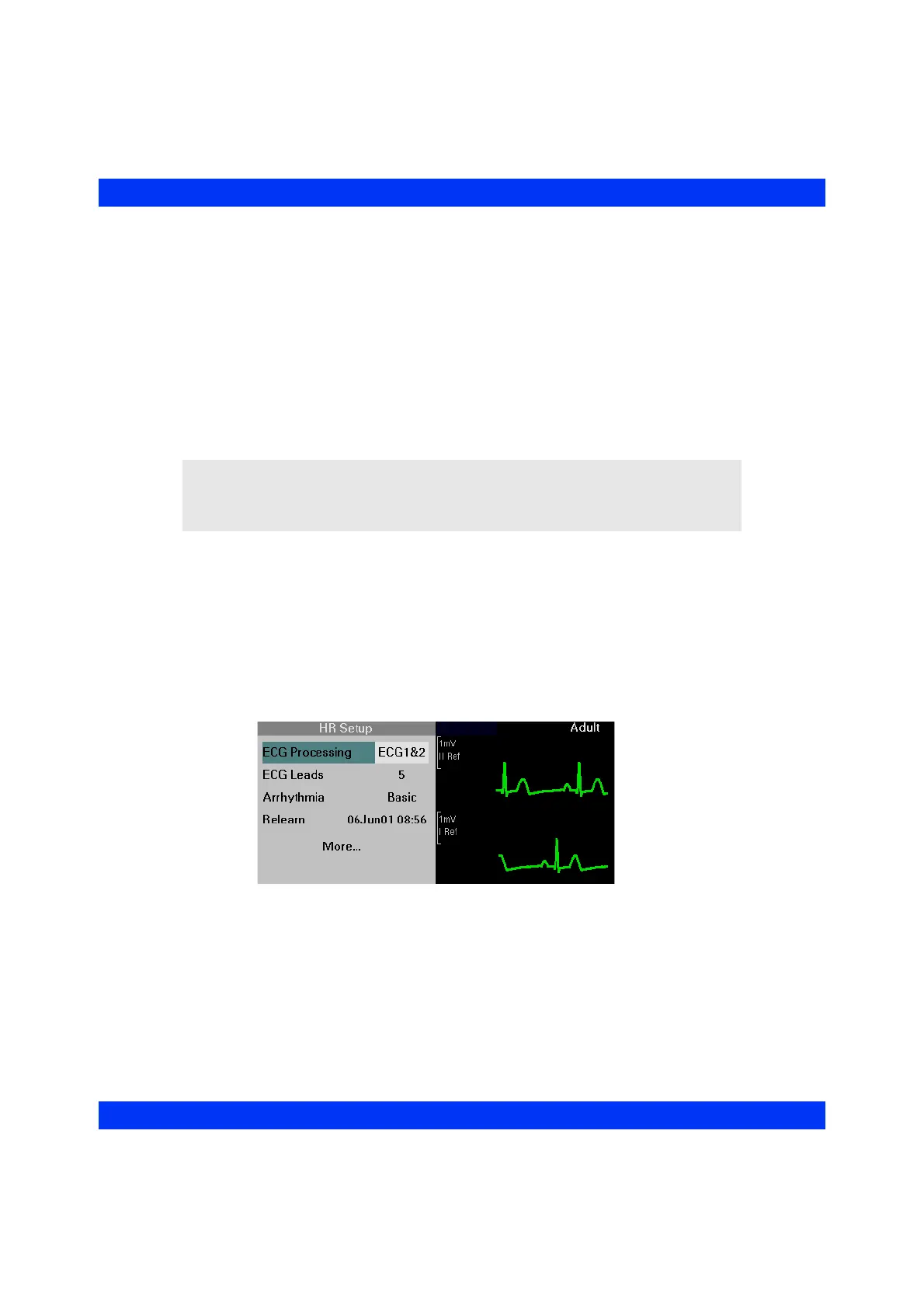
STEPS: Selecting One- or Two-Channel Signal Processing
1. Click on the HR parameter box.
2. Click on
More....
3. Click on
ECG Processing.
4. Select the desired setting (
ECG1 or ECG1&2) and click the knob.
NOTE: When you call up the second page of the HR Setup menu by clicking on
More... (see below), the two ECG leads available for signal processing appear to the
right of the menu. To change these leads, exit the HR Setup menu, click on waveform
channel 1 or 2, and select a different ECG lead for display.











 To Next Page